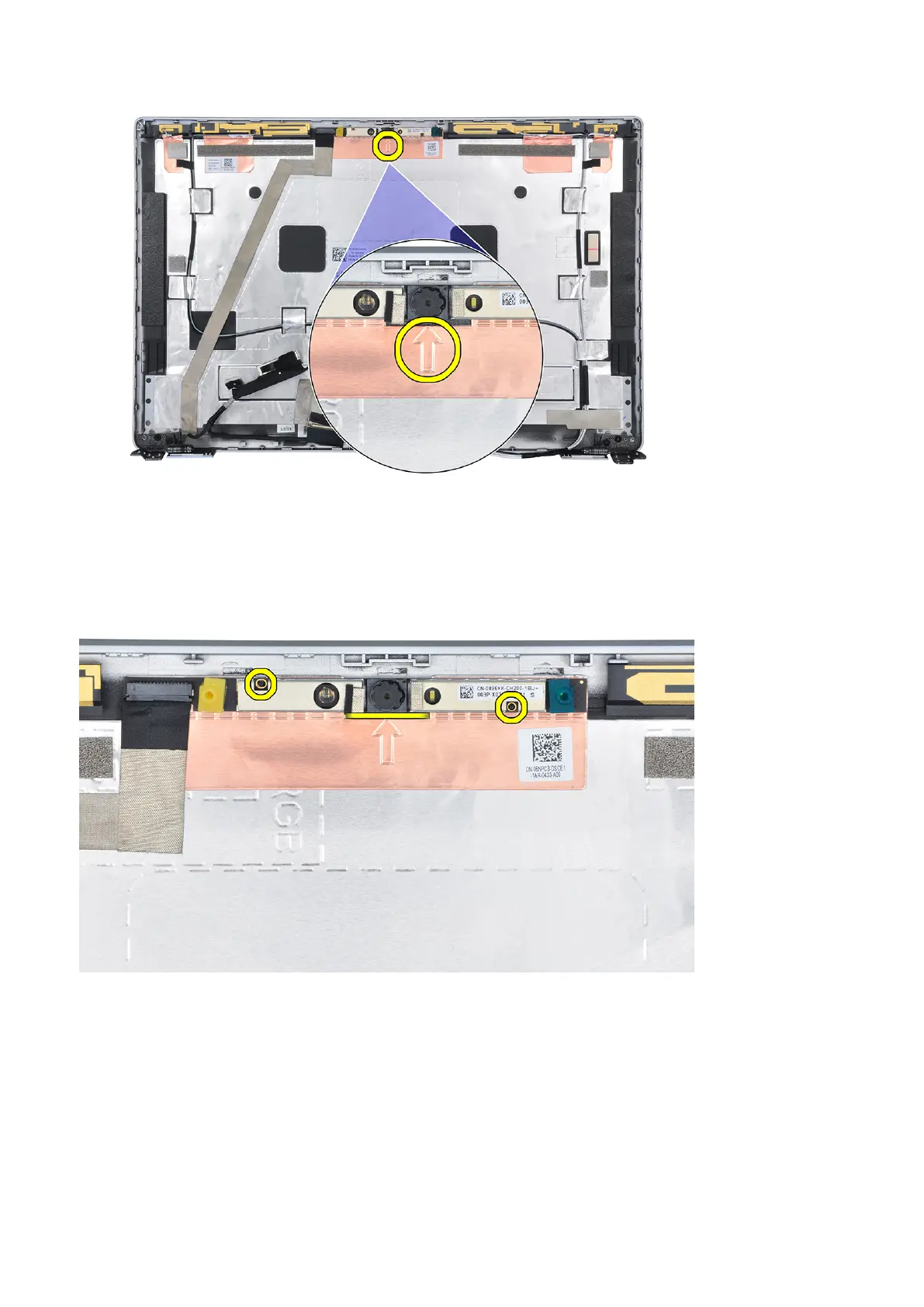
4. Pry up the camera module ensuring that the two tiny pegs used to secure the camera module in place are not damaged
throughout the prying process. Carefully lift the camera module from the display back cover.
Installing the camera
Prerequisites
If you are replacing a component, remove the existing component before performing the installation procedure.
About this task
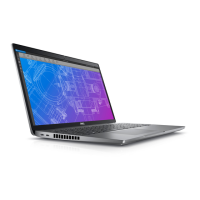
The following images indicate the location of the camera and provide a visual representation of the installation procedure.
78
Removing and installing components










 To Next Page