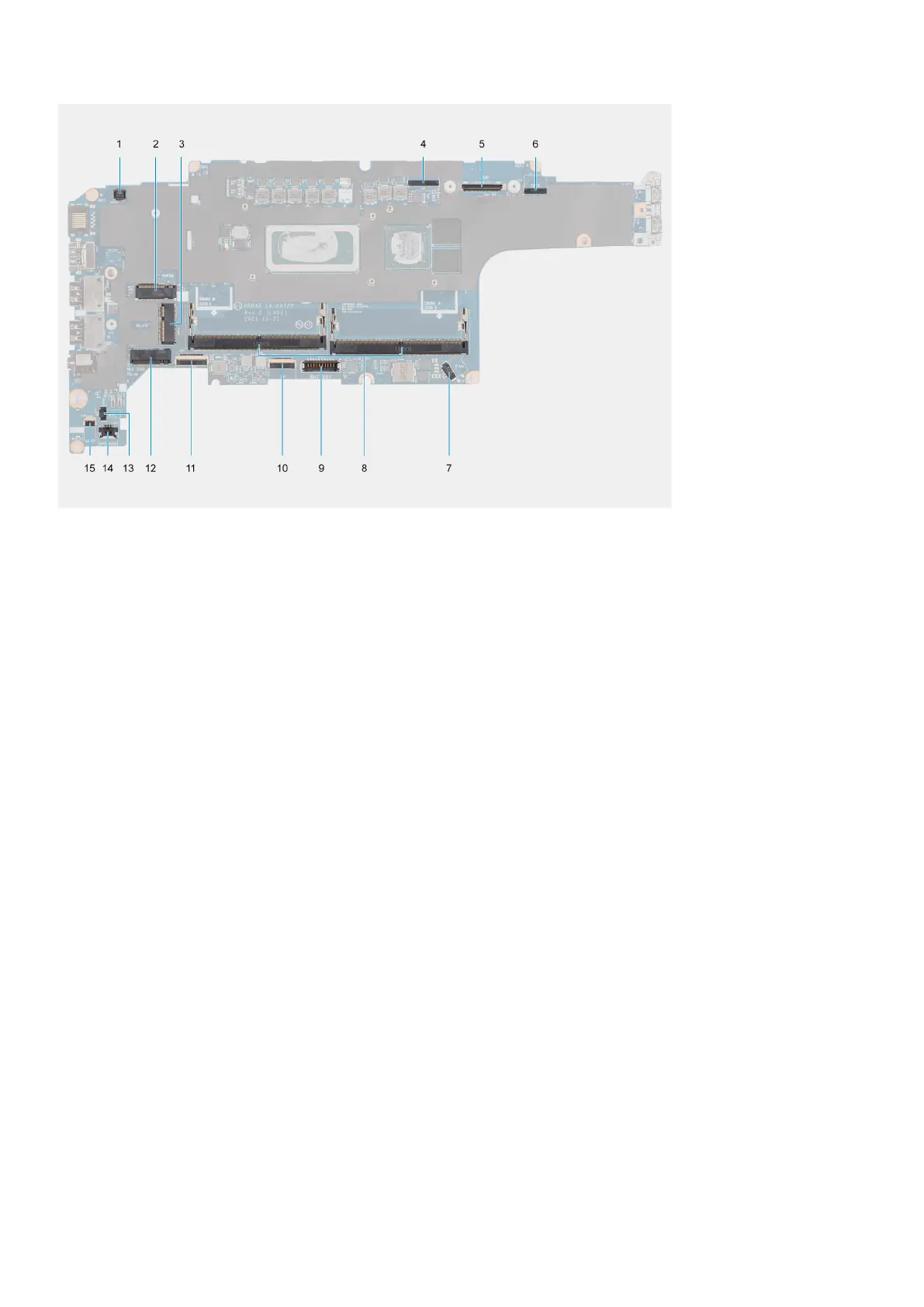
1. Fingerprint reader connector
2. WWAN connector
3. Camera/IR cable connector
4. eDP/display cable connector
5. Touch and sensor cable connector
6. Fan connector
7. Memory modules
8. Battery cable connector
9. Touchpad cable connector
10. USH board connector
11. WLAN connector
12. Solid-state drive slot
13. Coin-cell battery cable connector
14. Speaker cable connector
15. Battery LED cable connector
The following images indicate the location of the system board and provide a visual representation of the removal procedure.
Removing and installing components
43










 To Next Page