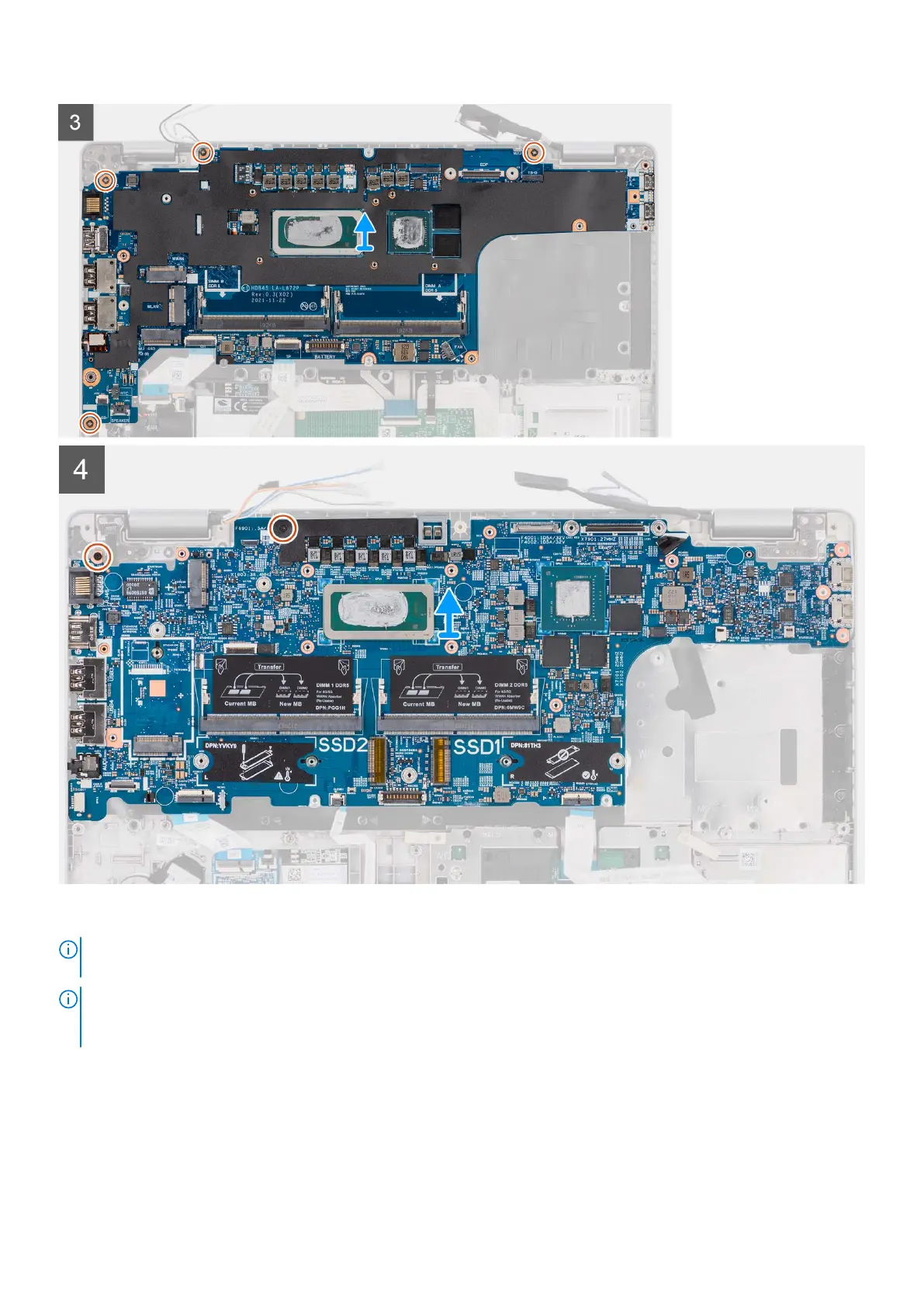
Steps
NOTE:
For the models shipped with a fingerprint reader, disconnect the fingerprint reader cable from the connector on the
system board before removing the system board from the palm-rest assembly and keyboard assembly.
NOTE: When removing the system board to replace/access other parts, the system board can be removed and installed
with the thermal assembly attached to simplify the procedure and preserve the thermal bond between the system board
and heat-sink. To do so, you must also remove the two (M2x5) screws securing the fan to the palm-rest assembly.
Removing and installing components 45










 To Next Page