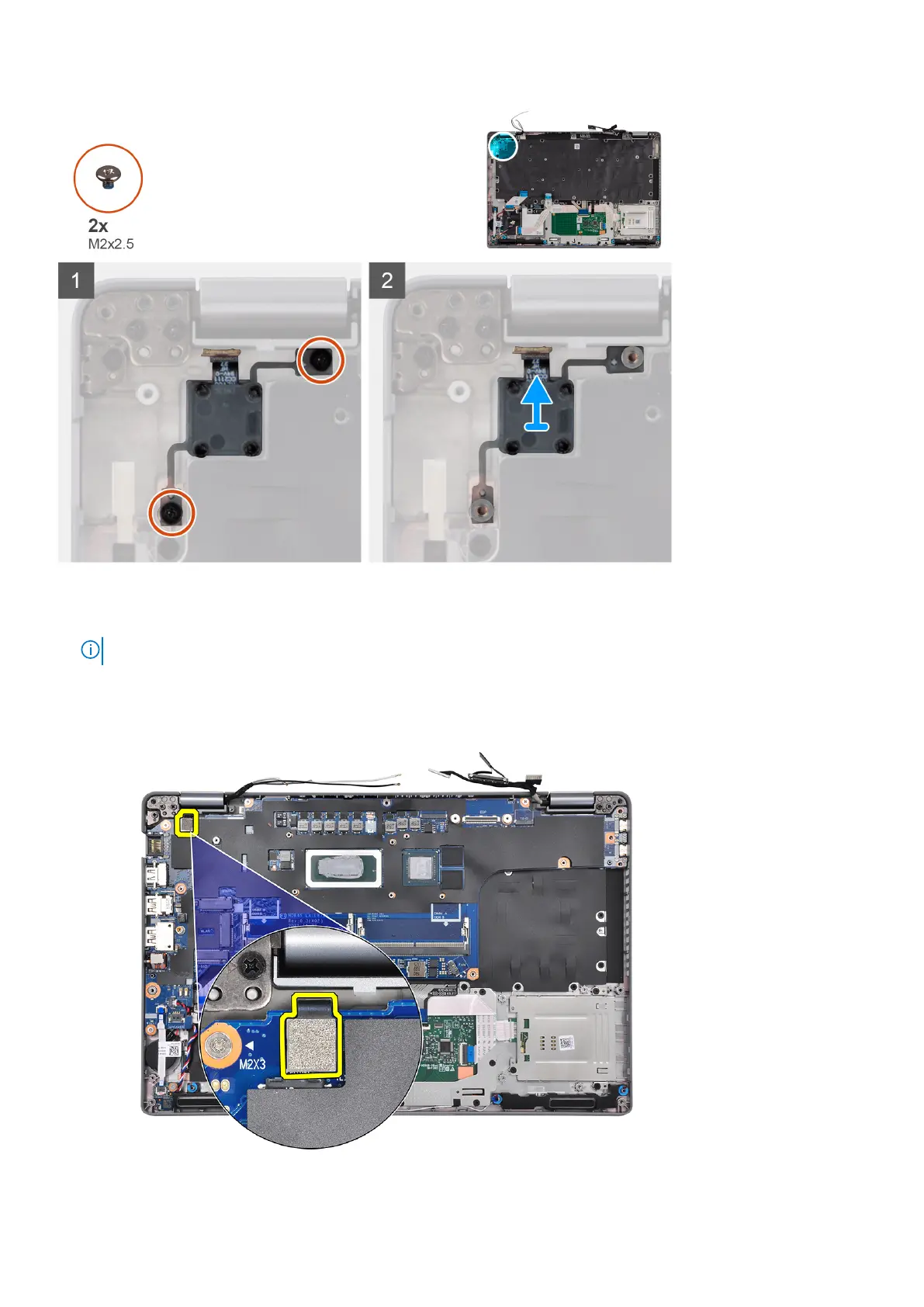
Steps
1. Remove the two screws (M2x2.5) that secure the power-button board to the palm-rest assembly.
NOTE: The removal of two screws applies to both models with and without the fingerprint reader.
2. Lift the power-button board off the palm-rest assembly.
For models shipped with a fingerprint reader, make sure to disconnect the fingerprint reader FPC from the system board
before removing the system board.
50
Removing and installing components











 To Next Page