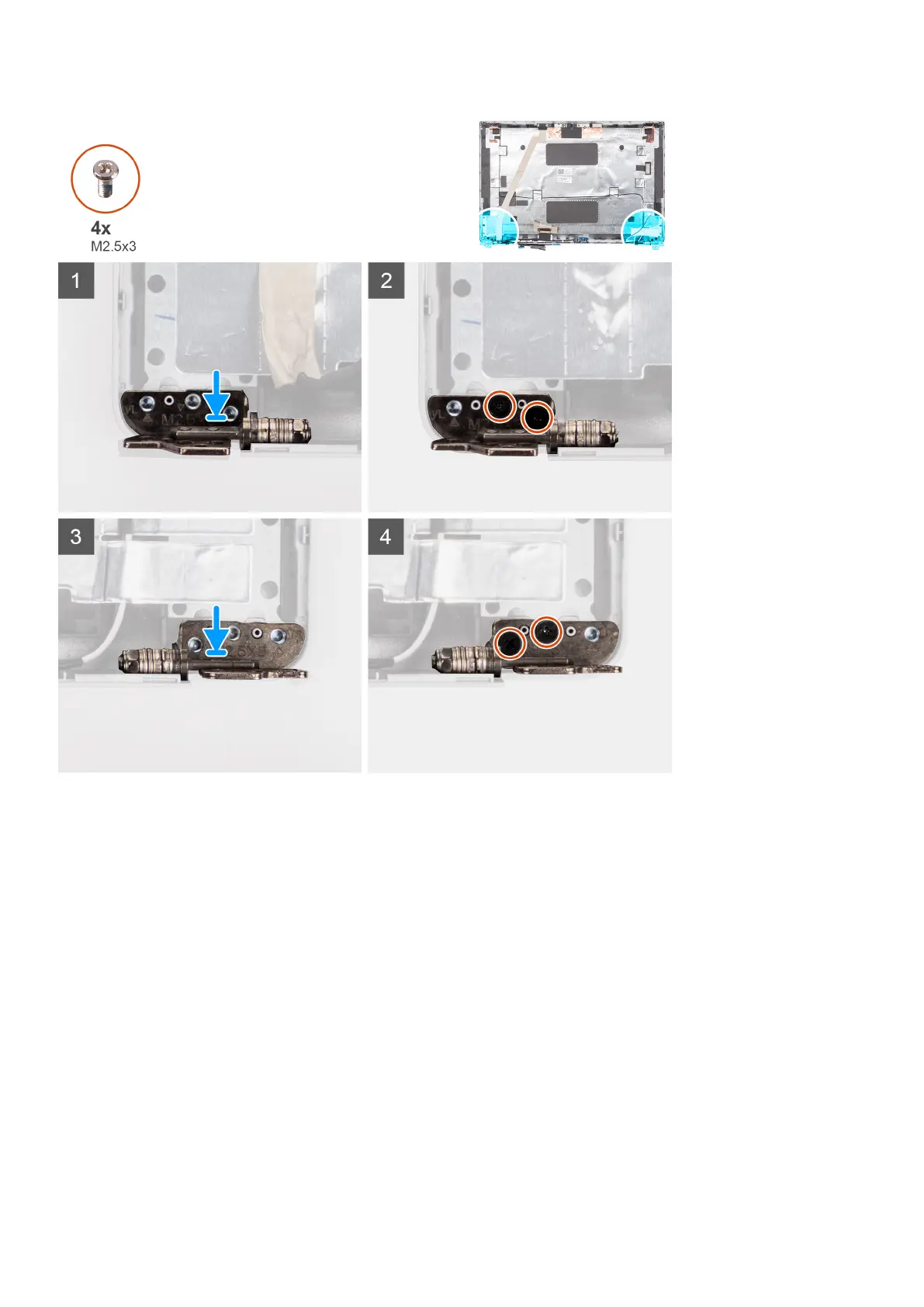
Steps
1. Align the screw hole on the left hinge with the screw hole on the display back cover.
2. Replace the two (M2.5x3) screws to secure the left hinge to the display back cover.
3. Align the screw hole on the right hinge with the screw hole on the display back cover.
4. Replace the two (M2.5x3) screws to secure the right hinge to the display back cover.
Next steps
1. Install the display panel.
2. Install the display bezel.
3. Install the display assembly.
4. Install the wireless card.
5. Install the base cover.
6. Install the microSD card.
7. Follow the procedure in After working inside your computer.
88
Removing and installing components











 To Next Page