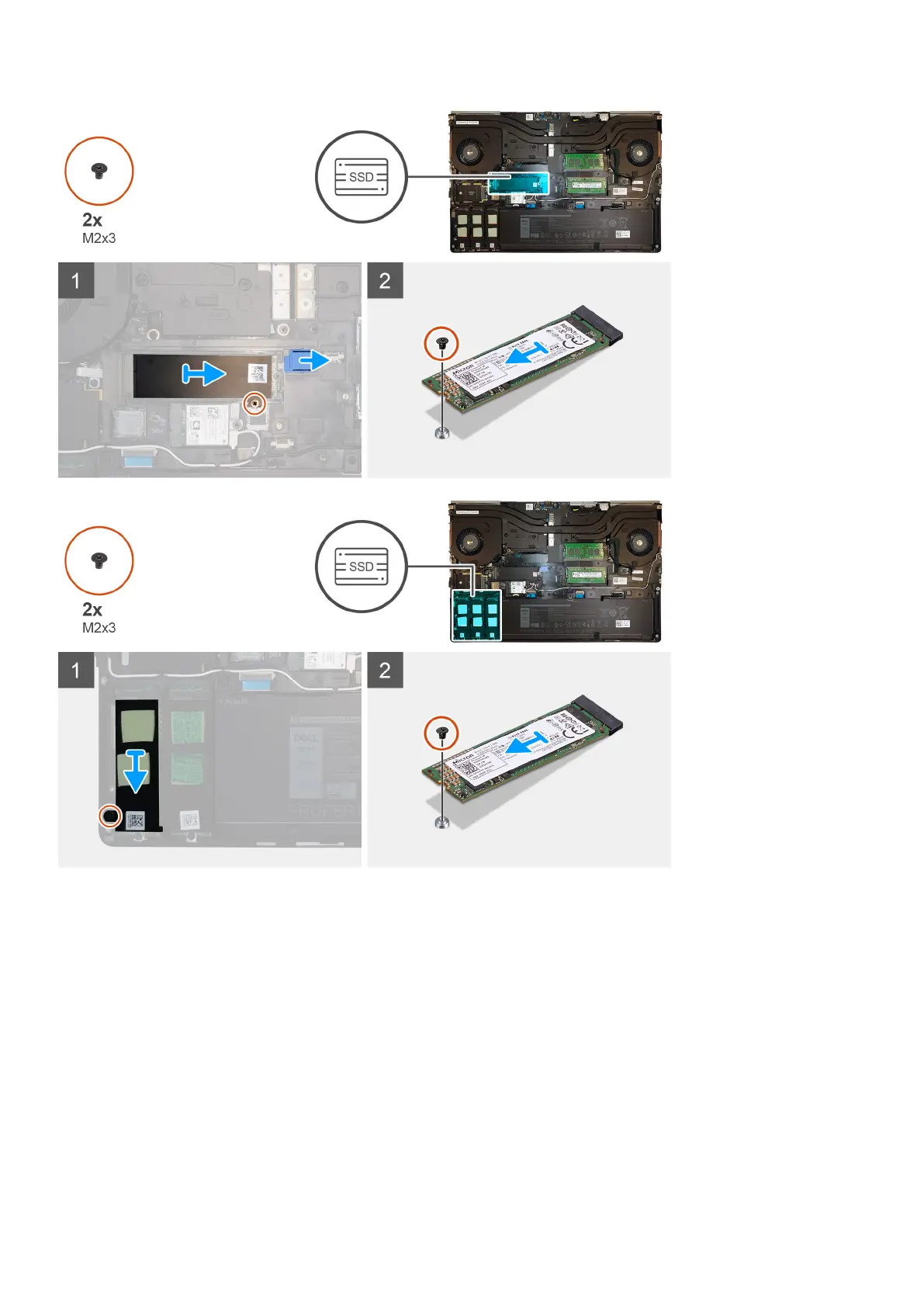
Steps
1. Remove the (M2x3) screw that secures the SSD thermal plate to the M.2 SSD module.
2. Remove the SSD thermal plate.
3. For M.2 2280 SSD:
a. Remove the (M2x3) screw that secures the M.2 SSD to the computer.
b. Remove the M.2 SSD.
4. For M.2 2230 SSD:
a. Remove the (M2x3) screw that secures the SSD module.
b. Remove the SSD module from the computer.
c. Remove the (M2x2) screw that secures the SSD to SSD holder.
d. Remove the SSD from the holder.
5. Repeat the above steps to remove the other SSD modules in the computer.
Demonteren en hermonteren
29















 To Next Page