4. Remove the display cable from the display back cover.
Installing the display cable
Prerequisites
If you are replacing a component, remove the existing component before performing the installation procedure.
About this task
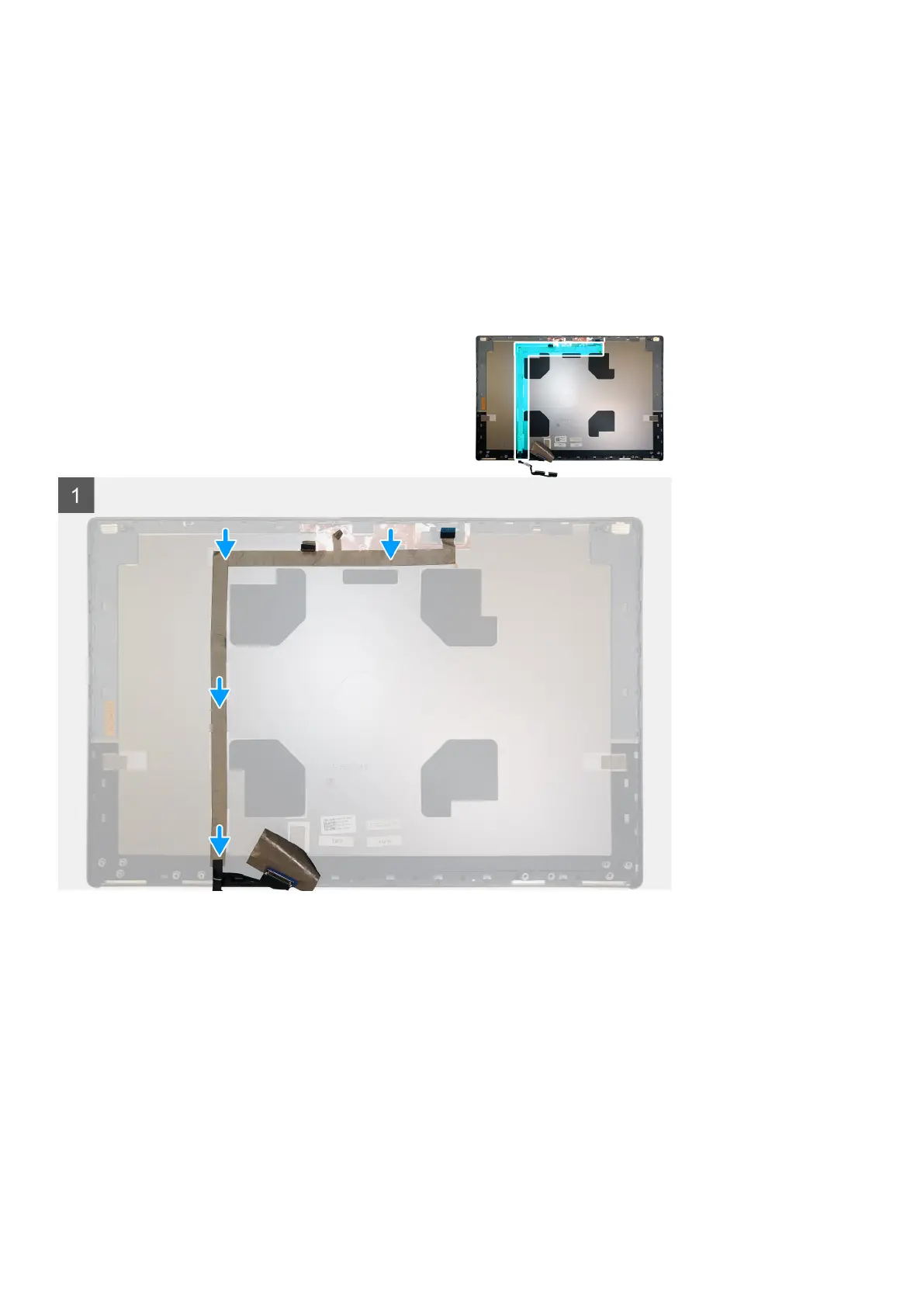
The figure indicates the display cable and provides a visual representation of the installation procedure.
Steps
1. Route and adhere the display cable on the display back cover.
2. Connect the display cable to the connector on the camera module.
3. Adhere the adhesive tape to cover the camera module.
Next steps
1. Install the P-sensor board.
2. Install the display panel.
3. Install the display bezel.
4. Install the speaker.
5. Install the display assembly.
6. Install the system board.
7. Install the GPU card.
Demonteren en hermonteren
95















 To Next Page