14. Remove the primary memory.
15. Remove the heat-sink assembly.
16. Remove the inner frame.
17. Remove the GPU power cable.
18. Remove the GPU card.
19. Remove the system board.
About this task
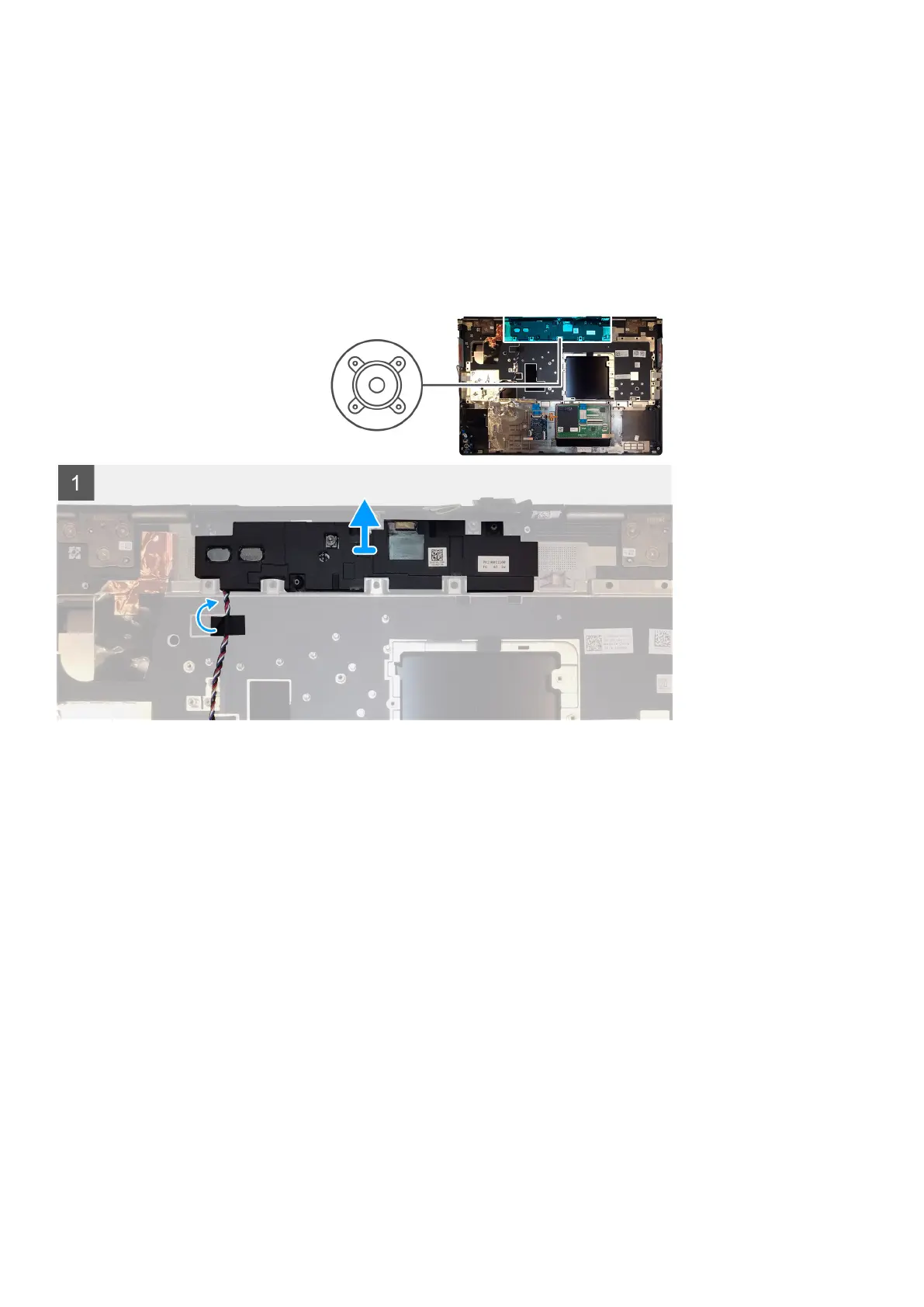
The figure indicates the location of the speaker and provides a visual representation of the removal procedure. Images to be uploaded in
the next review cycle.
Steps
1. Peel the pieces of adhesive tape that secures the speaker cable to the palmrest.
2. Pry the speaker module from its slot on the top edge of the palmrest.
3. Remove the speaker module from the computer.
Installing the speaker
Prerequisites
If you are replacing a component, remove the existing component before performing the installation procedure.
About this task
The figure indicates the location of the speaker and provides a visual representation of the installation procedure.
70
Demonteren en hermonteren















 To Next Page