12. Remove the keyboard lattice.
13. Remove the keyboard.
14. Remove the primary memory.
15. Remove the heat-sink assembly.
16. Remove the inner frame.
About this task
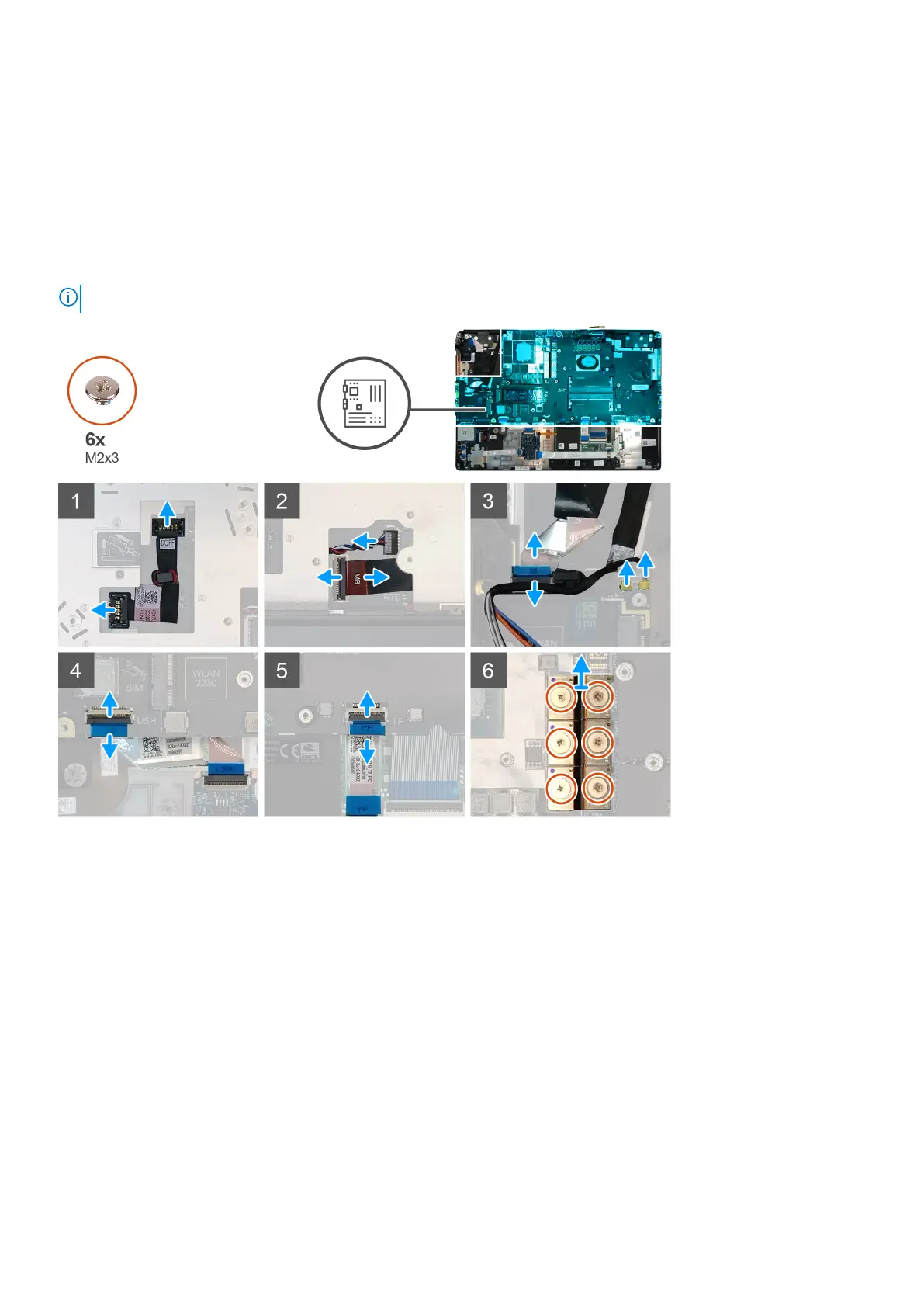
The figure indicates the location of the system board and provides a visual representation of the removal procedure. Images to be
uploaded in the next review cycle.
NOTE: For discrete models shipped with GPU card:
Demonteren en hermonteren 63















 To Next Page