Steps
1.
NOTE:
Before installing the display assembly, ensure that the display hinges are opened to a 140-degree angle
against the display assembly, to fit the display assembly to the palmrest.
Align the screw holes on the hinges on the display assembly to the screw holes on the palmrest.
2. Replace the eight (M2.5x2.5) screws to secure the hinges to the palmrest.
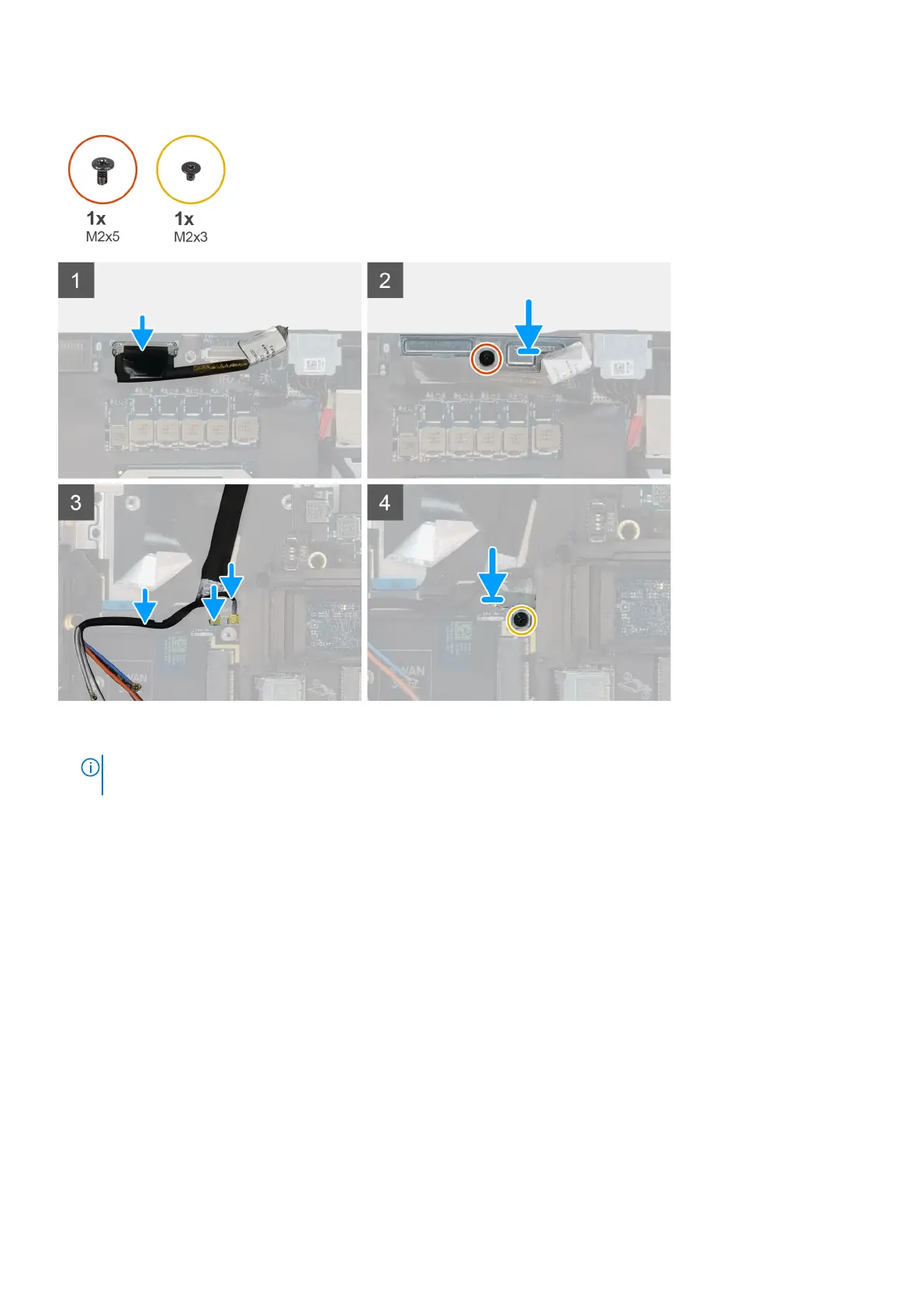
3. Replace the (M2x5) screw to secure the display bracket to the palmrest.
4. Connect the display cable to the connector on the system board.
5. Replace the (M2x5) screw to secure the Darwin bracket.
6. Adhere the WWAN cables and Darwin cables to the palmrest.
Next steps
1. Install the heat-sink assembly.
2. Install the primary memory.
3. Install the keyboard.
4. Install the keyboard lattice.
5. Install the WLAN card.
6. Install the WWAN card.
7. Install the secondary memory.
8. Install the SIM card.
9. Install the primary M.2 SSD.
10. Install the battery.
11. Install the base cover.
12. Install the secondary M.2 SSD.
78
Demonteren en hermonteren















 To Next Page