16xxx | Installationxxx
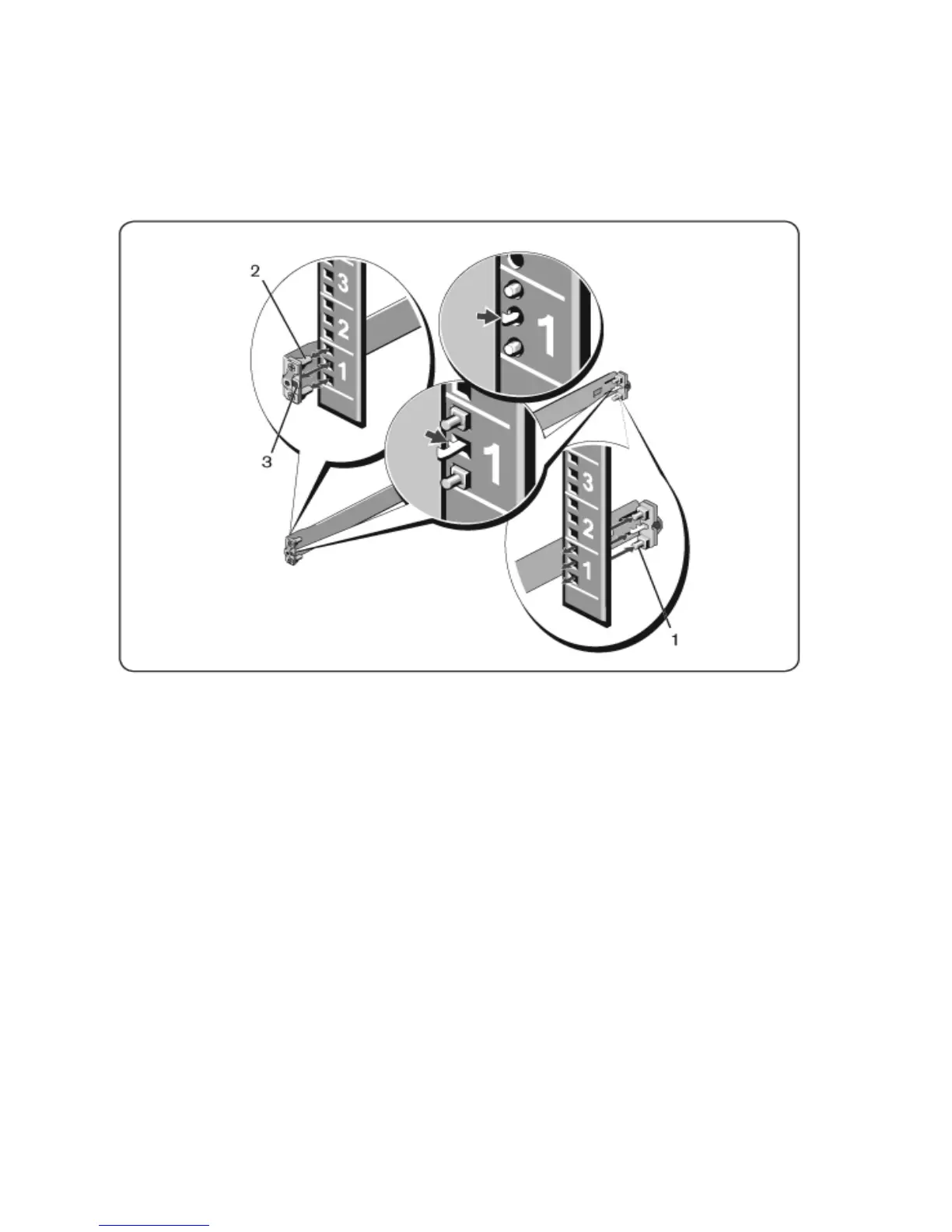
Figure 2.1: 1U Tool-less Configuration
2 Align and seat the front flange pegs in the holes on the front side of the
vertical post (item 2).
3 Repeat this procedure for the second rail.
4 To remove each rail, pull on the latch release button on each flange ear
(item 3) and unseat each rail.
Two-Post Flush-Mount Configuration
1 For this configuration, the castings must be removed from the front side of
each ReadyRails assembly (Figure 2.2, item 1). Use a Torx™ driver to
remove the two screws from each front flange ear (on the switch side of the
rail) and remove each casting. Retain castings for future rack requirements.
It is not necessary to remove the rear flange castings.



 To Next Page