20xxx | Installationxxx
Installing the Switch
The switch may be mounted in the 1U rear-rack, 1U front-rack, 1U two-post
(flush and center), and 0U configurations. The following are examples of 1U rear-
rack, 1U front-rack, and 0U configurations. For 1U two-post (flush and center)
configurations, you can slide the switch into the rails in the same manner as the
four-post configurations.
1U Rear-rack Installation
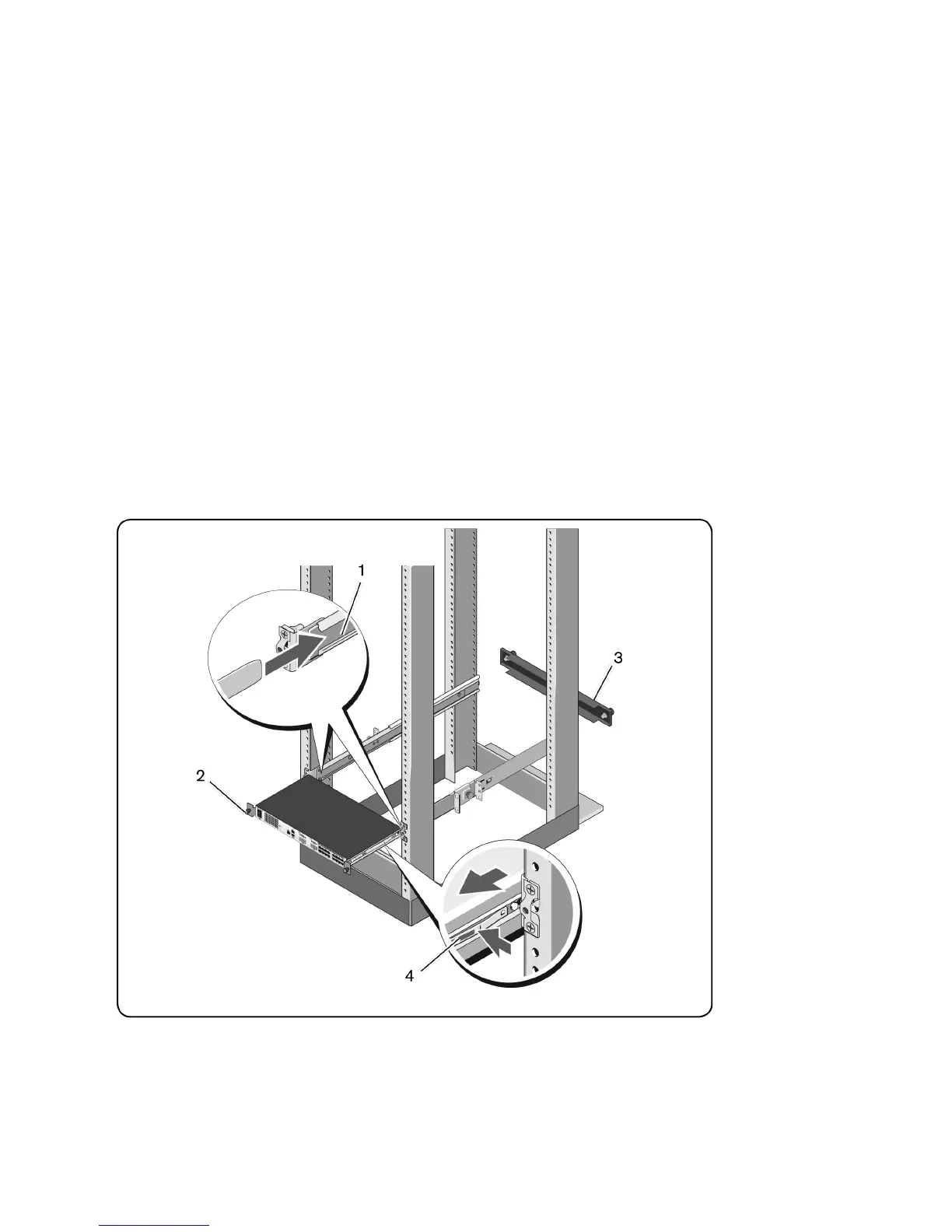
1 Insert the ends of the rails that are attached to the switch into the
ReadyRails assembly and push the switch into the rack (Figure 2.5, item 1).
Figure 2.5: 1U Rear-rack Installation
2 Secure each switch rail with the thumbscrew (item 2).



 To Next Page