22xxx | Installationxxx
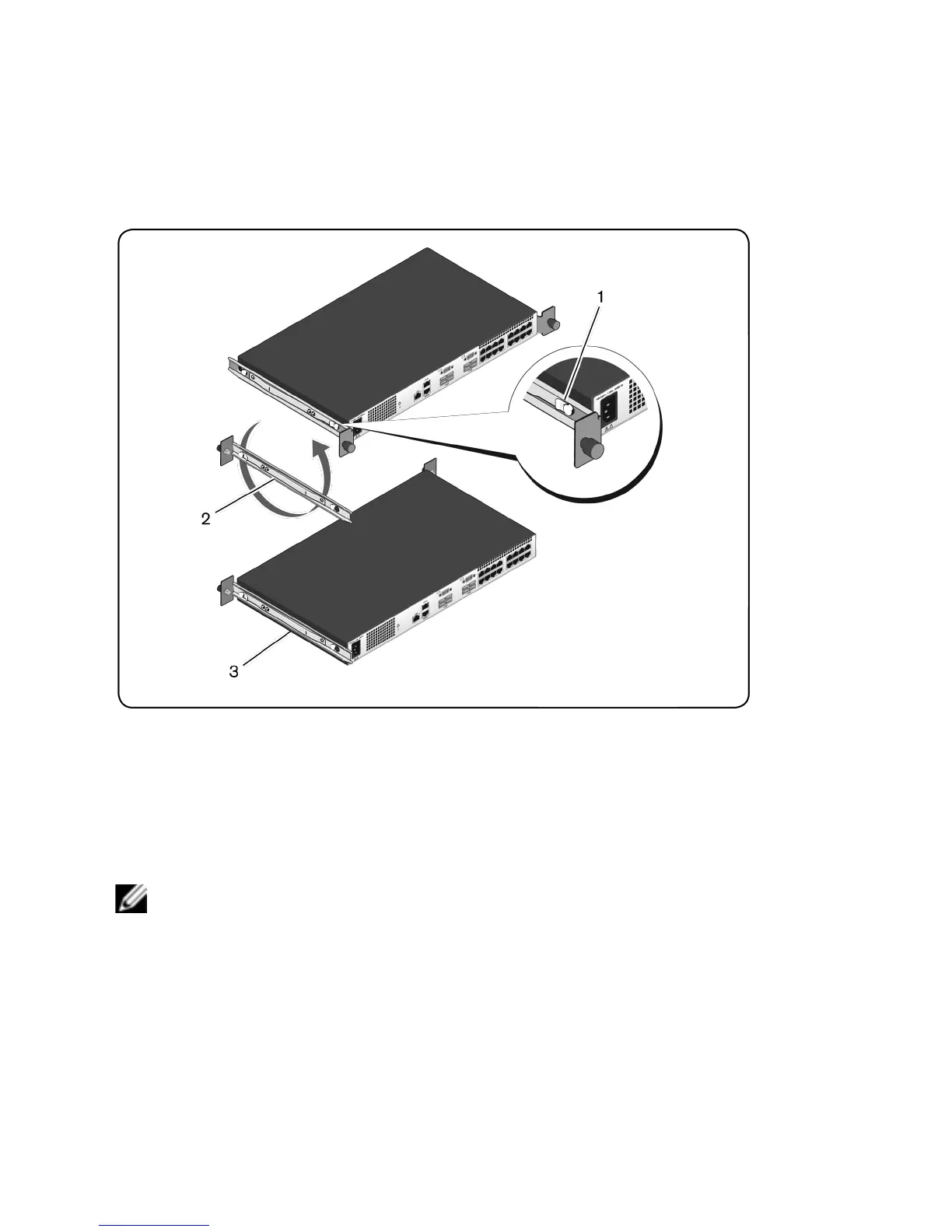
Figure 2.6: Rotating the Switch Rails
2 Rotate each rail 180° (item 2) and then reassemble each rail to the switch
(item 3).
3 Refer to the 1U rear-rack instructions to insert and remove the switch
assembly from the ReadyRails system.
NOTE: No blanking panel is required for this configuration.
0U Installation
1 Align and assemble the 0U mounting bracket to the switch rails (Figure 2.7,
item 1). Tighten the thumbscrews (item 2).
2 Insert the mounting bracket hooks into the rack holes and push down until
the blue button pops out and locks the bracket into place.



 To Next Page