60xxx | OBWI Operationxxx
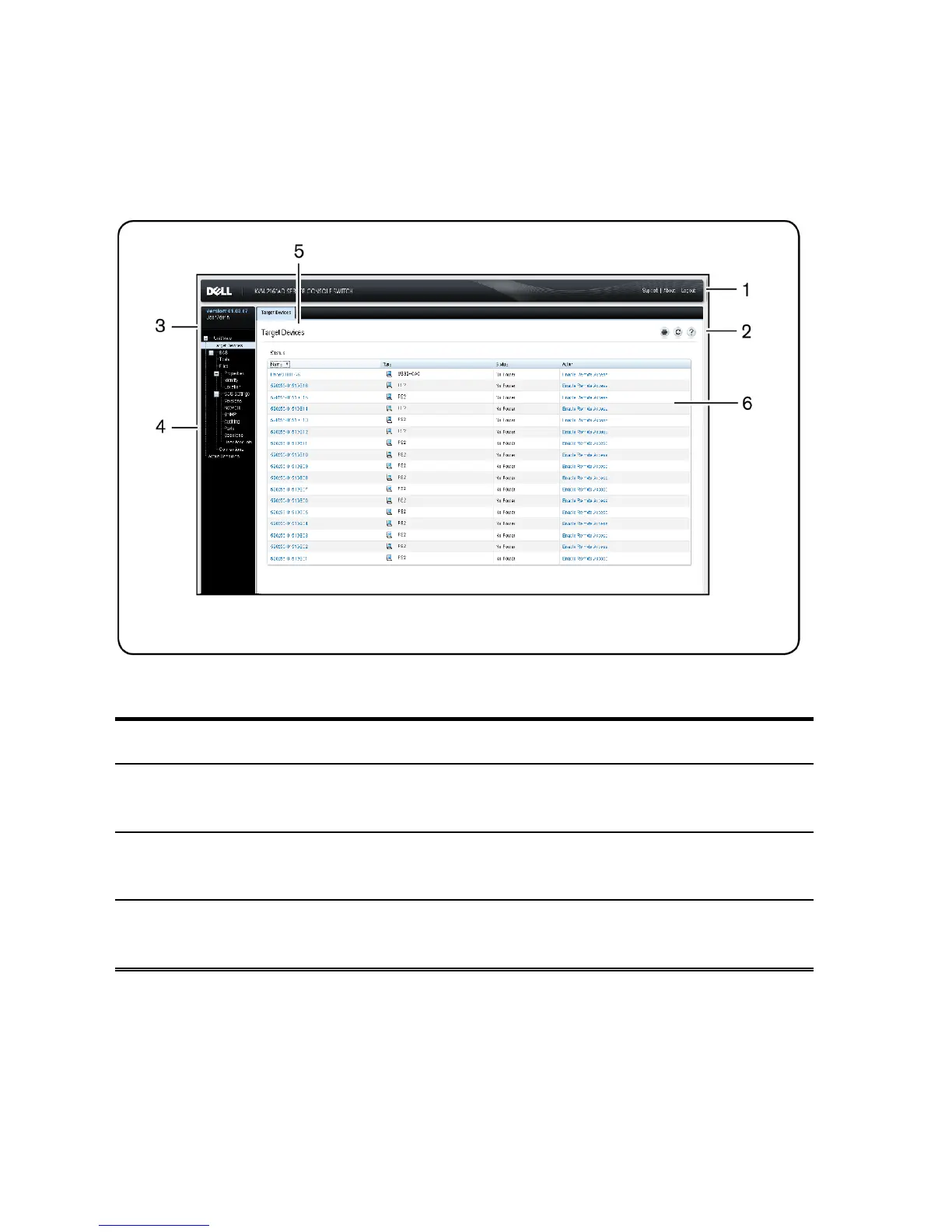
Figure 4.1: OBWI Window
Number Description
1
Top option bar: Use the top option bar to contact Technical Support, view the
software general information, or log out of an OBWI session.
2
Second option bar: Use this bar to print a web page, refresh the current web
page or access the Help tool.
3
Version block: The firmware version of the product and the username of the
user currently logged in appears on the left side of the top option bar.
Table 4.2: Figure 4.1



 To Next Page