Video Viewerxxx | xxx87
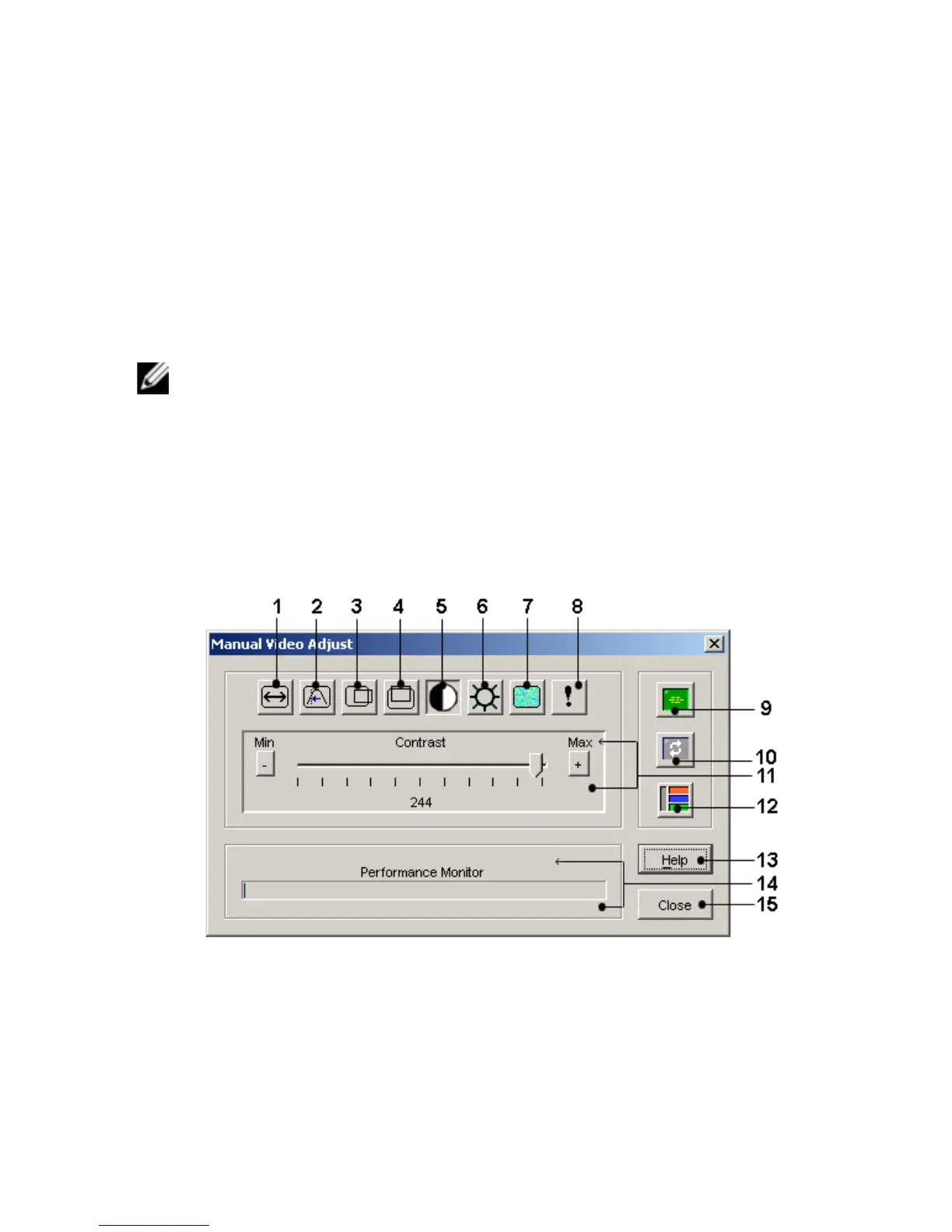
Video Adjust button. This displays the Manual Video Adjust dialog box. Video
adjustment is a per device setting.
Users can also verify the level of packets per second required to support a static
screen by observing the packet rate located in the lower left-hand corner of the
dialog box.
To manually adjust the video quality of the window:
NOTE: The following video adjustments should be made only with the help of Dell
Technical Support.
1 Select Tools - Manual Video Adjust from the Video Viewer window menu.
-or-
Click the Manual Video Adjust button.
The Manual Video Adjust dialog box (Figure 5.2) will appear.
Figure 5.2: Manual Video Adjust Dialog Box



 To Next Page