About this task
Steps
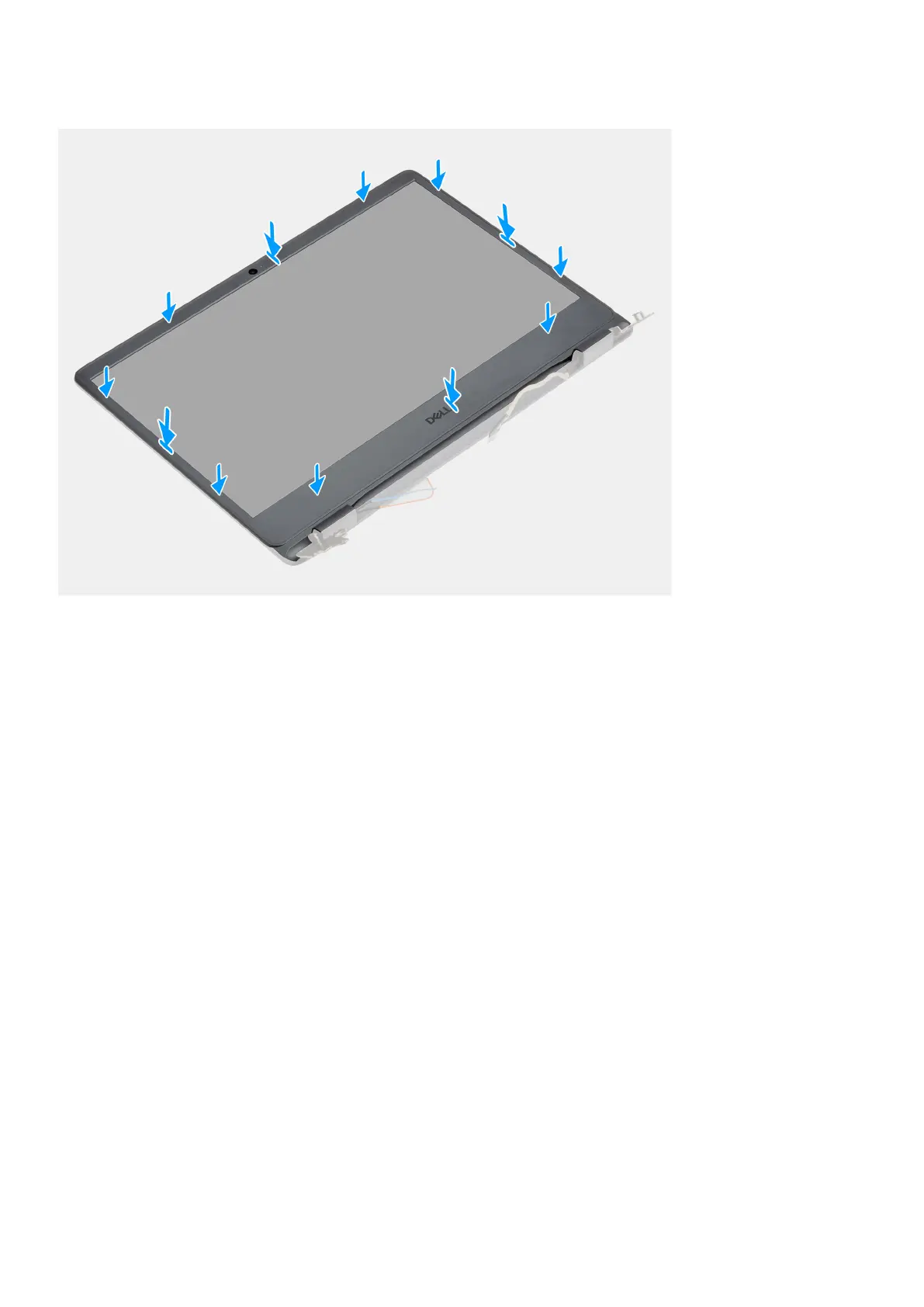
Align the display bezel with the display back-cover and antenna assembly, and then gently snap the display bezel into place.
Next steps
1. Install the display assembly.
2. Reconnect the battery cable.
3. Install the base cover.
4. Install the SD card.
5. Follow the procedure in after working inside your computer.
Camera
Removing the camera
Prerequisites
1. Follow the procedure in before working inside your computer.
2. Remove the SD card.
3. Remove the base cover.
4. Disconnect the battery cable.
5. Remove the WLAN.
6. Remove the display assembly.
7. Remove the display bezel.
8. Remove the display panel.
Disassembly and reassembly
59


 To Next Page