About this task
Steps
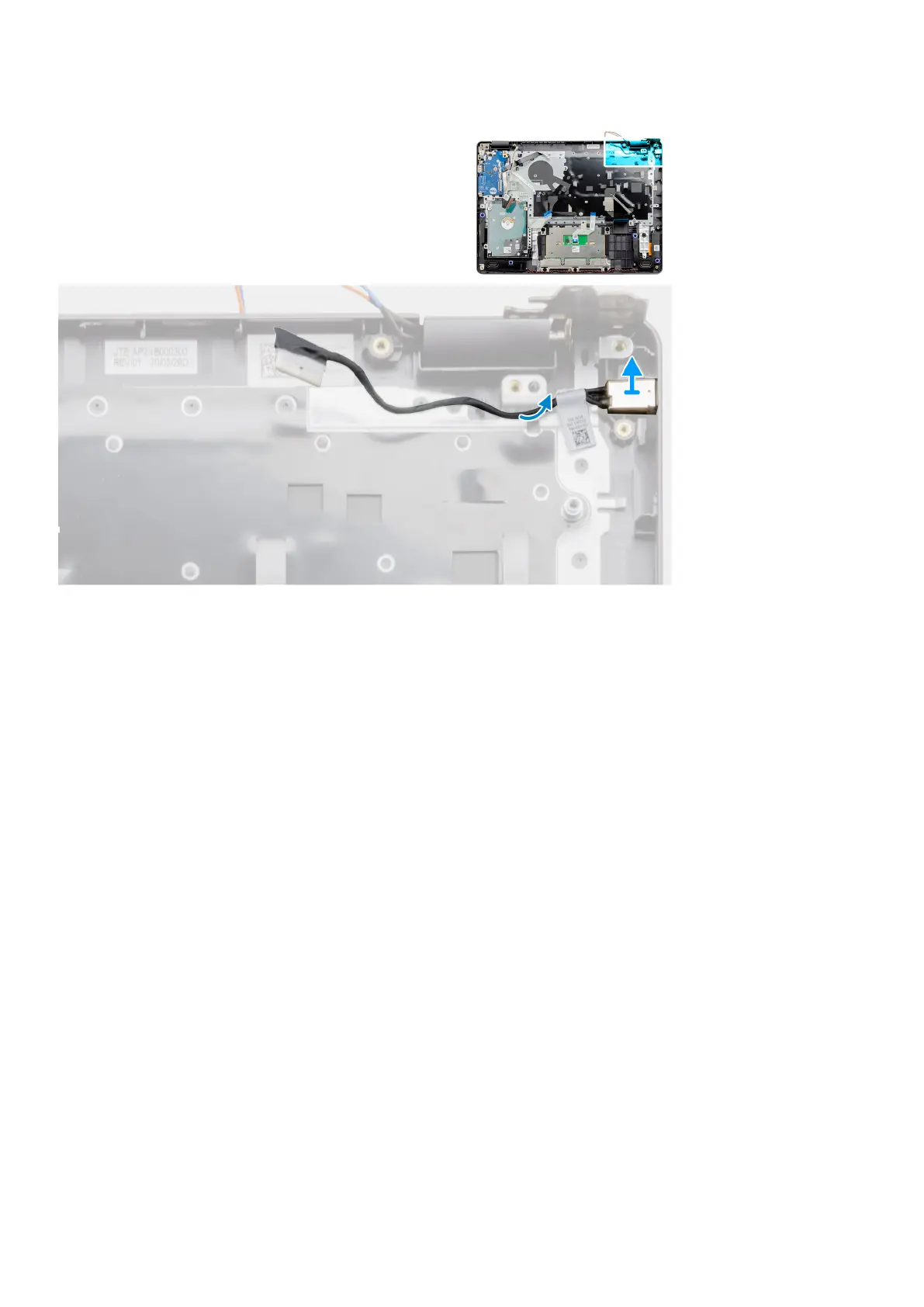
1. Disconnect and un-route the power adapter port module from the system board.
2. Remove the power adapter port module from the system.
Installing the power adapter port
Prerequisites
If you are replacing a component, remove the existing component before performing the installation procedure.
Disassembly and reassembly
81


 To Next Page