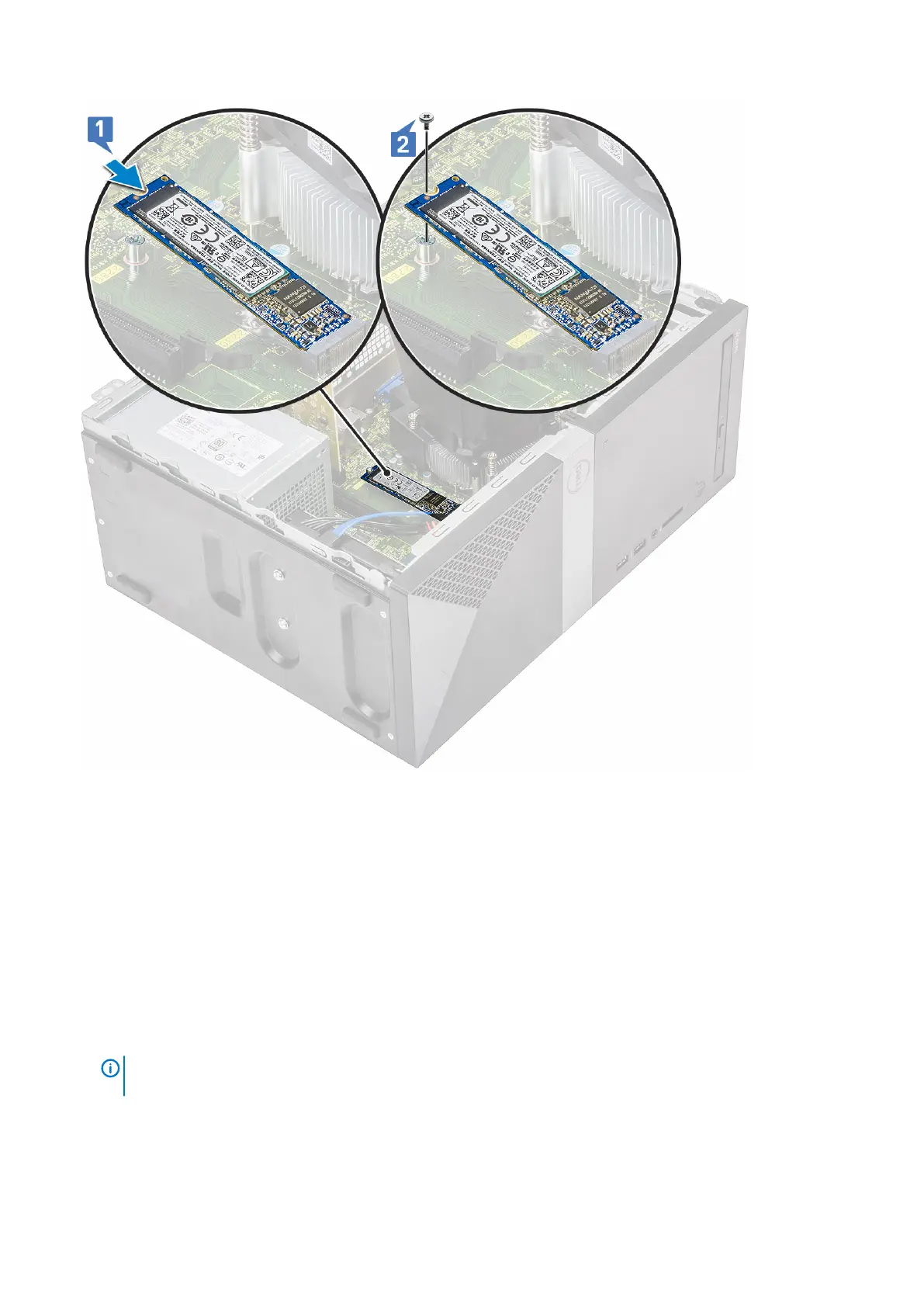
3. Install the Cover.
4. Follow the procedure in After working inside your computer.
Optical drive
Removing optical drive assembly
1. Follow the procedure in Before working inside your computer.
2. Remove the:
a) Cover
3. To remove the slim optical drive:
a) Disconnect the data cable and power cable from the connectors on the optical drive assembly [1].
NOTE:
You must unroute the cables from the tabs under the drive cage to allow you to disconnect the cables
from the connectors.
b) Remove the two (M2x2) screws that secure the optical drive assembly to the computer [2].
Removing and installing components
33



 To Next Page