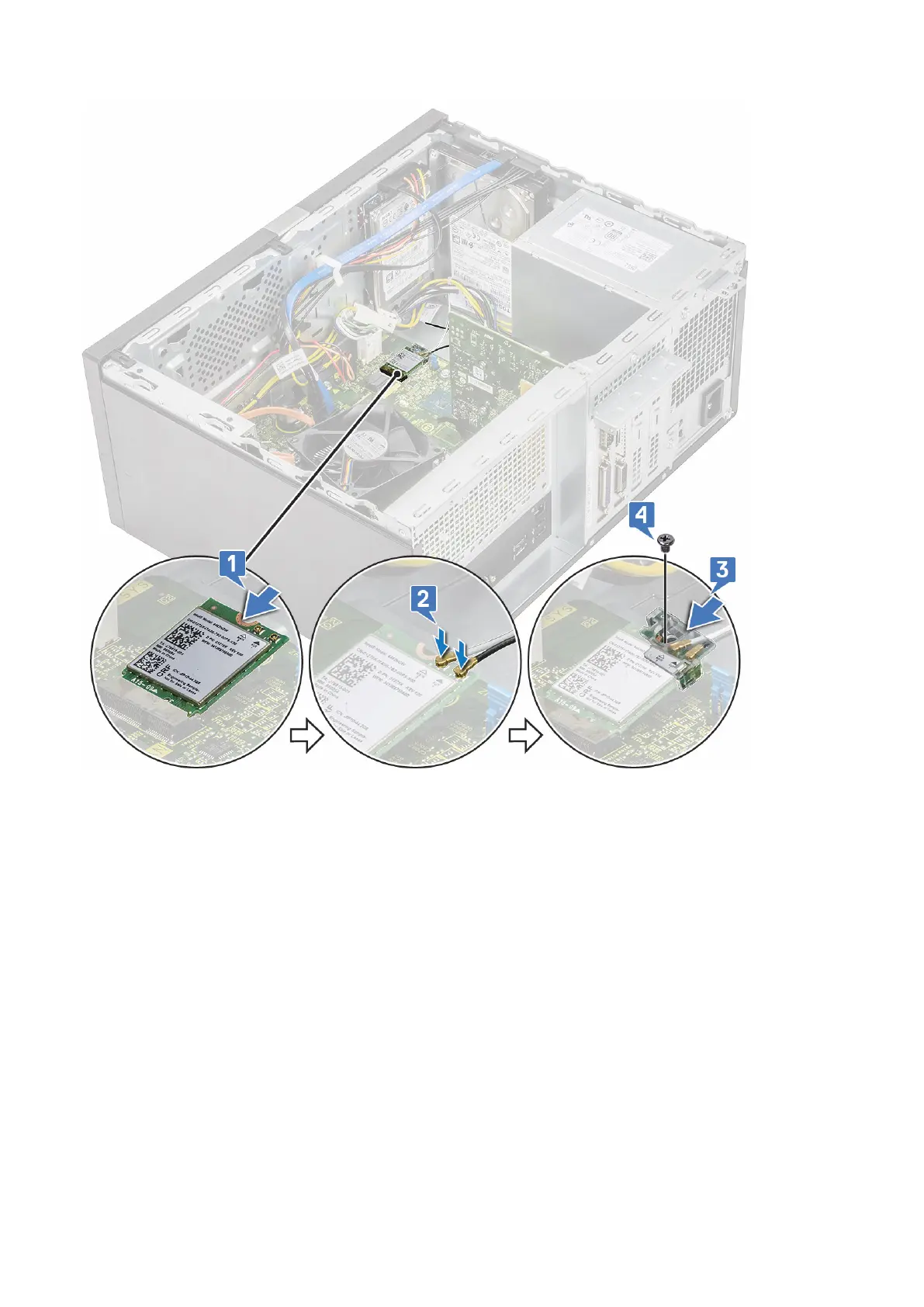
4. Install the:
a) Cover
5. Follow the procedure in After working inside your computer.
Memory modules
Removing memory module
1. Follow the procedure in Before working inside your computer.
2. Remove the:
a) Cover
3. To remove the memory module:
a) Push the memory module retention tabs on both sides of the memory module.
b) Lift the memory module from the memory module connector on the system board.
Removing and installing components
39



 To Next Page