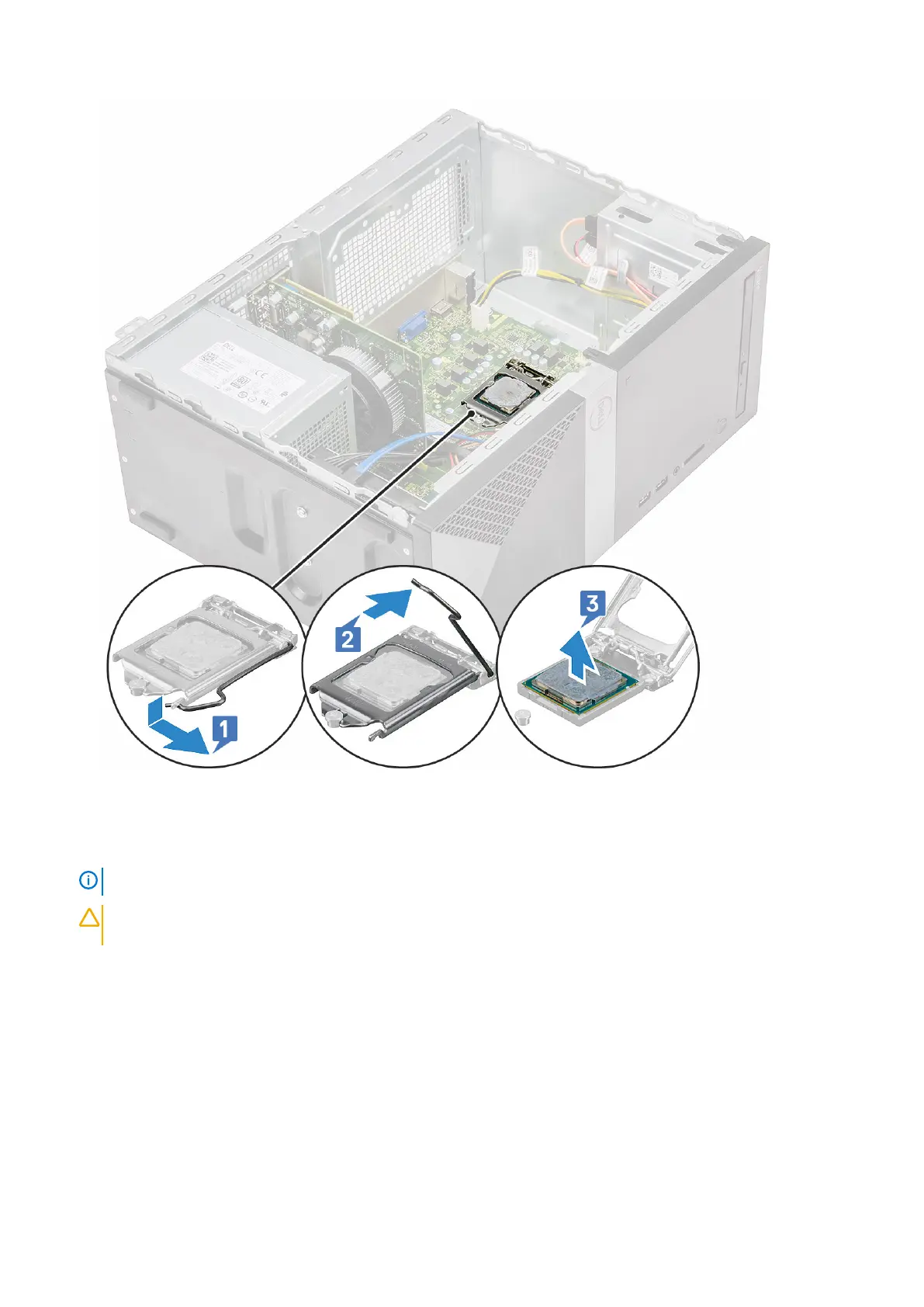
Installing the processor
1. Insert the processor in the processor socket. Ensure the processor is properly seated [1].
NOTE:
Align pin 1 on the cpu with pin 1 on the motherboard
CAUTION: Do not use force to seat the processor. When the processor is positioned correctly, it engages easily into
the socket.
2. Lower the processor cover [2].
3. Press the release lever down and then move it inward to secure it with the retention hook [3].
Removing and installing components
67



 To Next Page