• Do not use tools of any kind to pry on or against the battery.
• Ensure any screws during the servicing of this product are not lost or misplaced, to prevent accidental puncture or
damage to the battery and other system components.
• If the battery gets stuck inside your computer as a result of swelling, do not try to release it as puncturing, bending,
or crushing a lithium-ion battery can be dangerous. In such an instance, contact Dell technical support for
assistance. See www.dell.com/contactdell.
• Always purchase genuine batteries from www.dell.com or authorized Dell partners and resellers.
Removing the 6-cell battery
Prerequisites
1. Follow the procedure in before working inside your computer.
2. Remove the base cover.
About this task
NOTE: Vostro 7500 comes with standard 3-cell battery.
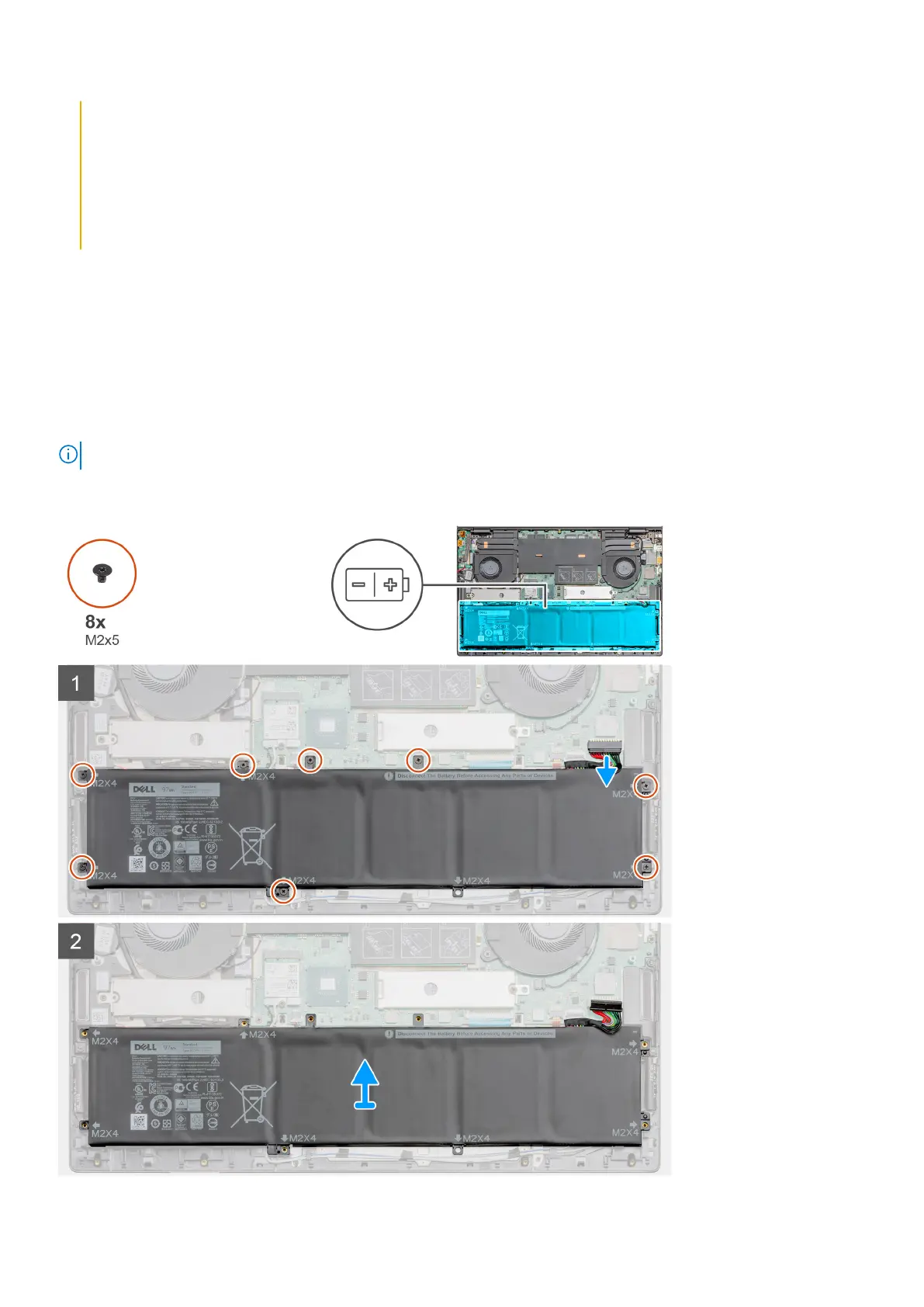
The figure indicates the location of the 6-cell battery and provides a visual representation of the removal procedure.
Disassembly and reassembly 17


 To Next Page