2. Remove the base cover.
3. Remove the battery.
NOTE: Removing the coin-cell battery resets the BIOS setup program settings to default. It is recommended that you
note the BIOS setup program settings before removing the coin-cell battery.
The system does not boot to the operating system if settings are not saved.
About this task
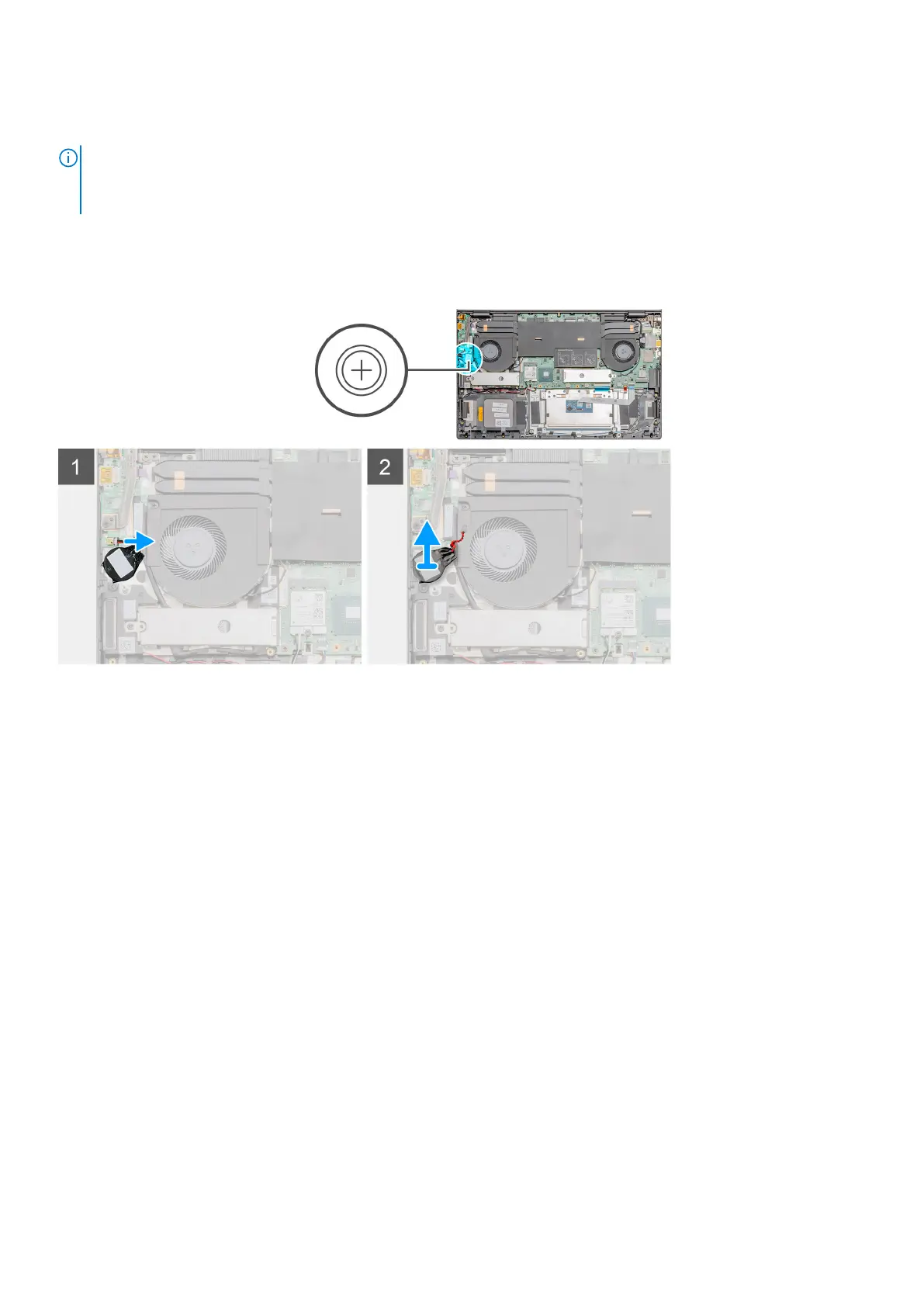
The figure indicates the location of the coin-cell battery and provides a visual representation of the removal procedure.
Steps
1. Disconnect the coin-cell battery cable from the I/O board.
2. Peel the coin-cell battery off the palm-rest and keyboard assembly.
Installing the coin-cell battery
Prerequisites
If you are replacing a component, remove the existing component before performing the installation procedure.
About this task
The figure indicates the location of the coin-cell battery and provides a visual representation of the installation procedure.
40
Disassembly and reassembly



 To Next Page