Steps
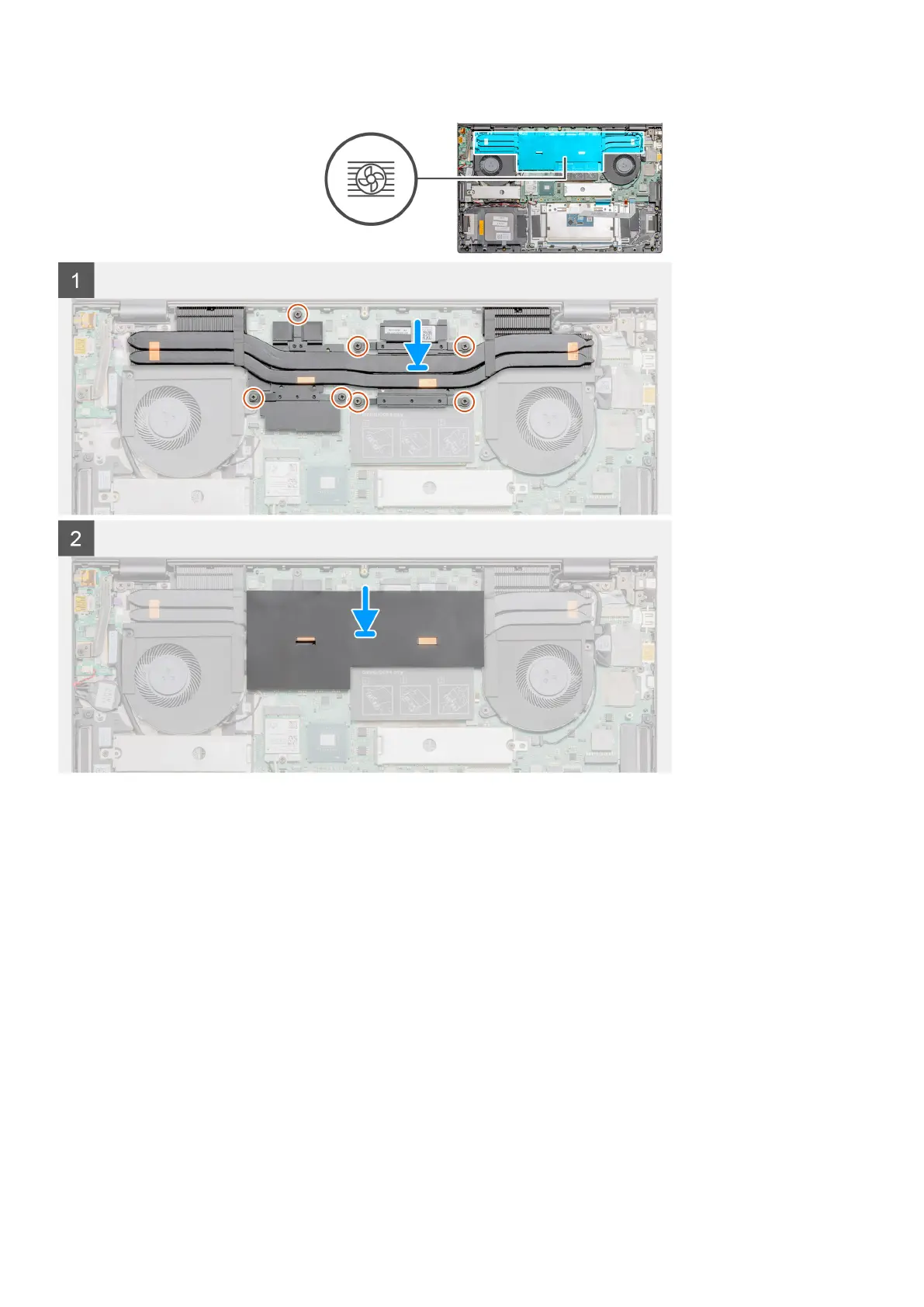
1. Place the heat sink on the system board and align the screw holes on the heat sink with the screw holes on the system board.
2. Tighten the seven captive screws that secure the heat sink to the system board in sequential order (as indicated on the heat sink).
3. Replace the mylar cover back.
Next steps
1. Install the battery.
2. Install the base cover.
3. Follow the procedure in after working inside your computer.
Coin-cell battery
Removing the coin-cell battery
Prerequisites
1. Follow the procedure in before working inside your computer.
Disassembly and reassembly
39


 To Next Page