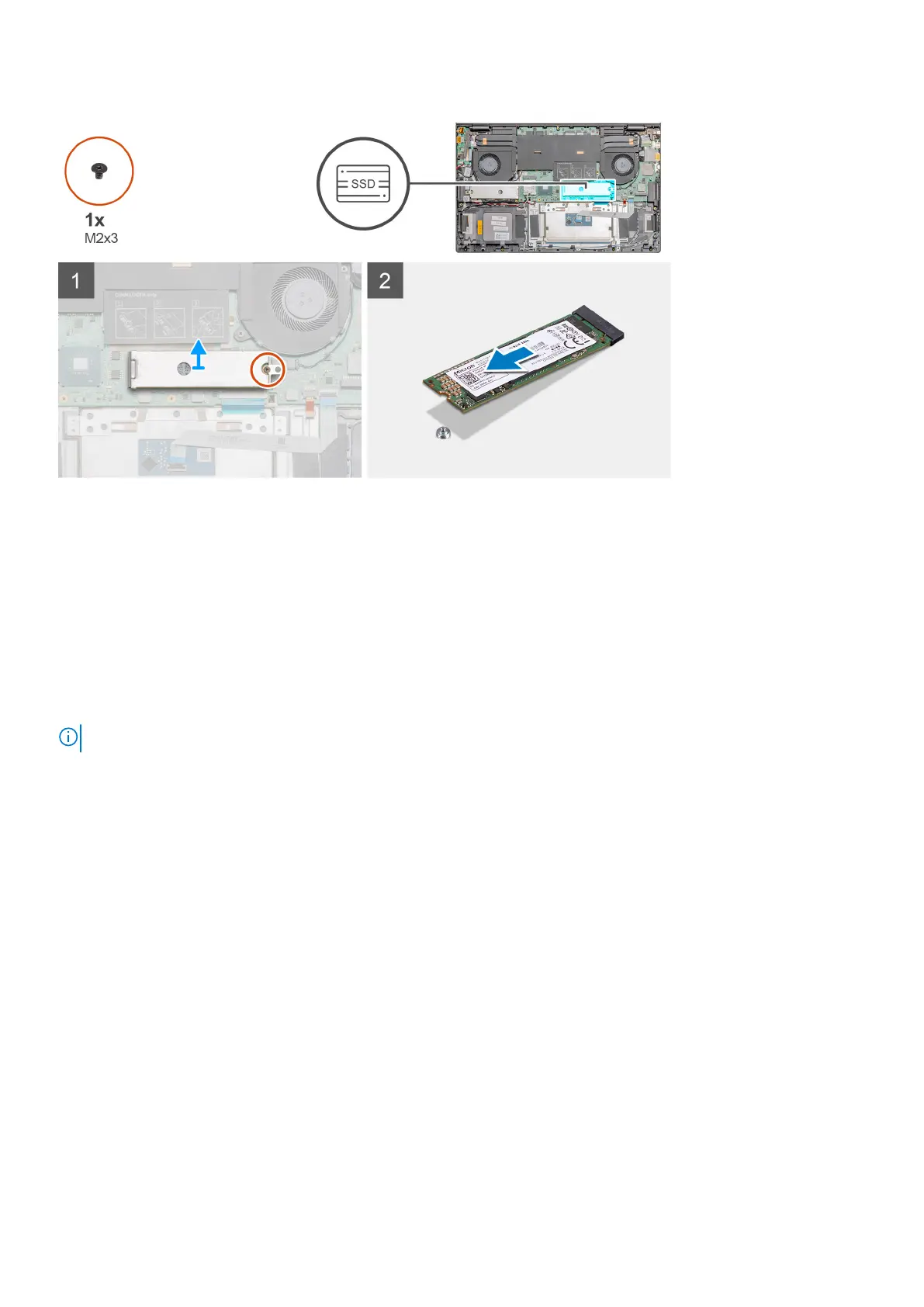
Steps
1. Remove the single screw (M2x3) that secures the solid-state drive module shield to the palm-rest and keyboard assembly.
2. Lift and remove the solid-state drive module shield from the solid-state drive slot.
3. Slide and remove the solid-state drive module from the solid-state drive slot.
Installing the M.2 2280 solid-state drive - SSD-2
Prerequisites
If you are replacing a component, remove the existing component before performing the installation procedure.
NOTE: Slot 2 supports both M.2 2230 and M.2 2280 SSD.
About this task
The figure indicates the location of the solid-state drive bracket and provides a visual representation of the bracket alignment procedure
to accommodate the M.2 2280 solid-state drive from slot 2.
28
Disassembly and reassembly



 To Next Page