2. Use your fingertips to carefully spread apart the securing-clips on each end of the memory-module slot until the memory module pops
up.
3. Slide and remove the memory module off the memory module slot on the system board.
Installing the memory module - single slot
Prerequisites
If you are replacing a component, remove the existing component before performing the installation procedure.
About this task
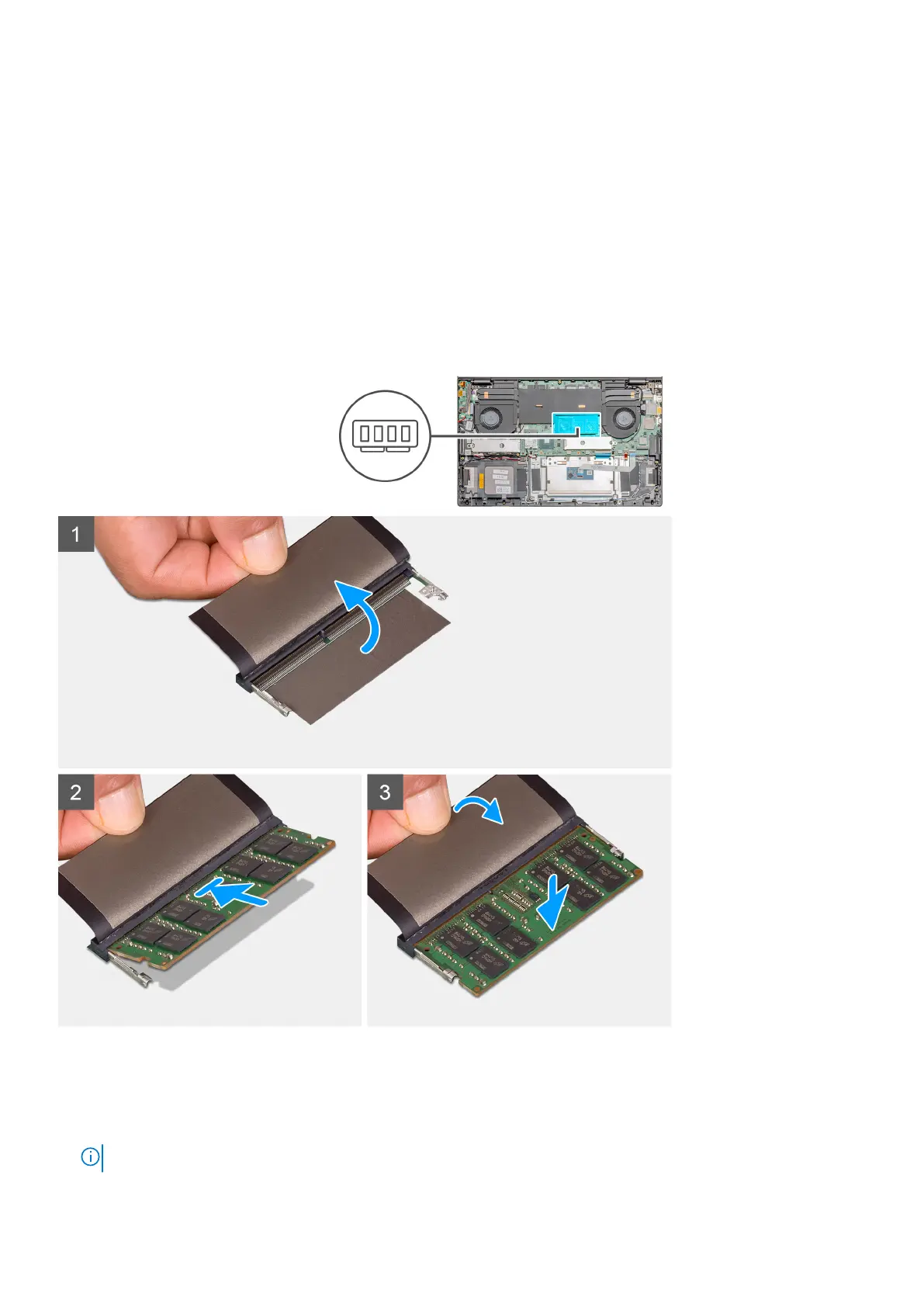
The figure indicates the location of the memory module and provides a visual representation of the installation procedure.
Steps
1. Lift the mylar, and align the notch on the memory module with the tab on the memory-module slot.
2. Slide the memory module firmly into the slot at an angle.
3. Press the memory module down until it clicks into place.
NOTE: If you do not hear the click, remove the memory module and reinstall it.
22 Disassembly and reassembly



 To Next Page