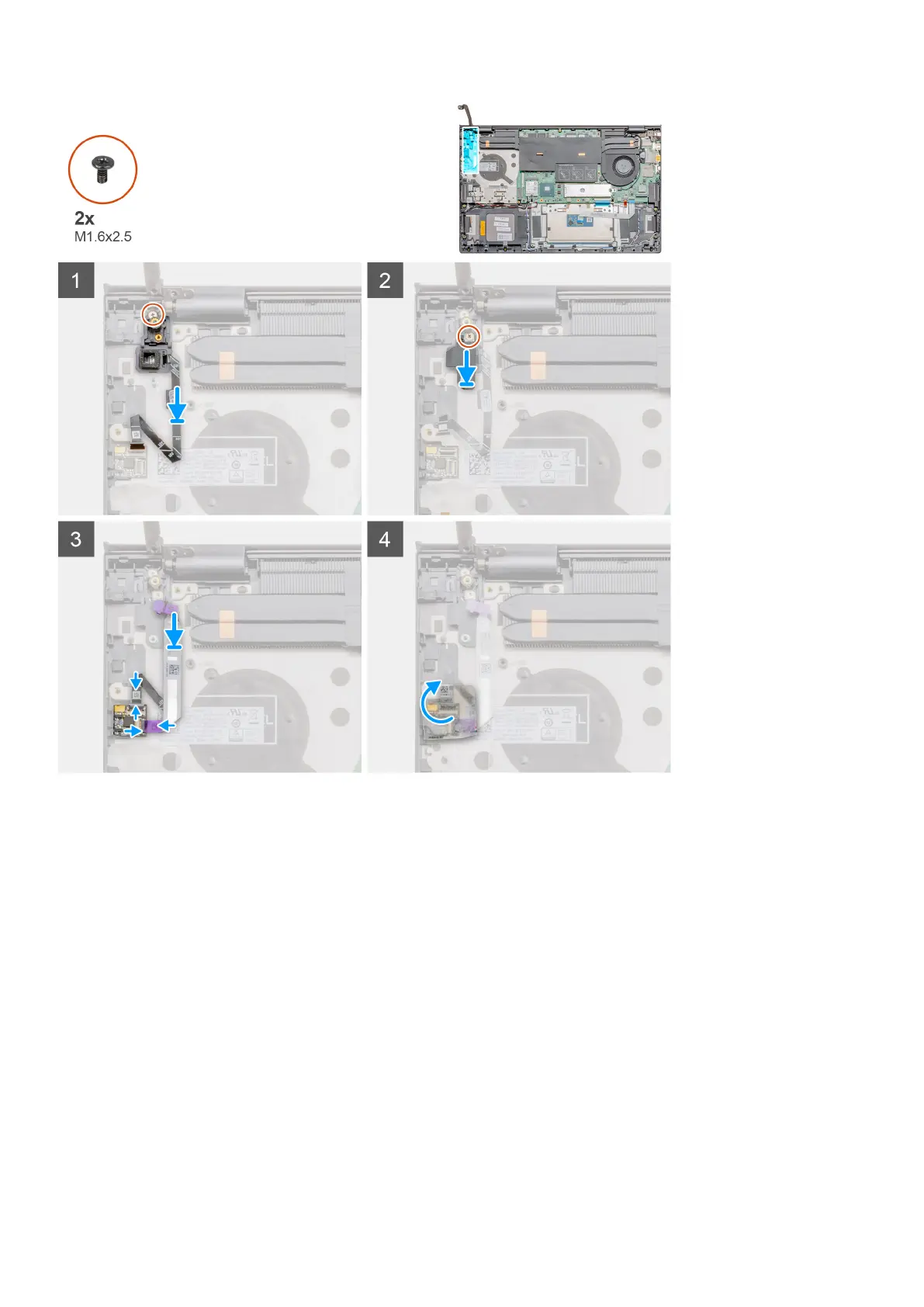
Steps
1. Using the alignment post, place the power button with optional fingerprint reader on the palm-rest and keyboard assembly.
2. Replace the single screw (M1.6x2.5) to secure the power button with optional fingerprint reader to the palm-rest and keyboard
assembly.
3. Replace the bracket and the single screw (M1.6x2.5).
4. Plug the fingerprint reader cable into the fingerprint connector on palm-rest and keyboard assembly.
5. Plug the USH (optional) cable into the connector on palm-rest and keyboard assembly and close the latch.
6. Replace the transparent adhesive cover back.
Next steps
1. Install the I/O board.
2. Install the GPU fan.
3. Install the battery.
4. Install the base cover.
5. Follow the procedure in after working inside your computer.
46
Disassembly and reassembly



 To Next Page