Chapter 4 Operating ISPSoft
4-29
4.5.6
Basic Editing─Editing a Comment
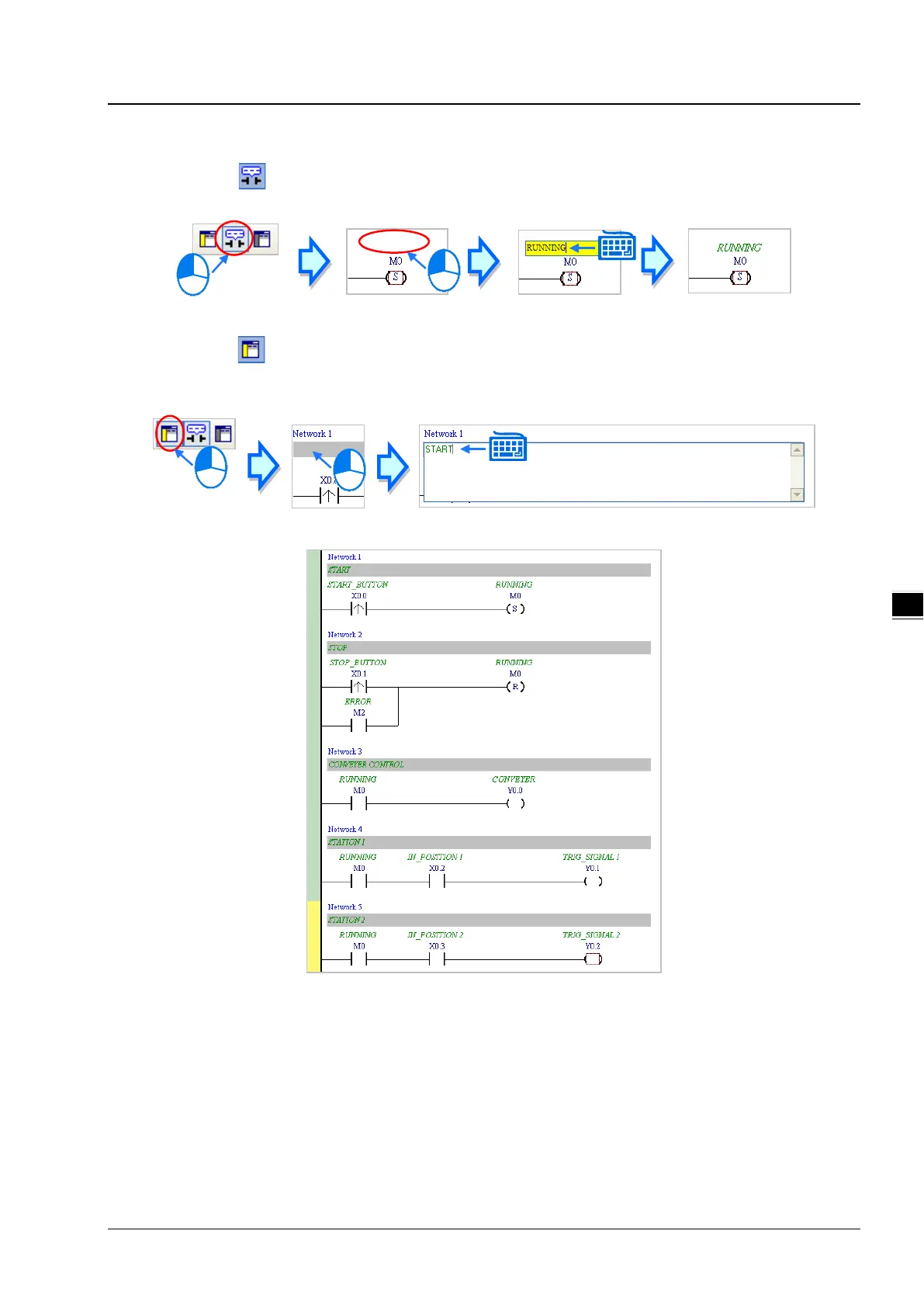
(1) Make sure that on the toolbar is pressed. Click the position above a device name, type a comment in the box,
and press Enter on the keyboard.
(2) Make sure that
on the toolbar is pressed. Click the position under a network number, and then type a comment
in the box. If you want to start a new line of text at a specific point, you can press Shift+Enter on the keyboard. Press
Enter on the keyboard after the editing is complete.
(3) Write the program shown below in the way described above.



 To Next Page