6-4
Chapter 6 Control TerminalsCFP2000
6-1 Remove the Cover for Wiring
Please remove the top cover before wiring the multi-function input and output terminals.
NOTE
The drive appearances shown in the figures are for reference only, a real drive may look different.
Frame A & B
Applicable models:
VFD007FP4EA-41/-52/-52S, VFD015FP4EA-41/-52/-52S, VFD022FP4EA-41/-52/-52S,
VFD037FP4EA-41/-52/-52S, VFD040FP4EA-41/-52/-52S, VFD055FP4EA-41/-52/-52S,
VFD075FP4EA-41/-52/-52S, VFD110FP4EA-41/-52/-52S, VFD150FP4EA-41/-52/-52S,
VFD185FP4EA-41/-52/-52S, VFD220FP4EA-41/-52/-52S
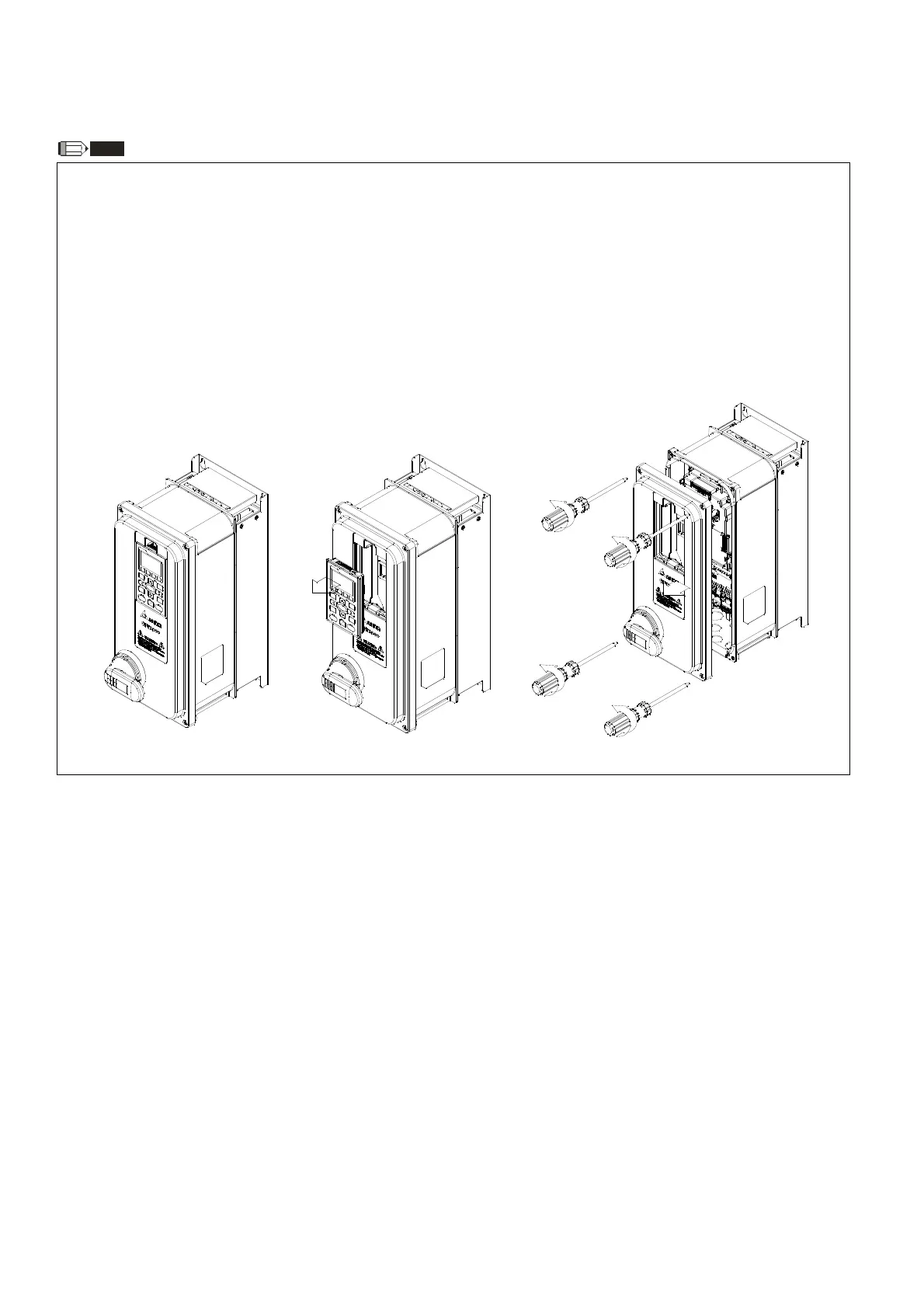
Screw torque: 12–15 kg-cm / [10.4–13 lb-in.] / [1.2–1.5 Nm]
1)
Remove the keypad. (As shown in figu
re 6-7)
2)
Loosen the screws and press the tabs on both sides to remove the cover. (As shown in figure 6-8)
Figure 6-6 Figure 6-7 Figure 6-8








 To Next Page