DVP-ES2/EX2/EC5/SS2/SA2/SX2/SE&TP Operation Manual - Programming
4. When applying GPS instruction, COM1 has to be applied in Master mode, i.e. M1312 has to be
enabled to sending request. In addition, M1314 = ON indicates receiving completed. M1315
= ON indicates receiving error. (D1250 = K1, receiving time-out; D1250 = K2, checksum
error)
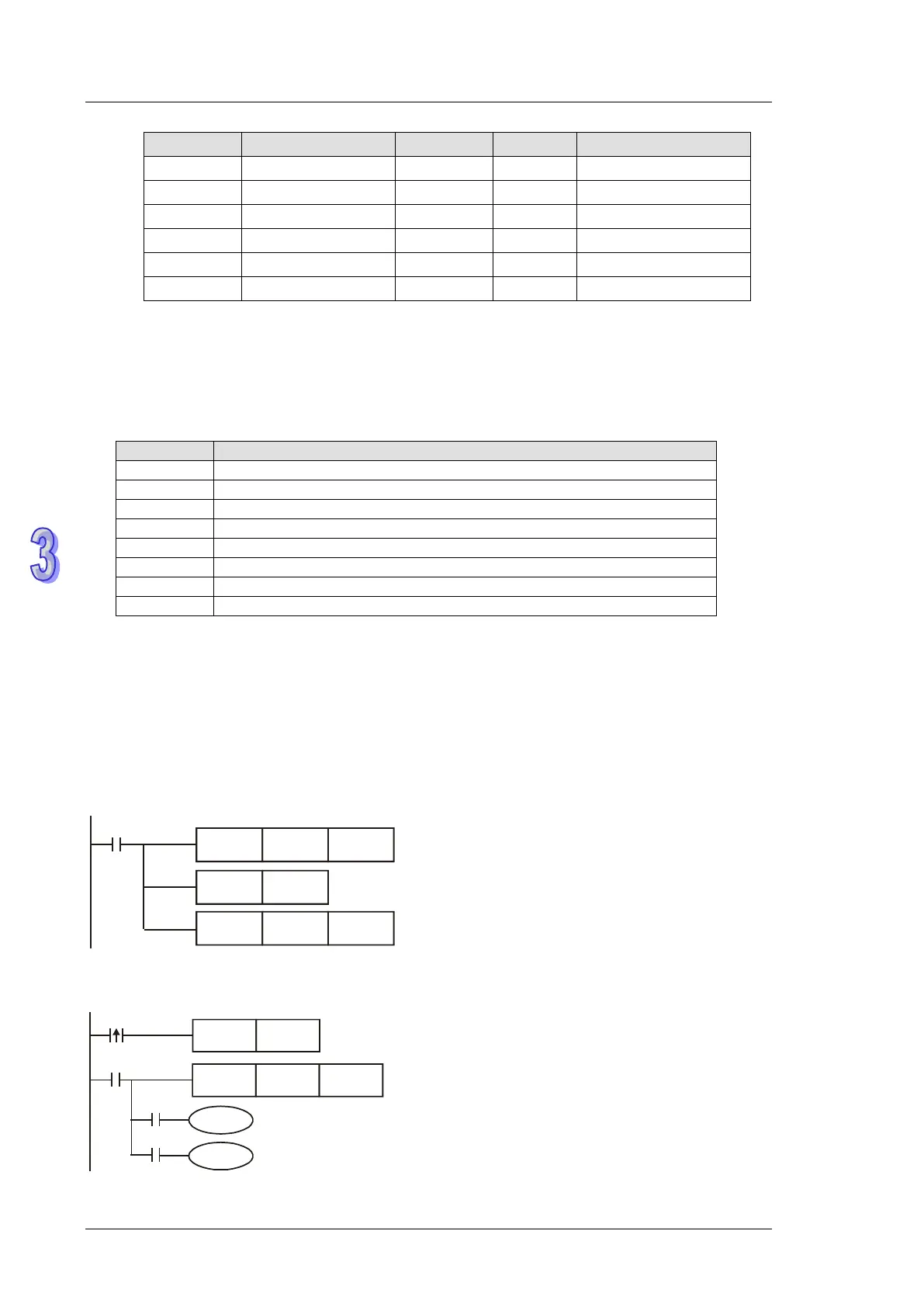
5. Associated M flags and special D registers:
COM1 (RS-232) sending request
COM1 (RS-232) ready for data receiving
COM1 (RS-232) data receiving completed
COM1 (RS-232) data receiving error
Retaining communication setting of COM1
COM1 (RS-232) Communication protocol
COM1 (RS-232) data receiving time-out setting. (Suggested value: >1s)
COM1 (RS-232) communication error code
6. Before applying the received GPS data, please check the value in D+9. If D+9 = 0, the GPS
data is invalid.
7. If data receiving error occurs, the previous data in D registers will not be cleared, i.e. the
previous received data remains intact.
Program example: Sentence identifier: $GPGGA
1. Set COM1communication protocol first
M1002
MOV H81
D1036
SET
M1138
MOV K2000 D1249
Set communication protocol
as 9600,8,N,1
Retain communication setting
Set receiving time-out as 2s
2. Then enable M0 to execute GPS instruction with sentence identifier $GPGGA
M0
GPS K0
D0
SET
M1312
M0
M1314
M1315
Y0
Y1



 To Next Page