EtherCAT Communication Card: CMM-EC02/ CMM-EC03
CMM-EC02/ CMM-EC03 Operation Manual
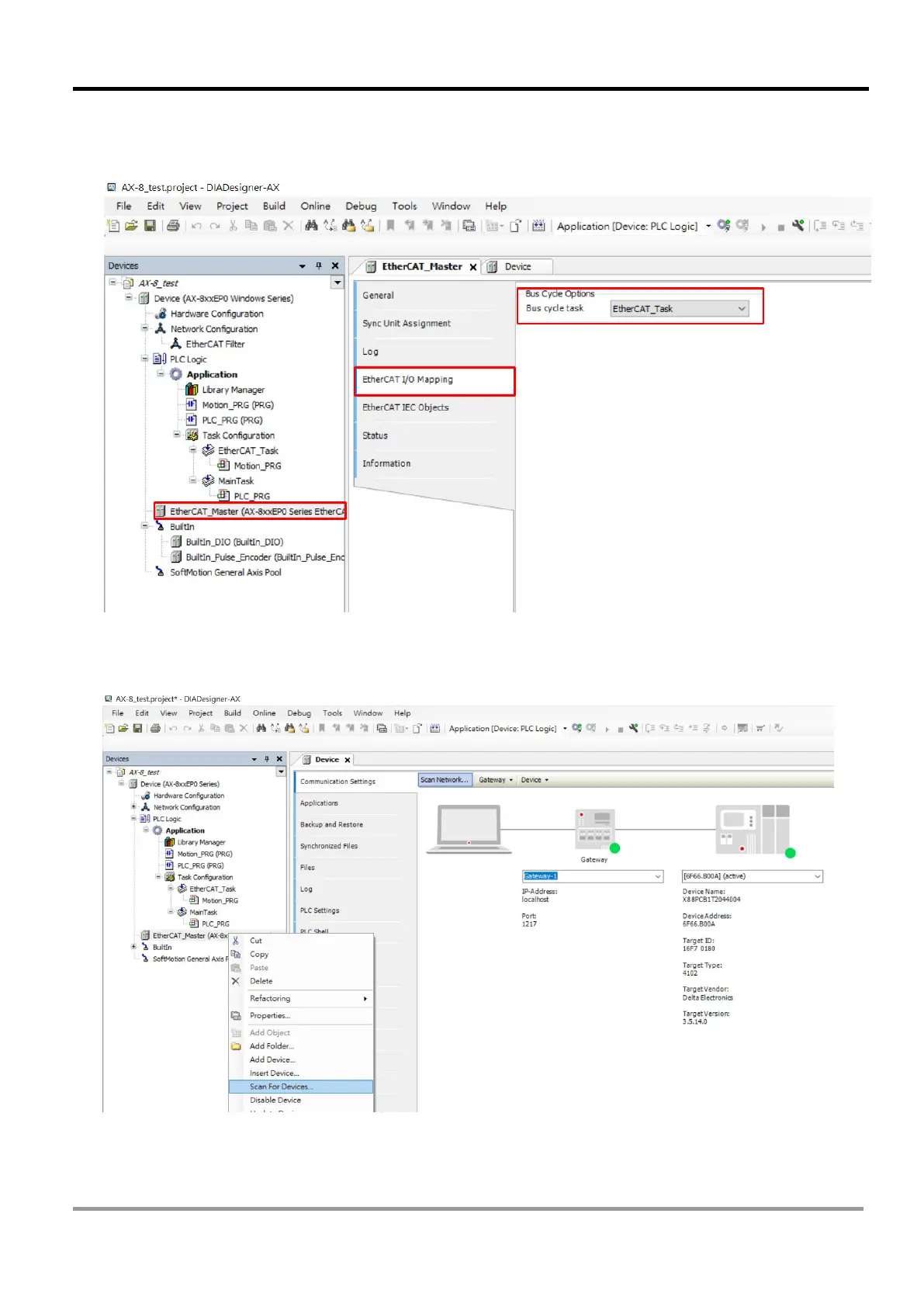
10. In the Devices window, select EtherCAT_Master (AX-8xxEP0 Series EtherCAT Master), then go to
EtherCAT I/O Mapping tab to make sure that Bus Cycle Options is set as EtherCAT_Task.
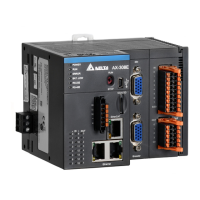
11. In the Devices window, right click on the EtherCAT_Master (AX-8xxEP0 Series EtherCAT Master),
then select Scan for Devices.



 To Next Page