EtherCAT Communication Card: CMM-EC02/ CMM-EC03
CMM-EC02/ CMM-EC03 Operation Manual
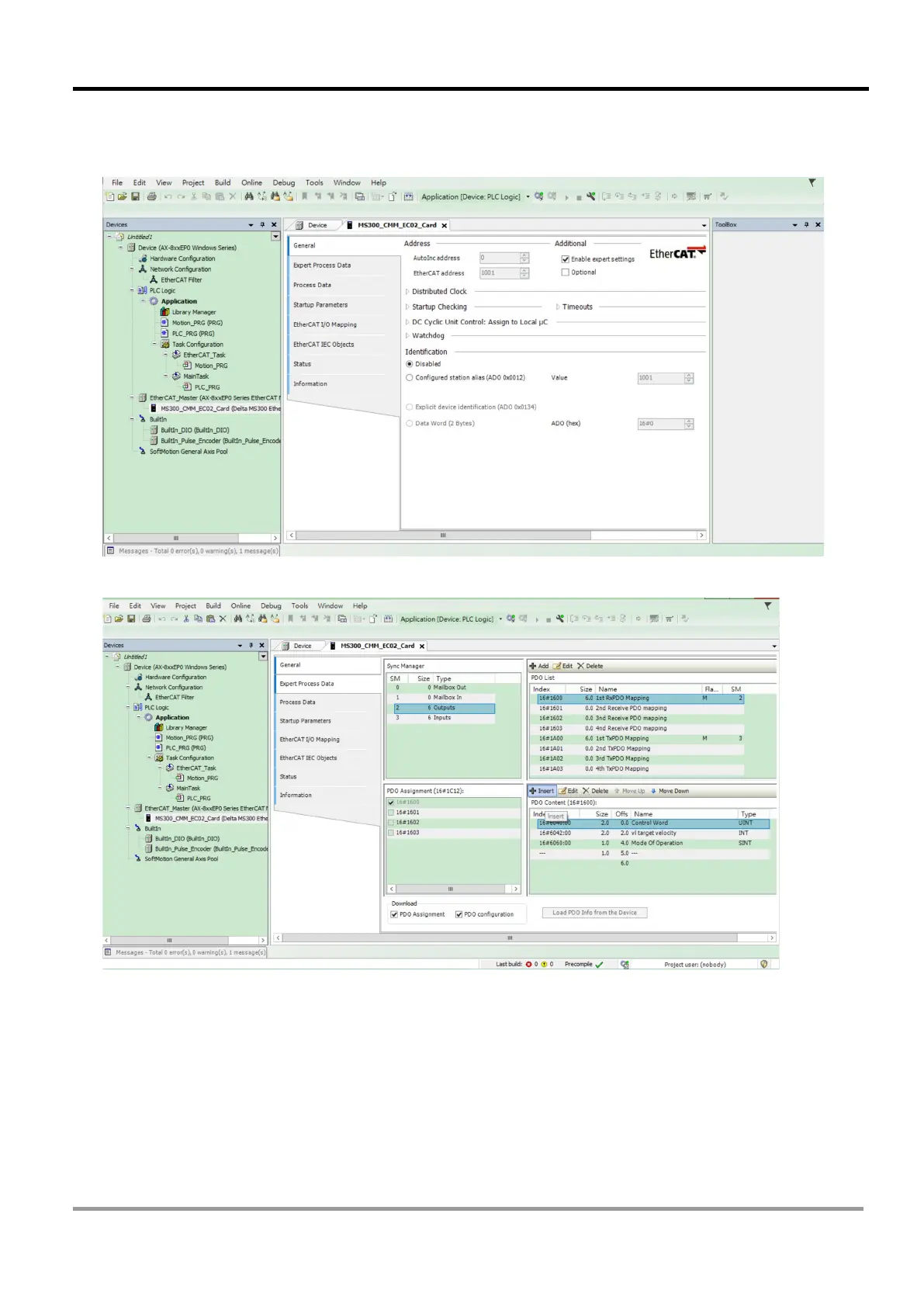
14. In the Devices window, double click on M300_CMC_EC01_Card (Delta M300 EtherCAT (CoE)) to
open a tab. In the tab, check the Enable expert settings, then on the left side of the tab, click
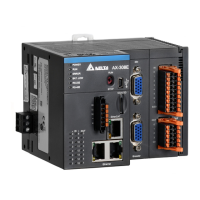
Expert Process Data to start PDO reflection.
15. In the Expert Process Data screen, click on Insert in the bottom right corner window.



 To Next Page