Maintenance
Maintenance Manual 115
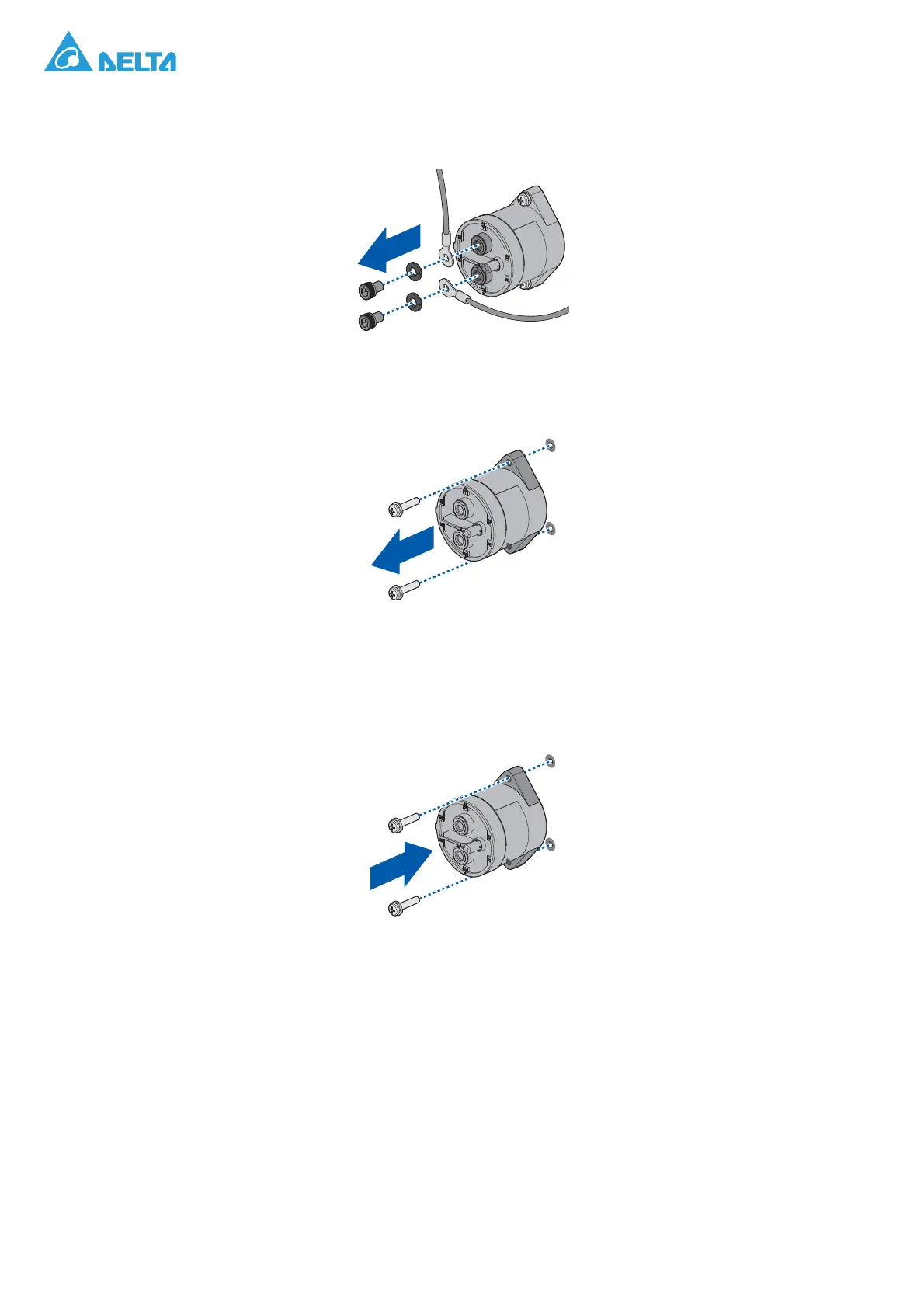
4. Remove the screws securing the wires.
5. Remove the wires.
Figure 164. Removing the Wires
6. Remove the screws securing the DC softstart relay.
7. Remove the DC softstart relay.
Figure 165. Removing a DC Softstart Relay
Installing a DC Softstart Relay
1. Align the holes on the DC softstart relay with the holes on the chassis.
2. Secure the DC softstart delay and chassis with screws.
Figure 166. Installing a DC Softstart Relay



 To Next Page