Maintenance
Maintenance Manual 118
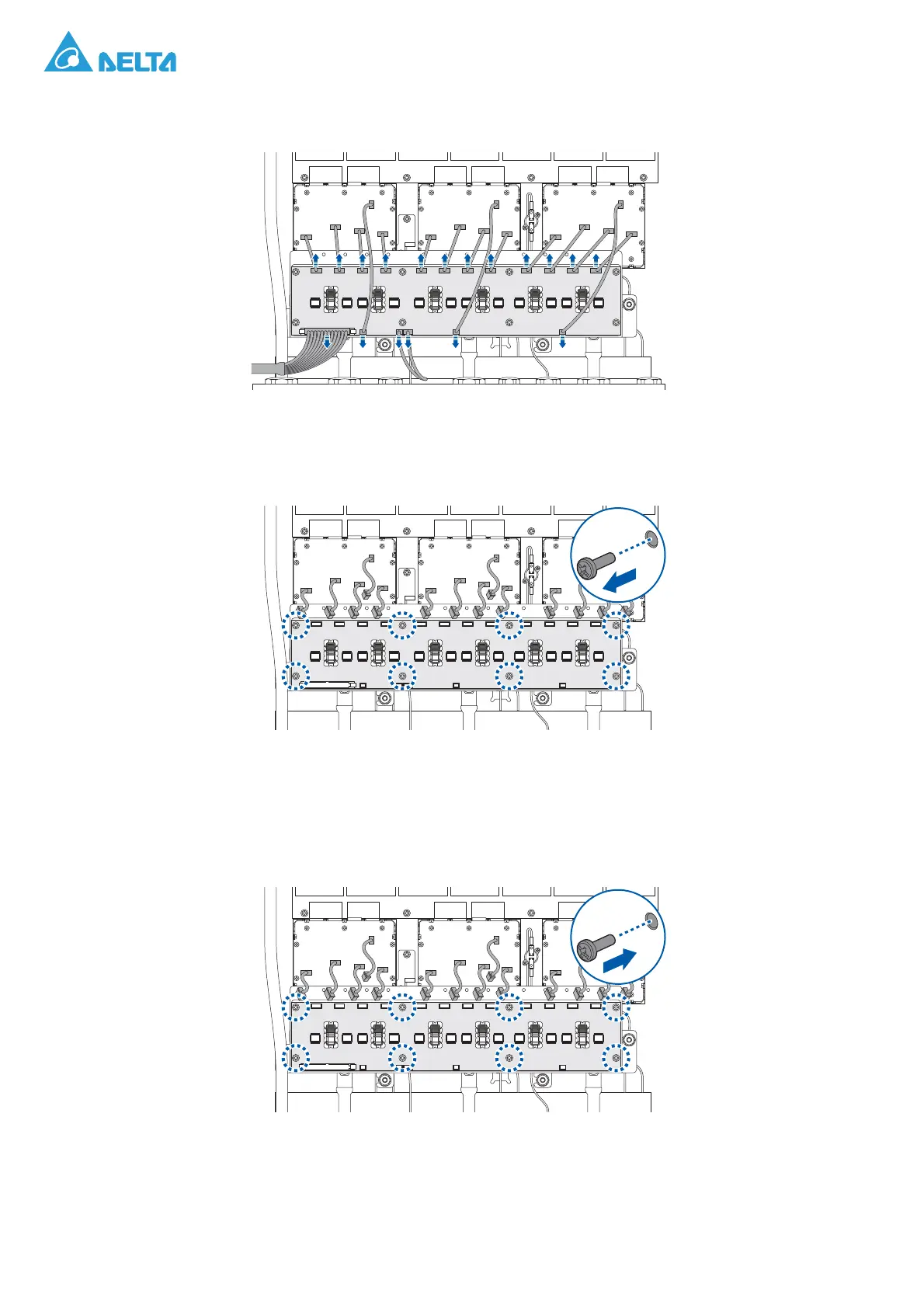
4. Disconnect the cables from the B board.
Figure 170. Disconnecting the Cables
5. Remove the screws securing the B board.
6. Remove the B board.
Figure 171. Removing a B Board
Installing a B board
1. Align the holes on the B board with the holes on the chassis.
2. Secure the B board and the chassis with screws.
Figure 172. Installing a B Board



 To Next Page