Maintenance
Maintenance Manual 155
Before attempting any work around the PCS100, observe the following precautions:
Remove any watches, rings, or other metallic accessories.
Only use tools with insulated handles.
Wear rubber gloves and boots.
Do not lay tools or metal parts on top of the cabinet.
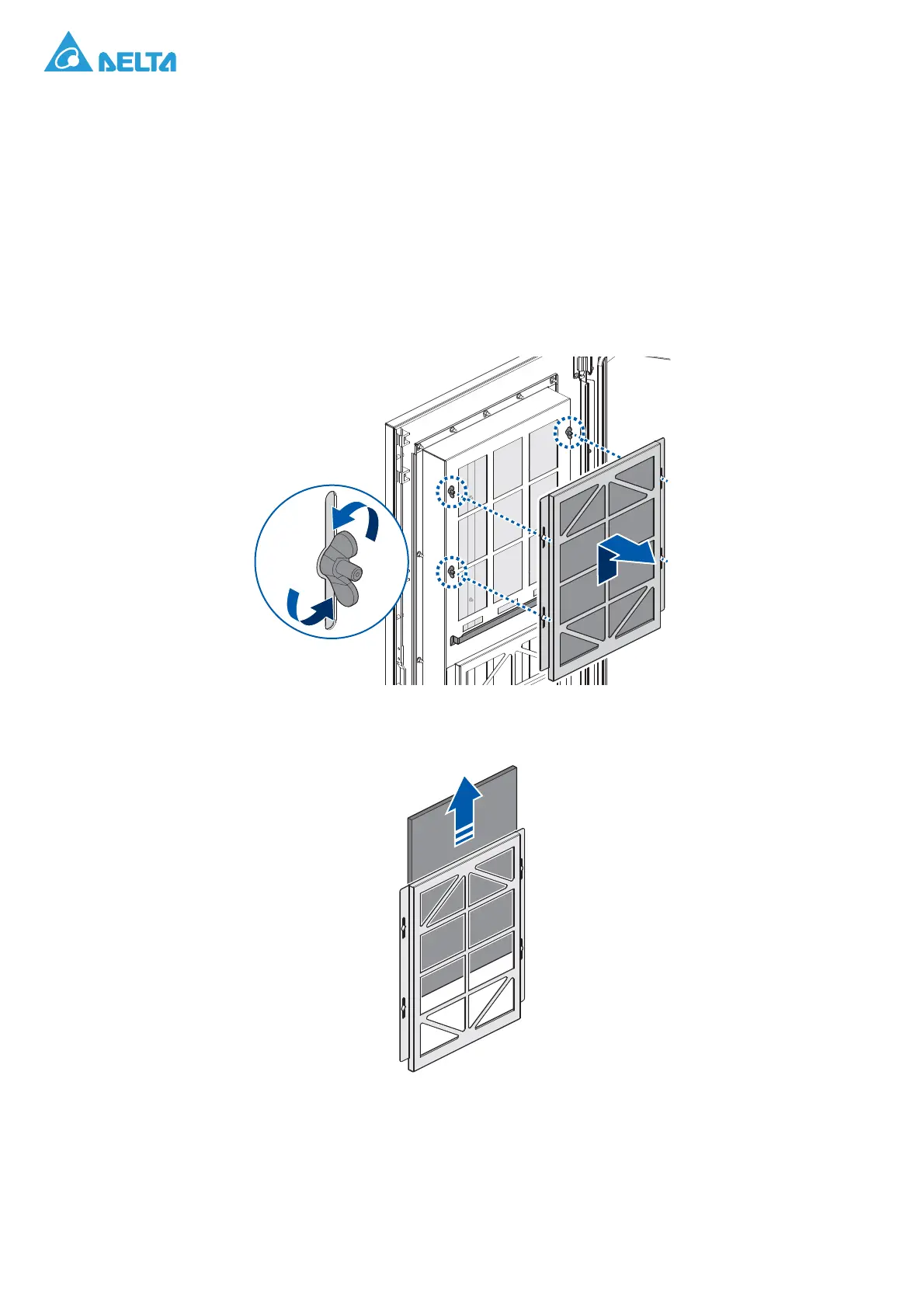
Removing an Air Intake Filter
1. Open the rear door. See “Opening a Rear Door” on page 25.
2. Release the butterfly nuts and slide to remove the air filter cage from the rear door.
Figure 234. Removing an Air Filter Cage
3. Grasp the air filter from both sides and lift it up and out of the grating.
Figure 235. Removing an Air Intake Filter



 To Next Page