Hardware Introduction
Maintenance Manual 8
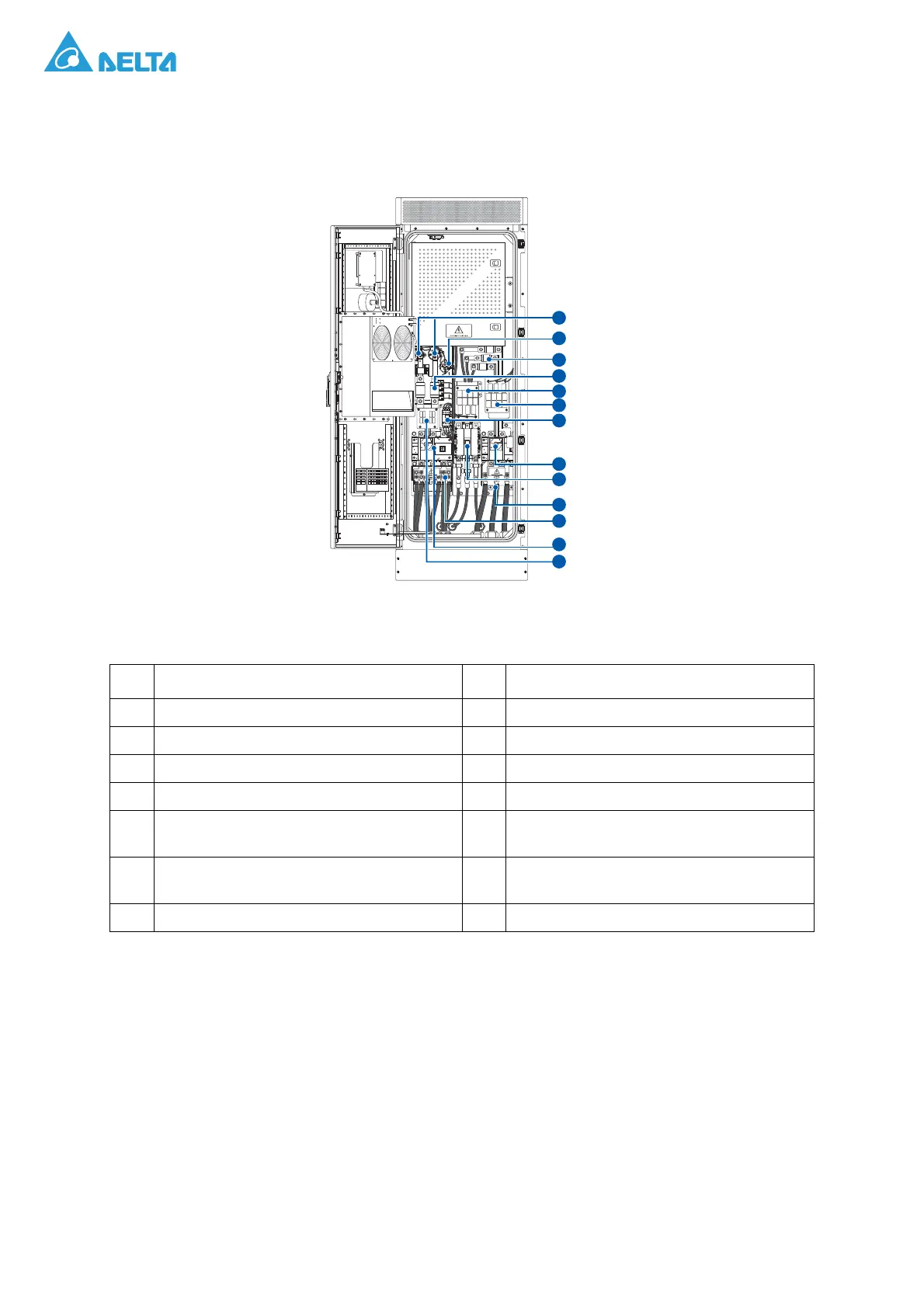
Internal Compartment
The internal compartment houses the components only accessible after opening the cabinet’s internal
protective cover.
Figure 8. Front View of Components in an Open Compartment
Table 7: Front View of Components in an Open Compartment
No. Description No. Description
1 DC main relay 2 DC softstart relay
3 AC fuse 4 DC fuse
5 AC EMI filter board (E board) 6 AC EMI filter board (E board)
7 AC softstart contactor 8 AC switch
9 AC main contactor 10
AC terminals with protective cover (L1, L2,
L3)
11
DC terminals with protective cover (3 for +,
3 for -)
12 DC switch
13 DC EMI filter board (F board)
ON
OFF
ON
OFF
1
12
13
11
9
8
2
4
5
7
6
3
10



 To Next Page