EasyManua.ls Logo

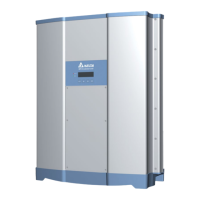
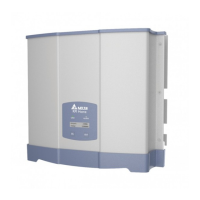
Delta RPI M30A - User Manual

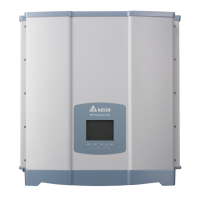
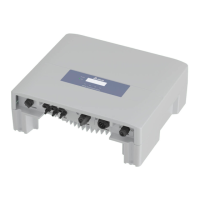
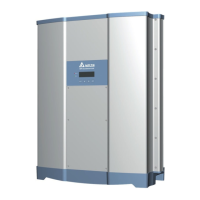
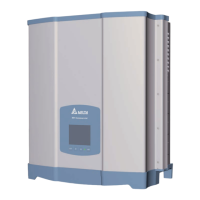
Delta RPI M30A
228 pages
Print Icon
To Next Page IconTo Next Page
Loading...
RPI M30A/M50A
Operation and Installation Manual
Grid-tie Transfomerless Solar Inverter
The power behind competitiveness
www.deltaww.com
English 1
77
153
简体中文
繁體中文

Table of Contents

Questions and Answers

  • E
    Edward WalkerAug 31, 2025
    What causes HW FAN (W11) error on my Delta RPI M30A Inverter?
    • L
      lserranoAug 31, 2025
      If your Delta Inverter displays 'HW FAN (W11)', it could be due to one or more locked, defective, or disconnected fans, or a detection circuit malfunction. To fix this: 1. Remove any objects stuck in the fan(s). 2. Replace any defective fan(s). 3. Check the connections of all fans. 4. Check the detection circuit inside the inverter.
  • Z
    Zachary TaylorSep 9, 2025
    What does HW DSP ADC1 (F15) mean on my Delta Inverter?
    • P
      Peter LongSep 10, 2025
      If your Delta Inverter displays 'HW DSP ADC1 (F15)', it could be due to insufficient input power, an auxiliary power circuitry malfunction, or a detection circuit malfunction. Check the input voltage, ensuring it is greater than 150Vdc, check the auxiliary circuitry inside the inverter, and inspect the detection circuit inside the inverter.
  • R
    Rickey CarterAug 30, 2025
    What does Solar1 Low (W01) mean on my Delta RPI M30A?
    • R
      Rebecca LeeAug 30, 2025
      If your Delta Inverter displays 'Solar1 Low (W01)', it could be due to the actual Solar1 voltage being under the limit, damaged devices inside the inverter if the actual Solar1 voltage is close to "0", or a detection circuit malfunction. Check the Solar1 voltage connection to the inverter terminal, inspect all switching devices in boost1, and check the detection circuit inside the inverter.
  • A
    Angelica RodriguezSep 23, 2025
    What does Grid Quality (E07) error mean on my Delta Inverter?
    • W
      William FlynnSep 23, 2025
      If your Delta Inverter is showing 'Grid Quality (E07)', it is caused by Non-linear load in Grid and near to inverter. Grid connection of inverter need to be far away from non-linear load if necessary.
  • L
    Levi HaynesSep 12, 2025
    What does HW DSP ADC3 (F17) mean on my Delta RPI M30A?
    • E
      erik87Sep 12, 2025
      If your Delta Inverter displays 'HW DSP ADC3 (F17)', it could be due to insufficient input power, an auxiliary power circuitry malfunction, or a detection circuit malfunction. Check the input voltage, ensuring it is greater than 150Vdc, check the auxiliary circuitry inside the inverter, and inspect the detection circuit inside the inverter.
  • D
    Daniel GraySep 15, 2025
    What does RCMU Fail (F27) mean on my Delta Inverter?
    • J
      Jack KennedySep 15, 2025
      If your Delta Inverter displays 'RCMU Fail (F27)', it could be because the RCMU is disconnected or a detection circuit malfunction. Check the RCMU connection inside the inverter and inspect the detection circuit inside the inverter.
  • A
    Alexis SpearsSep 23, 2025
    What does HW ZC Fail (F50) mean on my Delta Inverter?
    • M
      Michael RussellSep 23, 2025
      If your Delta Inverter displays 'HW ZC Fail (F50)', it is due to the detection circuit for synchronal signal malfunction. Check the detection circuit for synchronal signal inside the inverter.
  • P
    paul44Aug 27, 2025
    Why is my Delta RPI M30A Inverter showing AC Freq Low (E02)?
    • R
      Richard NguyenAug 27, 2025
      If your Delta Inverter displays 'AC Freq Low (E02)', it could be because the actual utility frequency is under the UFR setting, the country or grid setting is incorrect, or the detection circuit is malfunctioning. To address this, check the utility frequency on the inverter terminal, verify the country and grid settings, and inspect the detection circuit inside the inverter.
  • M
    Matthew MoranAug 26, 2025
    Why is my Delta RPI M30A showing AC Freq High (E01)?
    • R
      Rhonda FletcherAug 26, 2025
      If your Delta Inverter displays 'AC Freq High (E01)', it might be because the actual utility frequency is over the OFR setting, the country setting is incorrect, or there's a detection circuit malfunction. Check the utility frequency on the inverter terminal, verify the country setting, and inspect the detection circuit inside the inverter.
  • J
    Jessica BartlettAug 25, 2025
    What to do if my Delta Inverter shows a No Grid error?
    • M
      Michael HamiltonAug 26, 2025
      If your Delta Inverter displays 'No Grid (E09)', the possible causes are that the AC breaker is OFF or there is a disconnection in the AC plug. To solve this, switch on the AC breaker and check the connection in the AC plug, ensuring it is properly connected to the inverter.

Summary

General Information

About this Manual

Provides explanation and procedures for installing, operating, maintaining, and troubleshooting.

Product Description

Details the 3-phase grid-tied solar inverter and its operation.

Additional Information

Directs users to the company website for more product information.

Product Overview

Unpack the Inverter

Illustrates the procedure for unpacking the RPI M30A/M50A inverter.

Checking Unit and Accessories

Guides users on checking for damage and verifying all accessories are present.

Product Label

Explains how to identify model number and specifications from the product label.

Exterior Objects

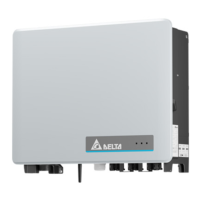
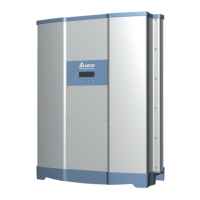
Shows and labels the exterior components of the RPI M30A and M50A.

Installation

Wall Mounting Procedure

Details the step-by-step process for wall-mounting the inverter.

Wiring

Preparation Before Wiring (Models with Fuses)

Outlines preparation steps for wiring models that include DC fuses.

Preparation Before Wiring (Models without Fuse)

Outlines preparation steps for wiring models that do not include DC fuses.

AC Grid Connection

Covers 3-phase AC grid connection requirements and cable specifications.

DC Connection from PV Array

Details DC connection procedures from the PV array, including warnings and power ratings.

Communication Module Connections

Explains connections for communication modules like RS-485, EPO, and Digital Input.

Turn On PV Inverter

LCD Flow Chart

Introduces the LCD display and navigation for inverter status and settings.

First Startup

Guides users through the initial startup process, including language and country settings.

Maintenance

Replace Surge Protection Device (SPD)

Provides detailed instructions for replacing Surge Protection Devices (SPDs).

Replace Internal String Fuse

Details the procedure for replacing internal string fuses within the inverter.

Clean Fan

Explains how to disassemble the fan bracket to clean the fans.

Replace Fans

Guides on disassembling and replacing individual fans within the unit.

Clean Air Inlets

Describes how to unscrew and clean the air inlet filters.

Error message and Trouble Shooting

Error Messages

Lists error messages, their possible causes, and recommended actions.

Warning Messages

Lists warning messages, their possible causes, and recommended actions.

Fault Messages

Lists fault messages, their possible causes, and recommended actions.

De-Commissioning

Procedures for Safe Shutdown

Provides essential procedures to follow for safely taking the device out of operation.

Technical Data

General Specifications

Lists general specifications like enclosure, temperature, weight, and dimensions.

DC Input Specifications

Details DC input parameters such as maximum power, nominal voltage, and MPP tracking.

AC Output Specifications

Lists AC output specifications including nominal power, voltage, current, and frequency.

System Information and Communication

Outlines user interface, real-time clock, event records, and external communication.

Regulations and Directives

Lists CE conformity, grid interface standards, emission, harmonics, and immunity.

Electrical Safety and Miscellaneous

Covers electrical safety standards, cooling, enclosure, and accessories.

Delta RPI M30A Specifications

General IconGeneral
Max. AC Output Power30000 W
Number of MPP Trackers2
Max. DC Voltage1000 V
AC Voltage400 V
AC Frequency50/60 Hz
Protection DegreeIP65
CategoryInverter

Related product manuals