Front panel Display Rear panel IndexRemote
Remote control unit
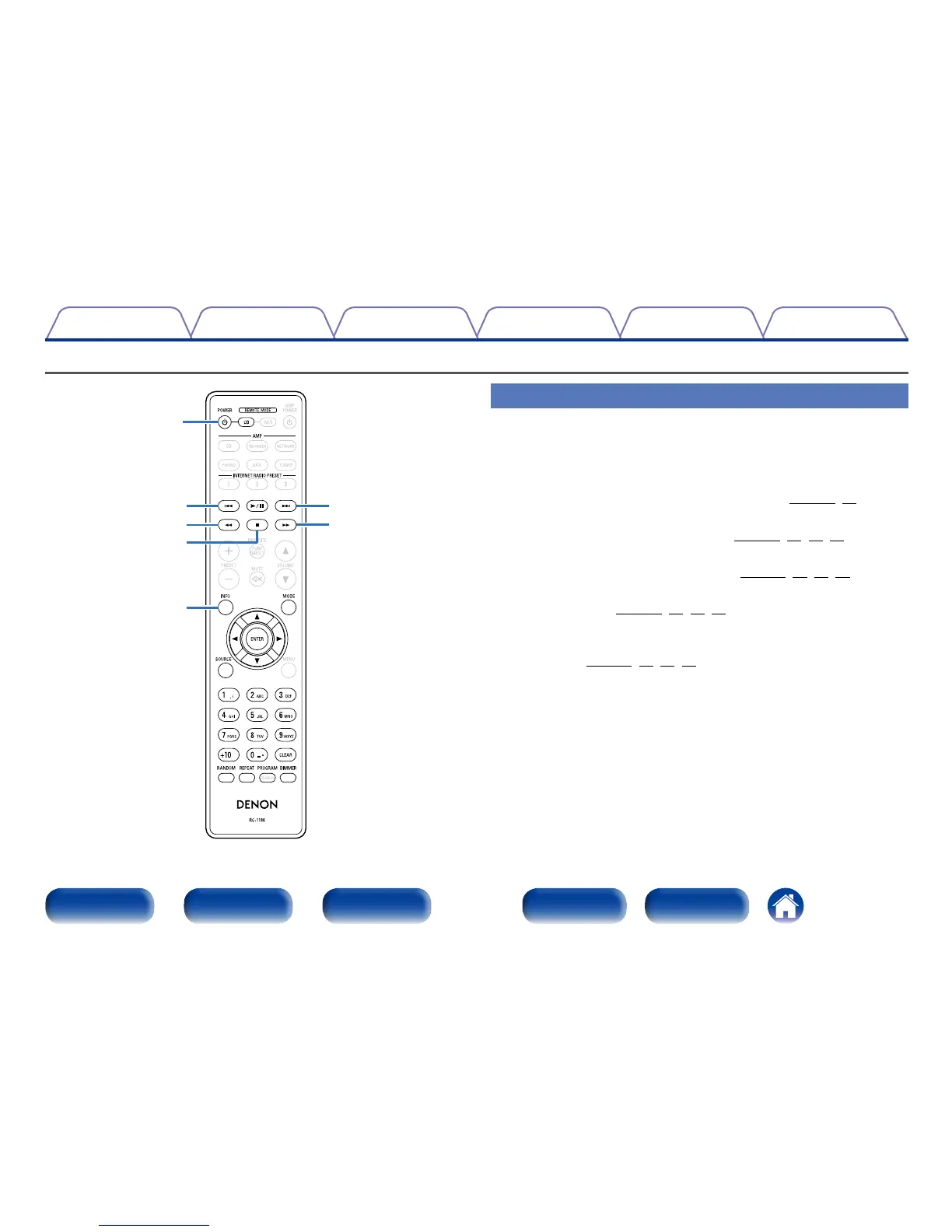
CD player operation
To operate CD player, press REMOTE MODE CD button to switch the
remote control to the CD operation mode.
•REMOTE MODE CD button lights for approximately two seconds.
t
w
e
r
q
e
w
q POWER button (X)
Turns power to this unit on and o (standby) (vpage27,51).
w Reverse-skip / Forward-skip buttons (8, 9)
Skip to previous track or next track (vpage31,34,38,40).
e Fast-reverse/Fast-forward buttons (6, 7)
Fast-reverse / fast-forward playback (vpage31,34,38,40).
r Stop button (2)
Stop playback (vpage31,34,38,40).
t Information button (INFO)
This switches the track information shown in the display during
playback (vpage31,35,38,41).



 To Next Page