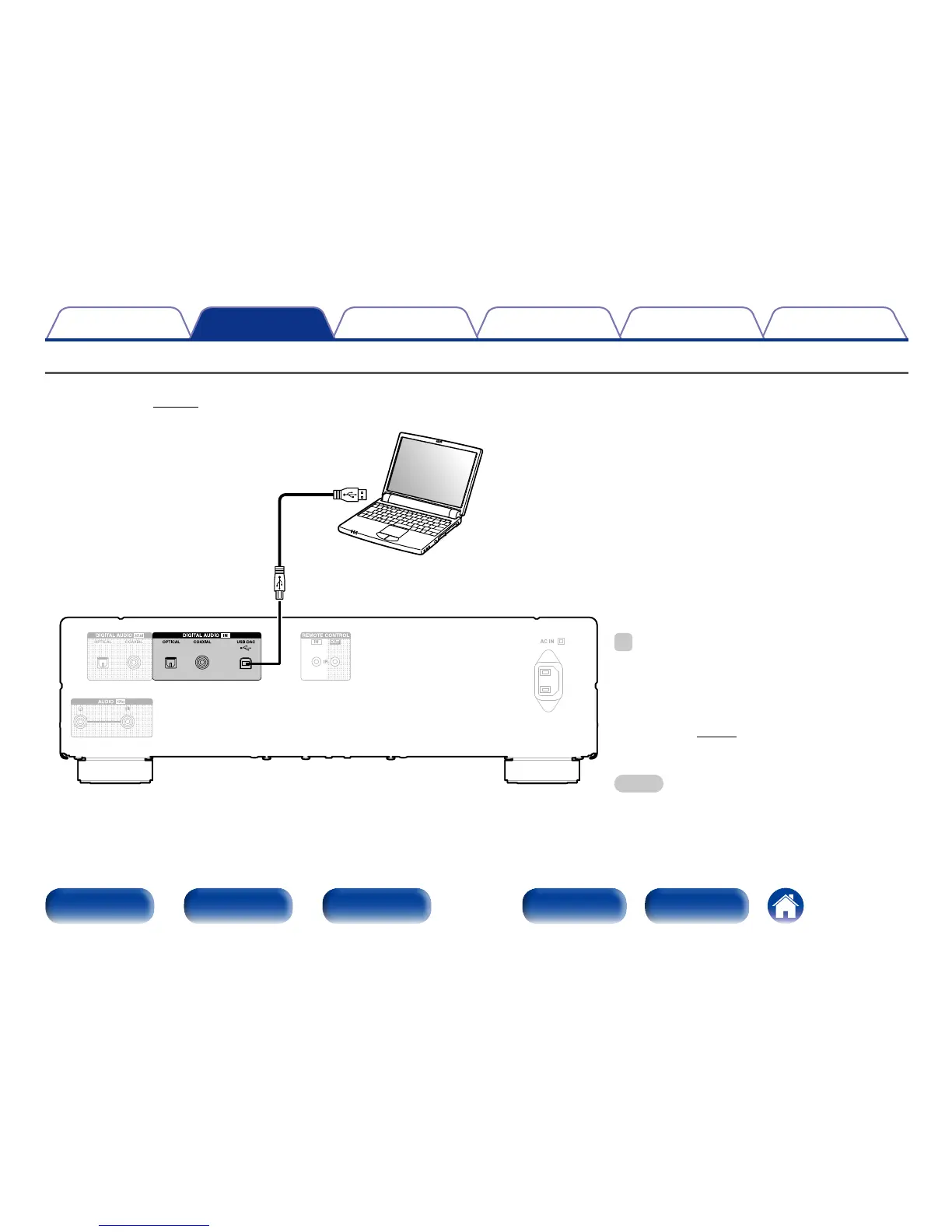
Connecting a PC or Mac
By connecting a computer to the USB port on the rear panel of this unit using a commercially available USB connecting cable, this unit can be used as a
D/A converter (vpage42 “Using as a D/A converter”).
Computer on which the driver software and
audio player software are installed
USB 2.0 cable (sold separately)
Type B
Type A
%
•Install the dedicated driver software on the computer to
enable communication between the computer and this
unit in order to playback high-resolution sound source
(DSD signal or 192 kHz/24 bit PCM signal) audio available
on the internet “Installing the dedicated driver (Windows
OS only)” (vpage43).
•Download the driver software from the DCD-1520AE
page of the Denon website.
NOTE
•Use a cable that is 3 m or less to connect to the computer.



 To Next Page