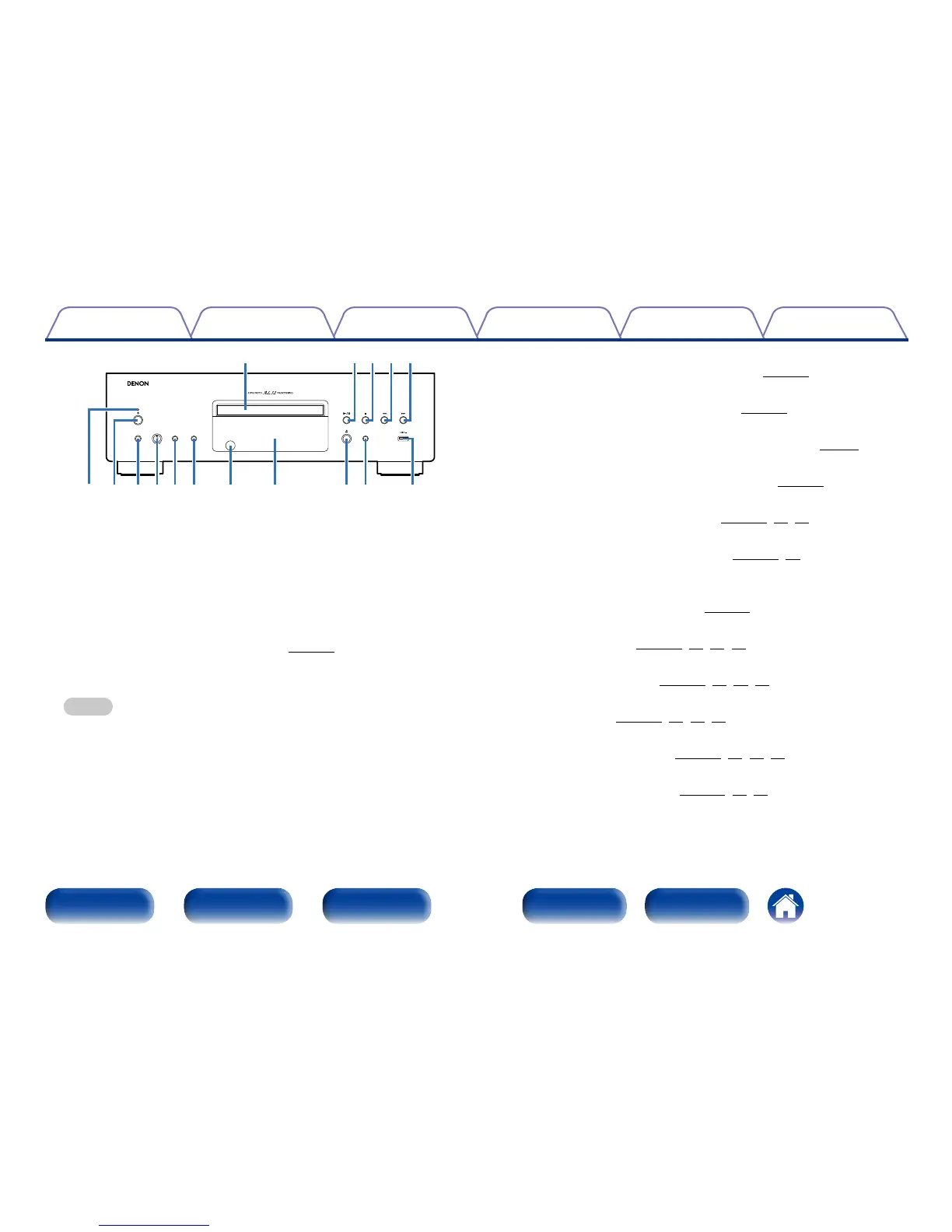
Front panel Display Rear panel IndexRemote
q Power indicator
This is lit as follows according to the power status :
•Power “On” : Green
•Standby (Auto Standby mode “O”) : Red
•Standby (Auto Standby mode “On”) : O
•iPod charge standby : Orange
•Power “O” : O
w Power operation button (X)
Turns power to this unit on and o (vpage27).
e Headphones jack (PHONES)
Used to connect headphones.
NOTE
•To prevent hearing loss, do not raise the volume level excessively when using
headphones.
r Headphone volume control knob (PHONES LEVEL)
Adjusts the headphone volume.
t DISC LAYER button
This switches the Super Audio CD layer (vpage29).
y PURE DIRECT button
This switches the Pure Direct mode (vpage28).
u Remote control sensor
This receives signals from the remote control unit (vpage5).
i Display
This displays various pieces of information (vpage10).
o Disc tray open/close button (5)
Used to open/close the disc tray (vpage30,34,63).
Q0 SOURCE button
Used to select the playback media (vpage28,30).
Q1 USB port
Used to connect USB storages (such as USB memory devices) and the
USB cable supplied with iPod (vpage22).
Q2 Forward-skip button (9)
Skip to next track (vpage31,34,38,40).
Q3 Reverse-skip button (8)
Skip to previous track (vpage31,34,38,40).
Q4 Stop button (2)
Stop playback (vpage31,34,38,40).
Q5 Play/Pause button (1/3)
Starts / Pauses playback (vpage31,34,38,40).
Q6 Disc tray
Tray used to insert a disc (vpage30,34,63).
SUPER AUDIO CD PLAYER
DCD-1520AE
MIN MAX
SOURCE
PURE DIRECTDISC LAYER
PHONES LEVELPHONES
Q2
w
e r t y u i o Q0 Q1
q
Q3Q4Q5Q6



 To Next Page