12
ENGLISH
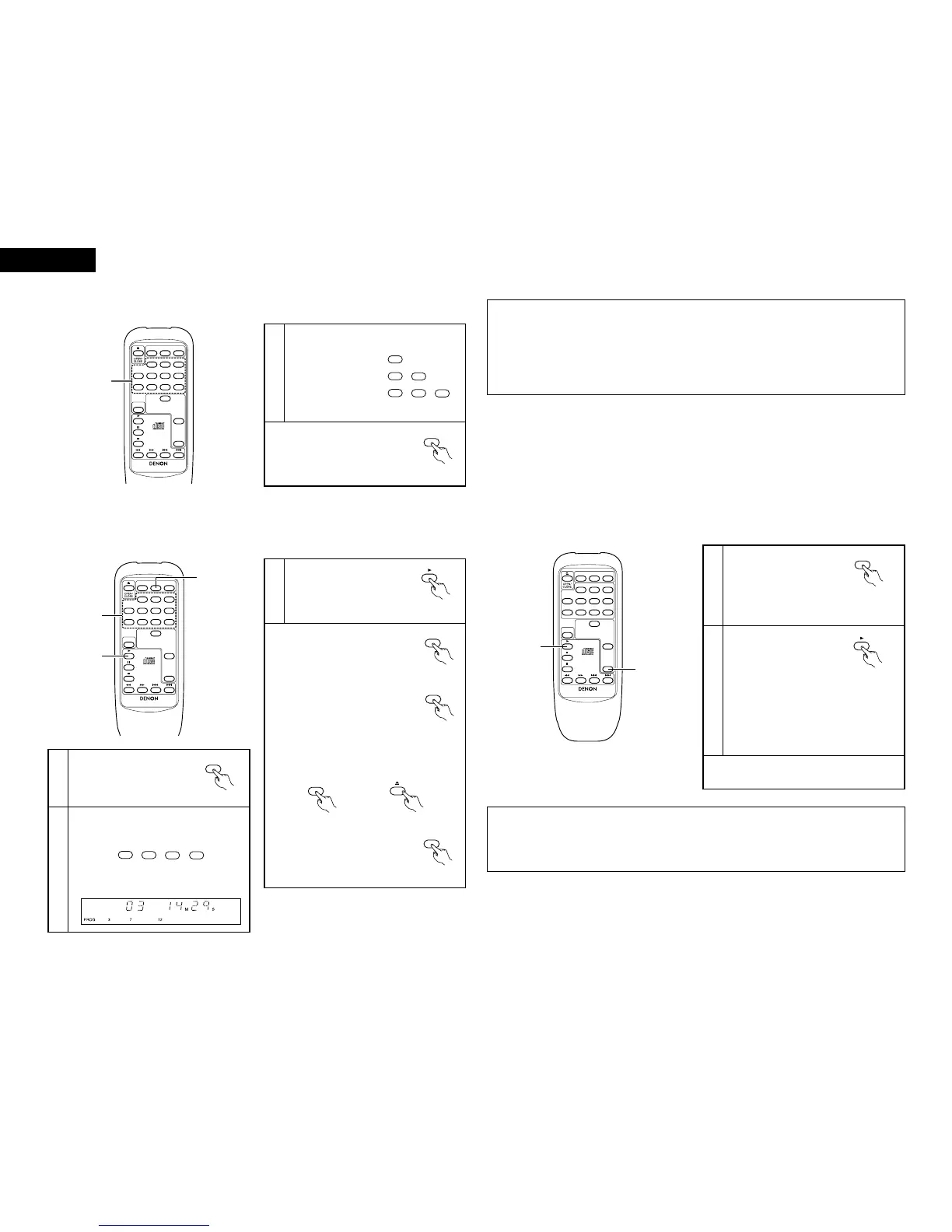
(4) Selecting the desired track (remote control unit) ………………………………
[Direct Play]
1
Ex.: To select track 4:
To select track 12:
To select track 30:
✽ To perform the direct play operation
during programmed playback, first
press the direct button to cancel the
programmed play mode.
(Remote
control unit)
(5) Playing the tracks in the desired order (remote control unit) ………
[Programmed Play]
2 Use this function to select the desired tracks on the disc and play them in the desired order.
2 Up to 30 tracks can be programmed.
1
In the stop mode, press the
program button.
• The “PROG” indicator lights.
2
Use the number buttons and the +10 button to
select the tracks to be programmed.
Ex.: To program tracks 3, 12 and 7, press:
3
Press the play button.
• The tracks are played in the
programmed order.
(Remote
control unit)
(Remote control unit)
✽ To check the tracks in the program,
press the call button. The
programmed tracks appear on the
display in the programmed order each
time the button is pressed.
(Remote
control unit)
✽ To perform the direct play
operation, first press the direct
button to cancel the programmed
play mode.
(Remote
control unit)
Use the number buttons and the +10 button to
select the desired track.
Playback starts from the selected track.
✽ The number of tracks, the track number and
the total program time are shown on the
display.
(Remote
control unit)
(Remote control unit)
✽ To clear the entire program, press the direct button
or the disc holder open/close button while in the
stop mode.
✽ To change the program, press the
direct button to clear the entire
program, then repeat steps 1 to 3.
(6) Playing the tracks in random order (remote control unit) …………………
[Random Play]
2 Use this function to play all the tracks on the disc once in random order.
2
Press the play button.
• A track is selected
automatically and playback
starts.
(Remote control unit)
✽ To cancel random playback, press the random
button again. Normal playback resumes.
1
In the stop mode, press the
random button.
• The “RANDOM” indicator
lights.
(Remote control unit)
✽ If pressed during playback, random play
starts from that track.
• During programmed playback:
The programmed tracks are played in random
order.
• During repeat playback:
The tracks are played once in random order,
then played again in a different order, and this
is repeated.
NOTES:
• The total remaining time is not displayed during random playback.
• The one-track repeat and A-B repeat modes cannot be set during random playback.
• Random playback is not possible in the editing mode when the DCD-201SA is connected in a system with the
201SA series.
NOTES:
• If programming is performed in the play or pause mode, the current track is set as the first track in the program.
Other programs can then be added, but the number of programmed tracks and the playing time will not be
displayed.
• The direct search operation cannot be performed during programmed playback. When a number key is pressed,
that track number is added to the end of the program.
• Programming is also possible with the disc holder open. In this case, if a track number that does not exist on the
disc is programmed, that track number is automatically erased from the program.


 To Next Page
 Loading...





