13
ENGLISH
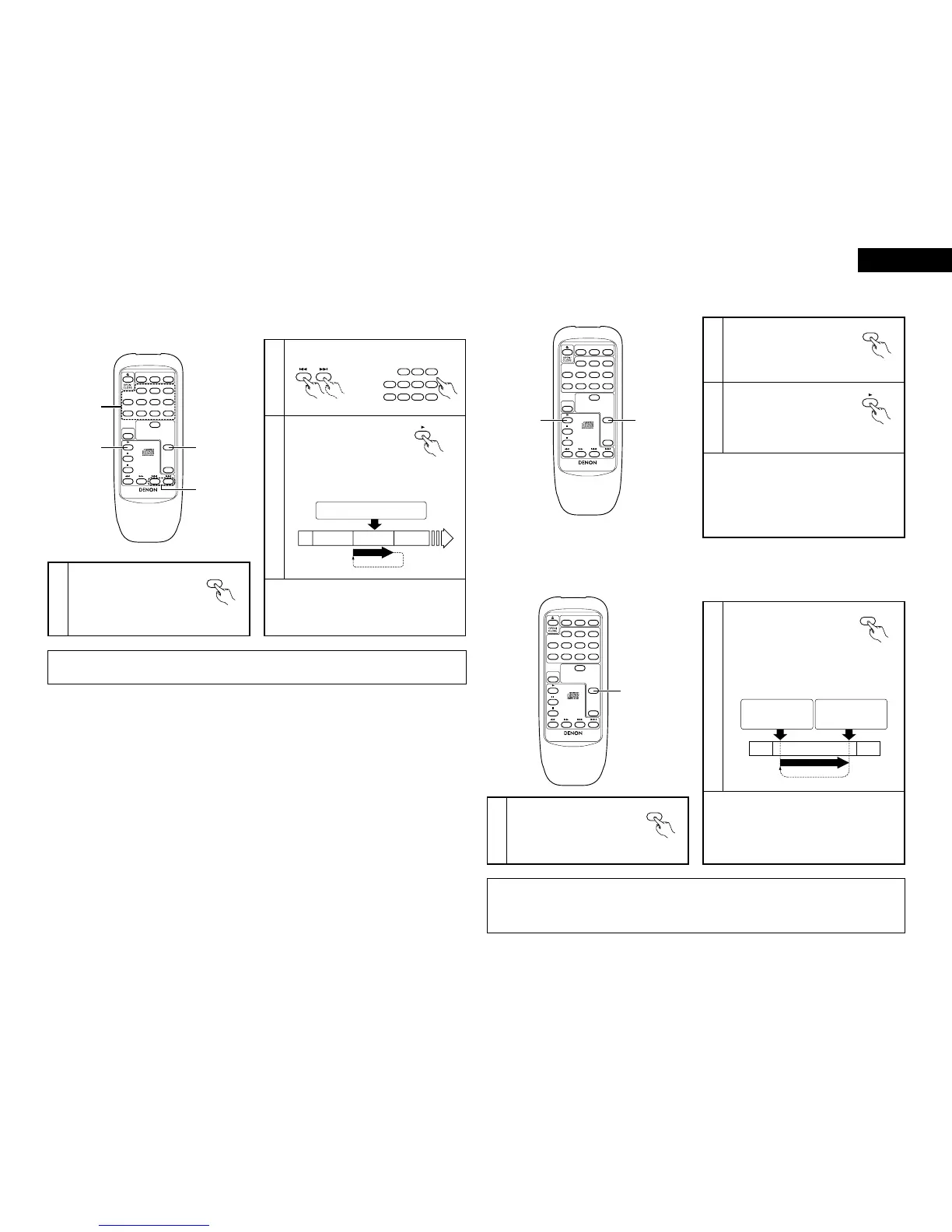
q Playing tracks repeatedly [One-track Repeat]
1
(7) Repeat Play
Press the repeat button once.
• The “ ” indicator lights.
REPEAT
1
✽ If the repeat button is pressed during playback, the
currently playing track is played repeatedly.
✽ To cancel the one-track repeat mode, press the
repeat button until the “REPEAT” indicator turns
off.
NOTE:
• The one-track repeat mode cannot be set during programmed or random playback.
Press the play button.
• Playback starts.
• Once the selected track
is played, the pickup
moves back to the
beginning of that track
and the track is repeated.
2
Select the track to be repeated.
3
(Remote control unit)
Press the repeat button once.
This operation is
performed
repeatedly.
2nd track 3rd track 4th track
(Remote
control unit)
(Remote control unit)
w Playing all the tracks repeatedly [All-track Repeat]
2
Press the repeat button twice.
• The “ ” indicator
lights.
REPEAT
ALL
Press the play button.
(Remote
control unit)
✽ The all-track repeat mode can also be set by
pressing the repeat button twice during playback.
✽ If the repeat button is pressed during programmed
playback, the programmed tracks are played
repeatedly.
✽ To cancel the all-track repeat mode, press the
repeat button until the “REPEAT” indicator turns
off.
e Playing a certain section repeatedly [A-B Repeat]
1
1
During playback, press the repeat
button three times at the point at
which you want to start repeating
(point A).
• The “ ” indicator lights.
REPEAT
A-
2 This function lets you play a certain section within a track repeatedly. Use it for example to practice karaoke or an
instrument.
2
✽ To cancel the A-B repeat mode, press the repeat
button until the “REPEAT” indicator turns off. The
A-B repeat mode is canceled, and playback
continues.
✽ If the stop button is pressed, the A-B repeat mode
is canceled and the stop mode is set.
(Point A) (Point B)
This operation
is performed
repeatedly.
2nd
track
3rd track
4th
track
NOTES:
• The A-B repeat mode cannot be set during programmed or random playback.
• The automatic and manual search operations cannot be performed during A-B repeat playback or when setting
point B.
(Remote
control unit)
(Remote
control unit)
Press the repeat button again at
the point at which you want to
stop repeating (point B).
•
The “ ” indicator lights.
The pickup moves back to point
A, and the section is played
repeatedly.
REPEAT
A-B
(Remote
control unit)



 To Next Page