Need help?
Do you have a question about the Denon MC7000 and is the answer not in the manual?
Guide to setting up and performing as a single DJ using the MC7000 with Serato DJ.
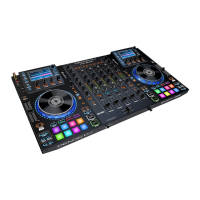
Detailed explanation of the controls and features located on the top panel of the MC7000.
Detailed explanation of the controls and features located on the front panel of the MC7000.
Detailed explanation of the connections and features located on the rear panel of the MC7000.
Instructions on how to set up and mix tracks using Serato DJ software with the MC7000.
Guide on how to assign MC7000 hardware decks to control specific decks within Serato DJ software.
Steps for browsing, selecting, and loading music tracks into the DJ software using the MC7000.
Explains how to set, trigger, and delete hot cue points using the performance pads in Cue Mode.
Details how pads create both hot cue points and auto-loops simultaneously in Cue Loop Mode.
Instructions on using and recording 'Flips' (customized sequences) with the performance pads.
Describes triggering momentary loop rolls with the performance pads in Roll Mode.
How to save, activate, and manage loops using the performance pads in Saved Loop Mode.
Explains how to trigger sequential beats ('slices') from a track's beatgrid using the pads.
Details how to loop sequential beats ('slices') from a track's beatgrid using the pads.
Guide to triggering and controlling samples from the SP-6 sampler using the performance pads.
How velocity-sensitive pads trigger samples, offering a more dynamic performance.
Using pads to play tracks from hot cue points at different transposed pitches.
 General
| Brand | Denon |
|---|---|
| Model | MC7000 |
| Category | DJ Equipment |
| Language | English |


 To Next Page