12
Front Panel
11
2
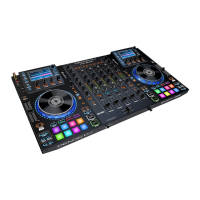
1. Phones Outputs (1/4” or 1/8” / 6.35 mm or 3.5 mm): Connect headphones to these 1/4”
(6.35 mm) and 1/8” (3.5 mm) jacks for monitoring the signal. The headphone volume is
controlled using the Monitor Level knob.
2. Crossfader Contour: Adjusts the slope of the crossfader curve. Turn the knob to the left
for a smooth fade (mixing) or to the right for a sharp cut (scratching). The center position is
a typical setting for club performances.



 To Next Page