Shenzhen Dericam Technology Co., Ltd. User Manual V1.0.7
Email: support@dericam.com Website: www.dericam.com
45
4) Email
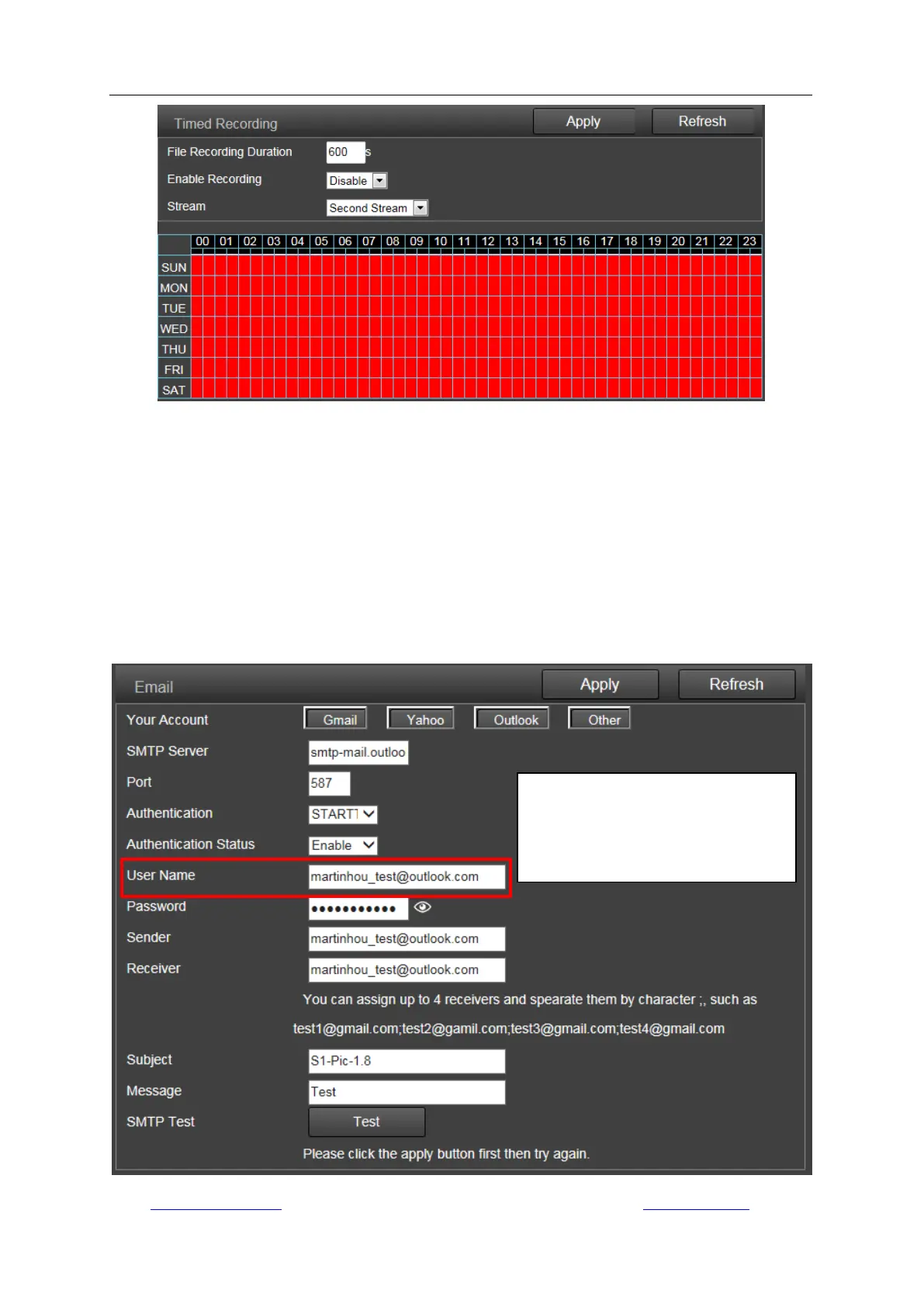
On this page you can configure the parameters for sending alarm by email. Here are three buttons
for some default settings like server name, Port and authentication for Gmail, Yahoo, Outlook, you
can click these buttons to get some default parameters if you use these email accounts.
Note:
SMTP port is usually set as 25. Some SMTP servers have special port, such as 587 or 465.
Authentication is used for transport layer security, it is usually none. If you use gmail and enable
the authentication with TLS or STARTTLS, the SMTP port must be set to 465 or 587, it depends
the authentication type you selected.
You can click the “Test” button to check whether your email settings are valid or not.
If your email account do not have an
alias name, it usually be the same
with the email address of the sender
or your login account.



 To Next Page