Technical Specification - CONFIDENTIAL - Page 12 of 21
DESKO ICON Scanner
®
Doc # 7 001 140 101 Doc.-Rev.: 2016-11-09
6 Hardware Integration
6.1 Connectors
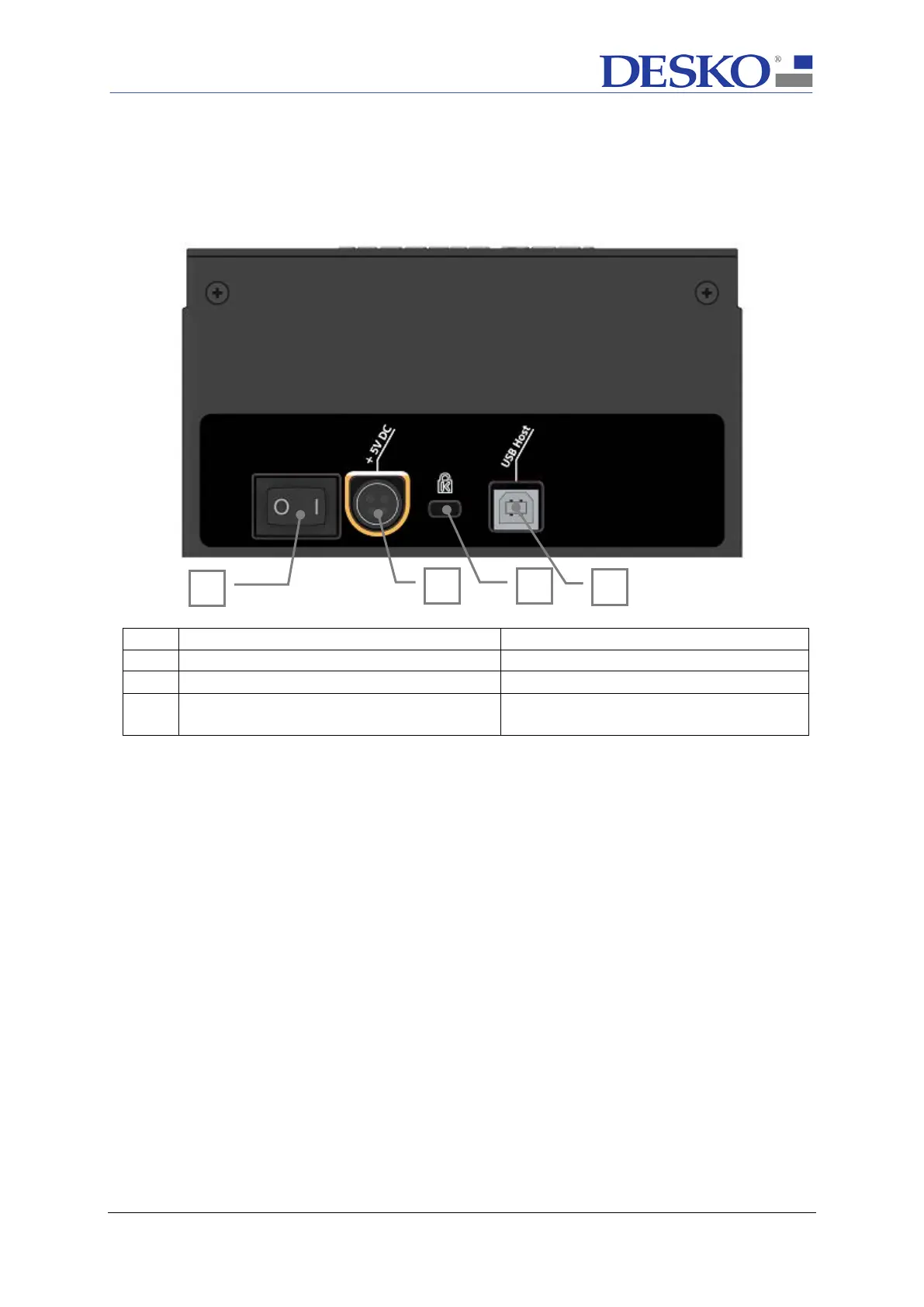
The ICON Scanner includes the following connectors:
4 USB Host
USB 2.0 Hi-Speed communication
between ICON Scanner and Host PC
To use the ICON Scanner, it needs to be connected to the power supply and the according
host interface which is the USB-Port driven by the DESKO API (see section 5.1).
The detailed hardware integration is described in appendix A.



 To Next Page