Technical Specification - CONFIDENTIAL - Page 18 of 21
DESKO ICON Scanner
®
Doc # 7 001 140 101 Doc.-Rev.: 2016-11-09
13 Appendix A / Hardware Integration Guide ICON Scanner
The ICON Scanner should be integrated by the provided means. This appendix refers to the
respective documentation available for hardware as well as software integration.
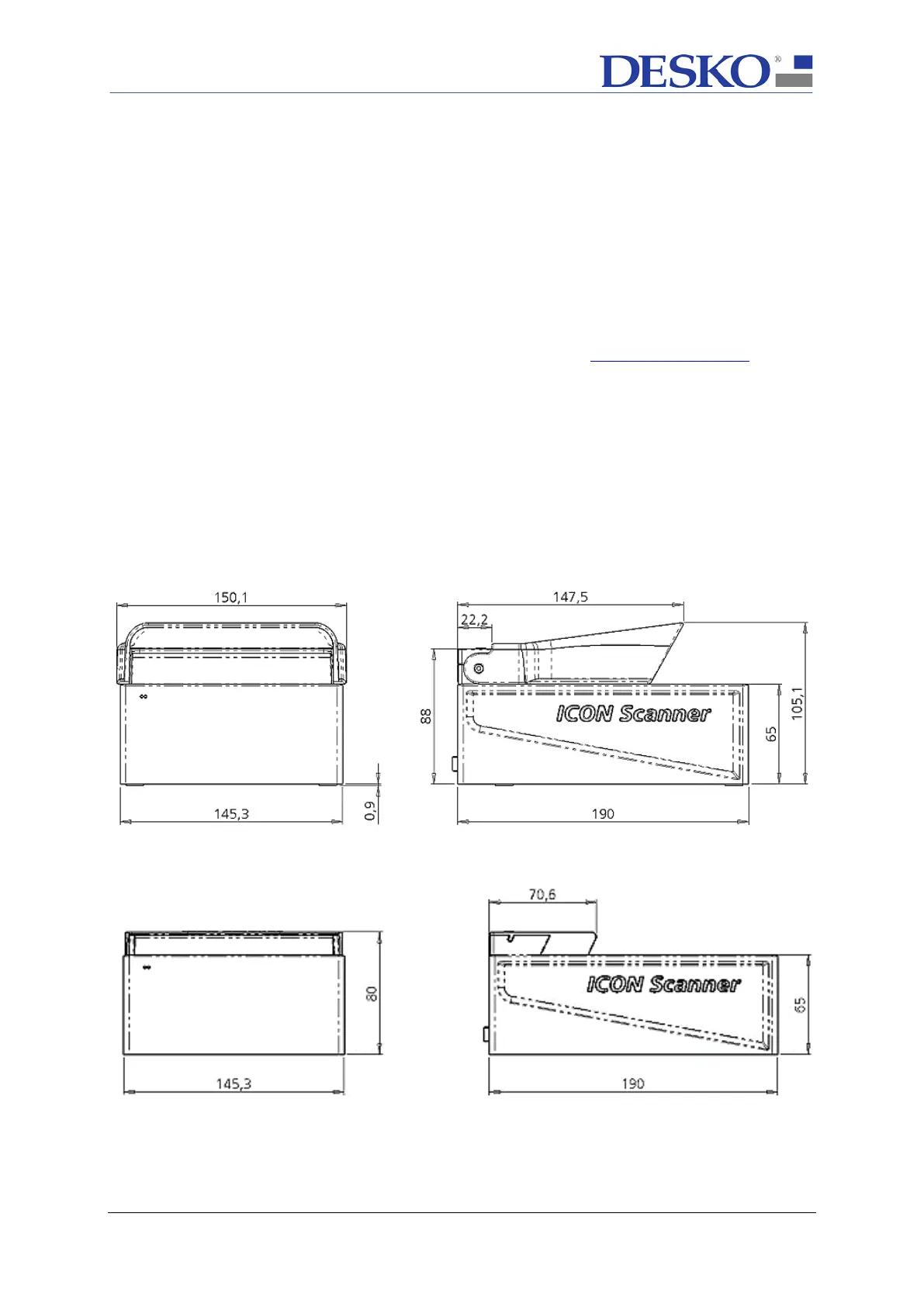
A 3D view can be found in the according eDrawing which is part of the integration guide
package: <ICON_Scanner_Integration_Guide - eDrawing.exe>
Detailed drawings can be found in the integration guide package file:
<ICON_Scanner_Integration_Guide - Drawing.pdf>
Note: To obtain the integration guide package please contact support@desko.com
13.1 Mechanical Integration
The ICON Scanner
has 2 cover options (long cover / short cover). DESKO recommends using
them also as template for the design of custom back stops.
For housing, the ICON Scanner is equipped with mounting holes on the bottom side of the
device. This allows mounting the device in a customer specific environment.
13.1.1 ICON Scanner with Long Cover
(Dimensions in mm)
13.1.2 ICON Scanner with Short Cover
(Dimensions in mm



 To Next Page