Technical Specification - CONFIDENTIAL - Page 5 of 21
DESKO ICON Scanner
®
Doc # 7 001 140 101 Doc.-Rev.: 2016-11-09
2 Introduction
This guide describes the standard use of the ICON Scanner
with all features and hardware
configurations. The delivered features and hardware configurations depend on the ordered
configuration. Detailed information on the respective configuration can be found in the
Quick Installation Guide, which is shipped with the device.
The ICON Scanner is a full-page scanner designed to be used in self-service and agent
operated environments.
Depending on the hardware configuration, the device supports the reading of:
• Machine readable zone of OCR documents according to ISO/IEC 7501-1 and ICAO
9303 (e.g. ID cards, passports and visas).
• RFID documents according to ISO 14443 (A/B), ISO 7816 (incl. US passport), ICAO
9303 as well as full NFC support.
Should you need further information on the specific features or the configuration of your
ICON Scanner, please contact our sales team at sales@desko.com
. Please always state the
serial number of the device in your email.
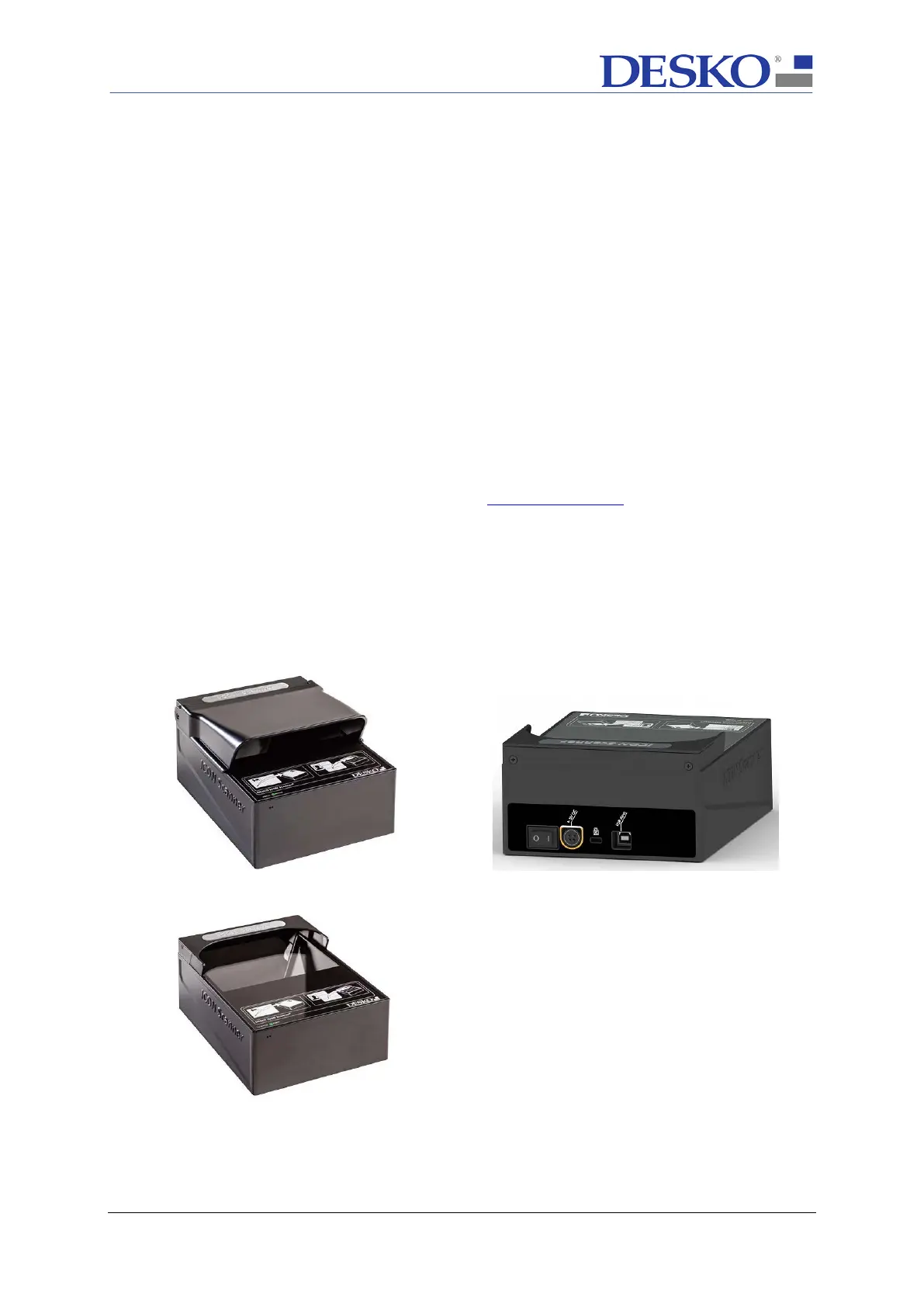
To achieve best performance and image quality, it is important to prevent indirect sunlight
hitting the reading window. Therefore, the ICON Scanner provides two cover options:
1) ICON Scanner with Long Cover for desktop use (Pic.2.1)
2) ICON Scanner
with Short Cover for integration (Pic.2.3)
Pic.2.1: Front view of ICON Scanner
with long cover
Pic 2.2: Back view of ICON Scanner
Standard with short or long cover
Pic.2.3: Front view of ICON Scanner
with short cover



 To Next Page