Technical Specification - CONFIDENTIAL - Page 13 of 21
DESKO ICON Scanner
®
Doc # 7 001 140 101 Doc.-Rev.: 2016-11-09
7 Usage of the DESKO ICON Scanner
®
As soon as the ICON Scanner is connected to a PC, the device is ready to read OCR and to
scan images from different documents.
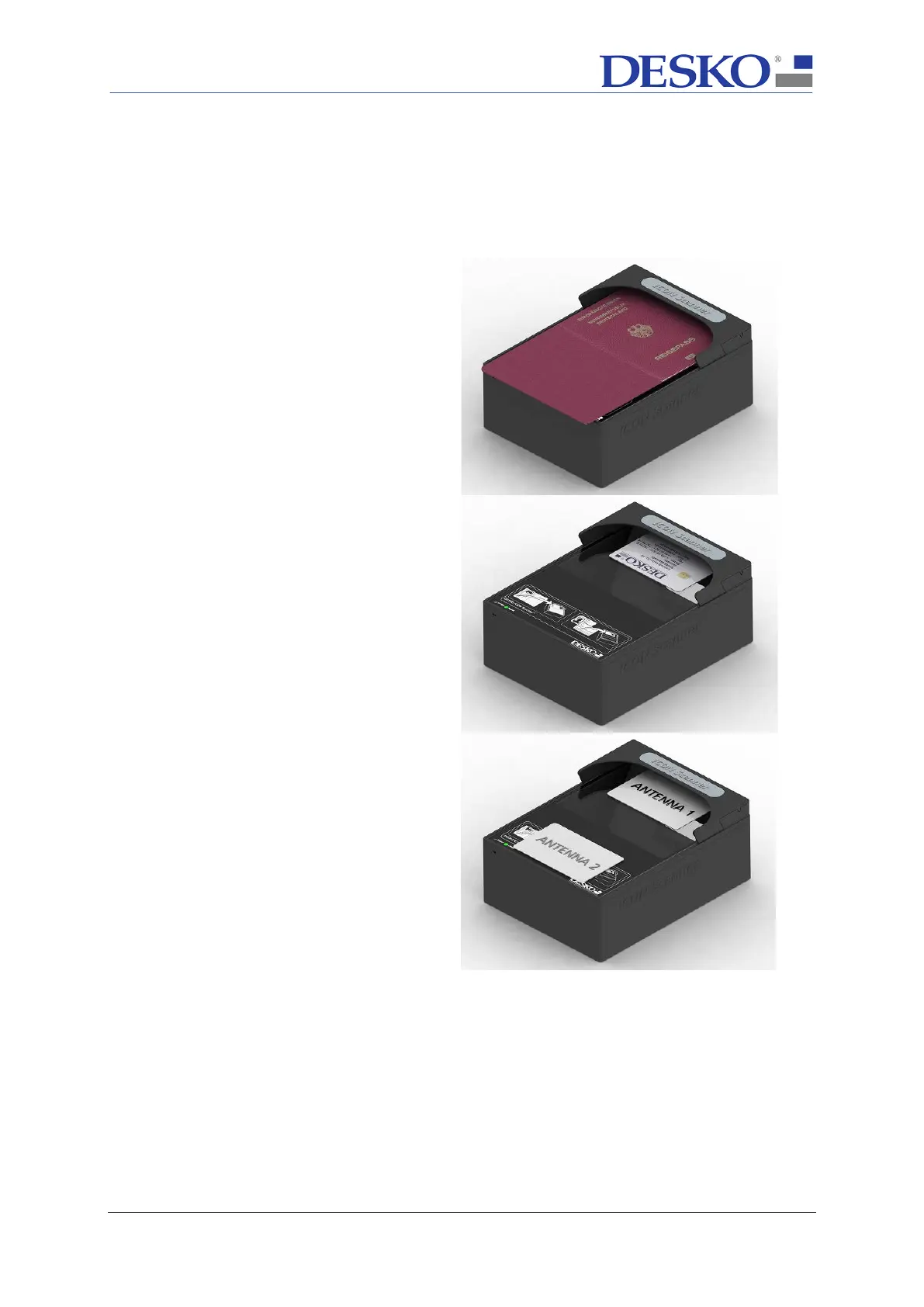
Scanning an ID-3 size document (e.g.
German passport):
To scan an ID-3 passport document, place
the page with the MRZ (machine readable
zone) face down on the scan window and
push it against the rear stop.
Scanning an ID-1 document (e.g. ID card
with three-line MRZ):
To scan an ID-1 card, place
center of the scan
window. For MRZ
reading, the respective side of the
document must be facing down.
Reading an RFID / NFC document
(e.g. ePassport):
The ICON Scanner
with two RFID antennas. The two antennas
are mounted hidden around the scan
window and the area around the front
label. Consequently,
it does not matter
whether the RFID chip is integrated inside
the front or rear cover of the passport.
Note: RFID passport reading may take
several seconds.



 To Next Page