Technical Specification - CONFIDENTIAL - Page 9 of 21
DESKO ICON Scanner
®
Doc # 7 001 140 101 Doc.-Rev.: 2016-11-09
4 Installation and Setup
4.1 Software Setup
Information about the software (including documentation), driver and SDK can be found in
the DESKO download area. The link and log-in data for the download area can be found in
the Quick Installation Guide which is shipped with the device, or contact
support@desko.com
.
4.2 Hardware Setup
4.2.1 ICON Scanner
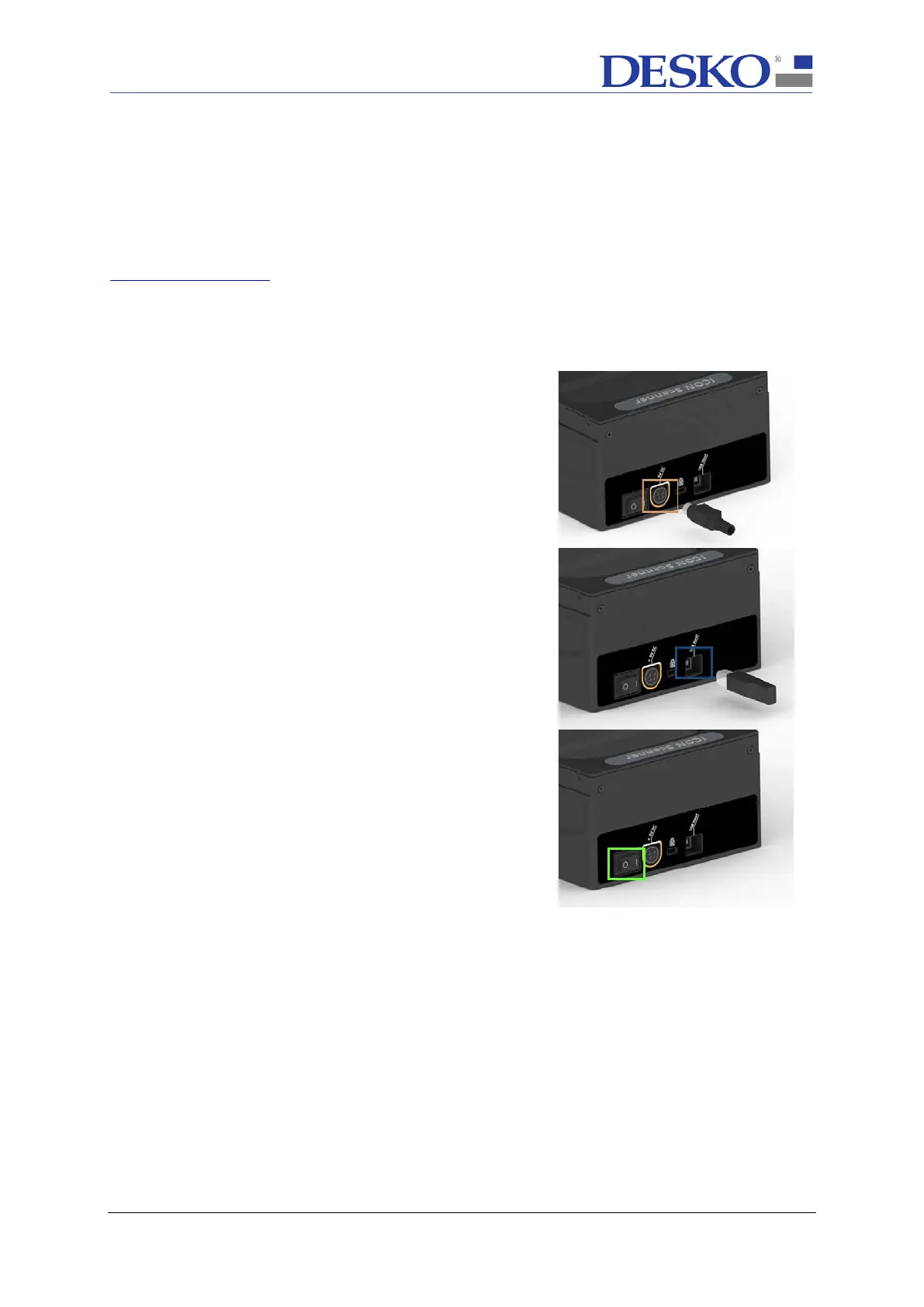
Step 1 – Power Connection
Connect the ICON Scanner
to the power plug (orange
box). Only use the provided power supply!
Step 2 – Signal Connection
Connect the ICON Scanner with your PC
provided USB cable (blue box).
Step 3 – Turning on the ICON Scanner
After having connected the ICON Scanner
,
device on by switching the power switch (green box).



 To Next Page