Adjusting the print position
4
4-10 ineo+ 220/280/360 (Version 3)
4.4
4.4 Adjusting the print position
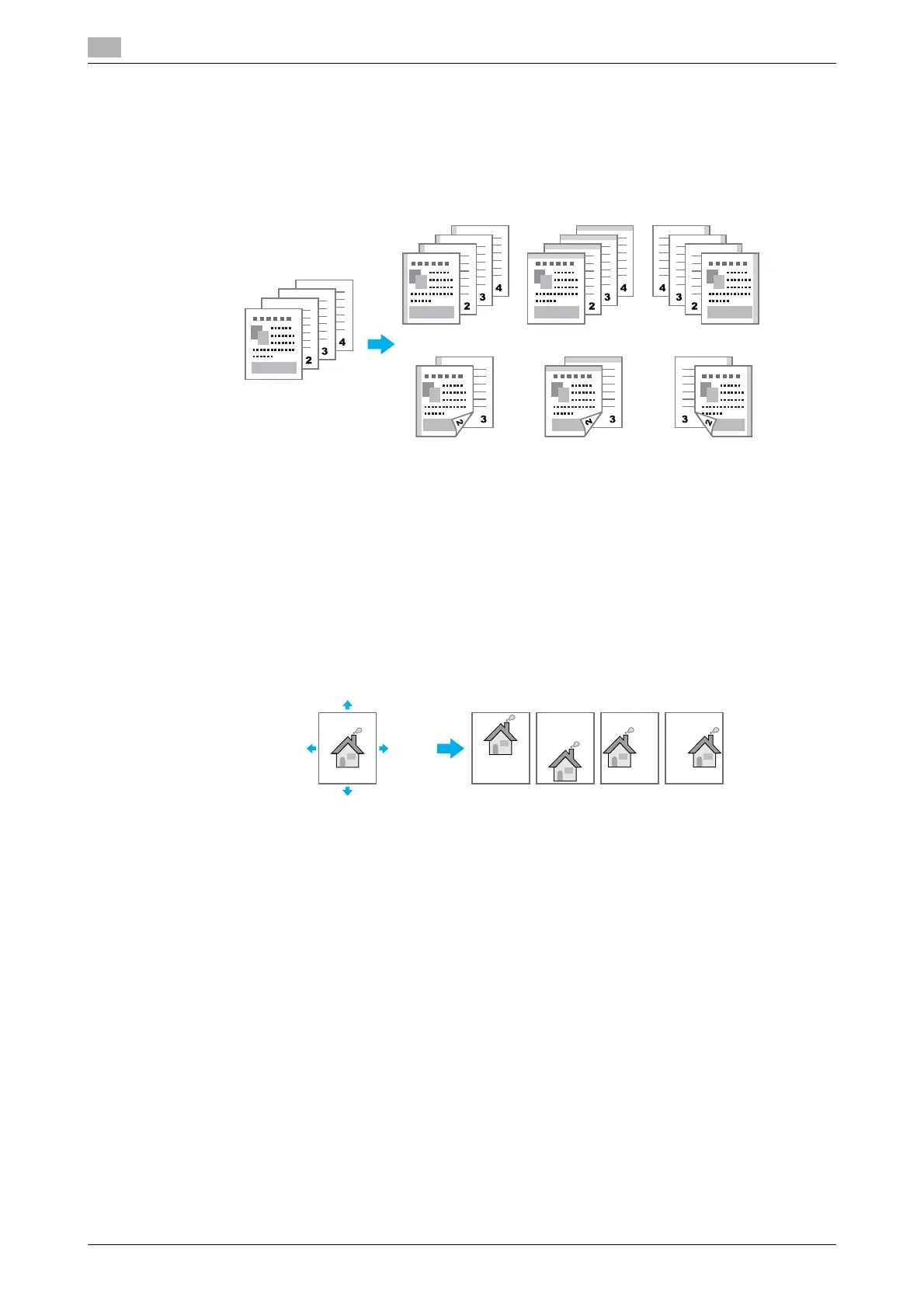
Binding Direction and Binding Margin
Specify the binding position for binding documents. With Windows PCL/PS/XPS drivers, amount of page
margins can also be adjusted.
Windows PCL/PS/XPS drivers: Layout tab
Macintosh OS X driver: Layout/Finish
d Reference
For details, refer to chapter 9 and chapter 10 of the [User’s Guide Print Operations].
Image Shift
The entire image can be shifted, then printed, for example, when adjusting the left and right margins.
Windows PCL/PS/XPS drivers: Layout tab
Macintosh OS X driver: Layout/Finish
d Reference
For details, refer to chapter 9 and chapter 10 of the [User’s Guide Print Operations].
The binding margin
can also be adjusted.
Left bind Top bind Right bind
Top shift
Bottom shift
Top shift
Bottom
shift
Left shift Right shift
Right
shift
Left
shift









 To Next Page